3.1. Scanning for Systems
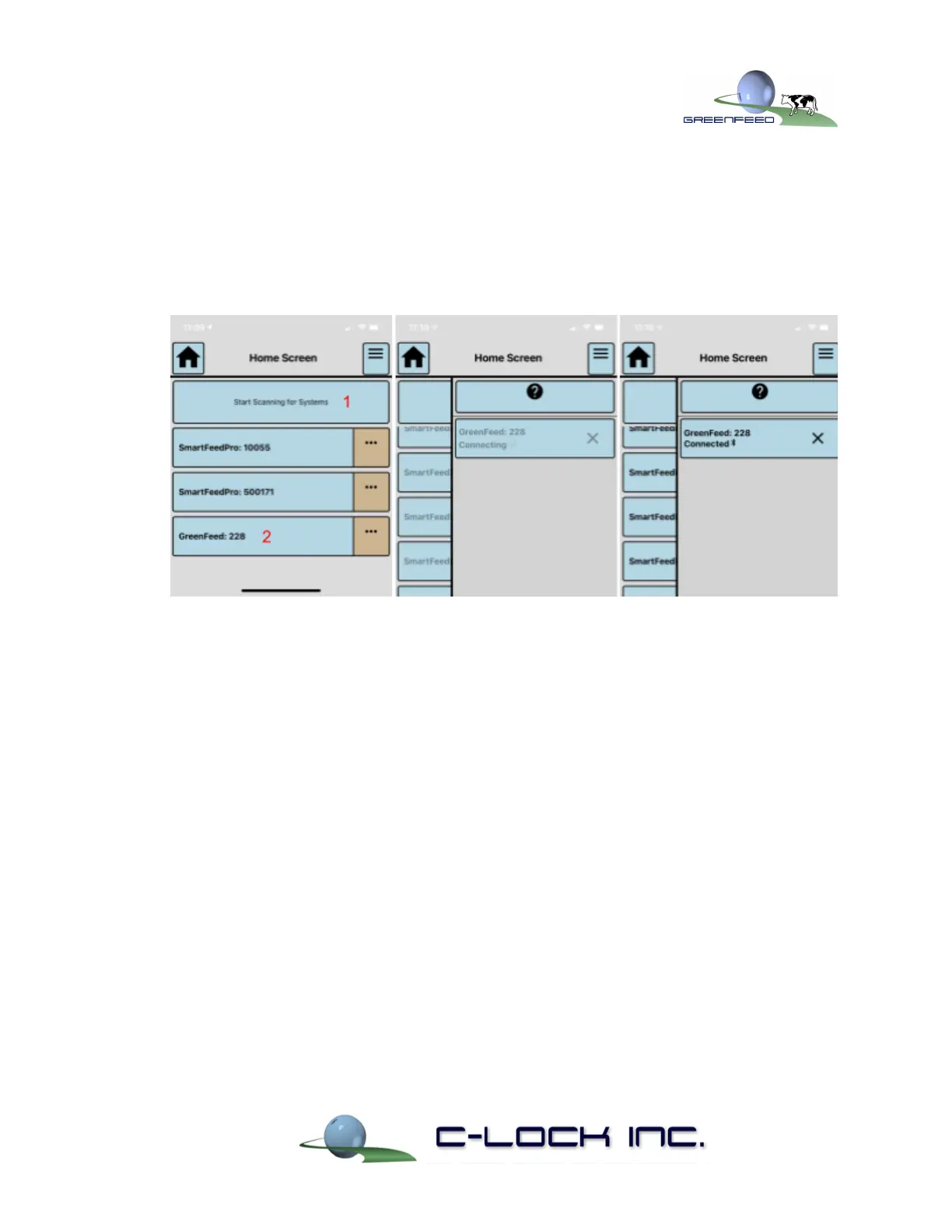
1. Begin by pressing “Start Scanning for Systems”.
2. A list of nearby devices will appear on the screen. See Figure 8.
3. Press the system you wish to control.
4. A side-box will appear while it attempts to connect to the system.
Figure 8) Scanning and Connecting to a System using Control Feed
3.2. Controlling GreenFeed
Once connected to a GreenFeed system, you will be able to perform the following tasks:
1) View real-time sensor values of the machine
2) Turn on and off the fan and sample pump
3) Dispense feed from the hopper
4) Trigger an auto-calibration
5) View the status of a in-progress CO
2
Recovery
6) Perform other actions such as:
a) Put the system to sleep/Wake it back up
b) Power off the system
c) Turn on and off the dome light
d) Sound the chime
7) Plot real-time sensor values


 To Next Page