support@swiftlane.com
| 505-657-9438
16
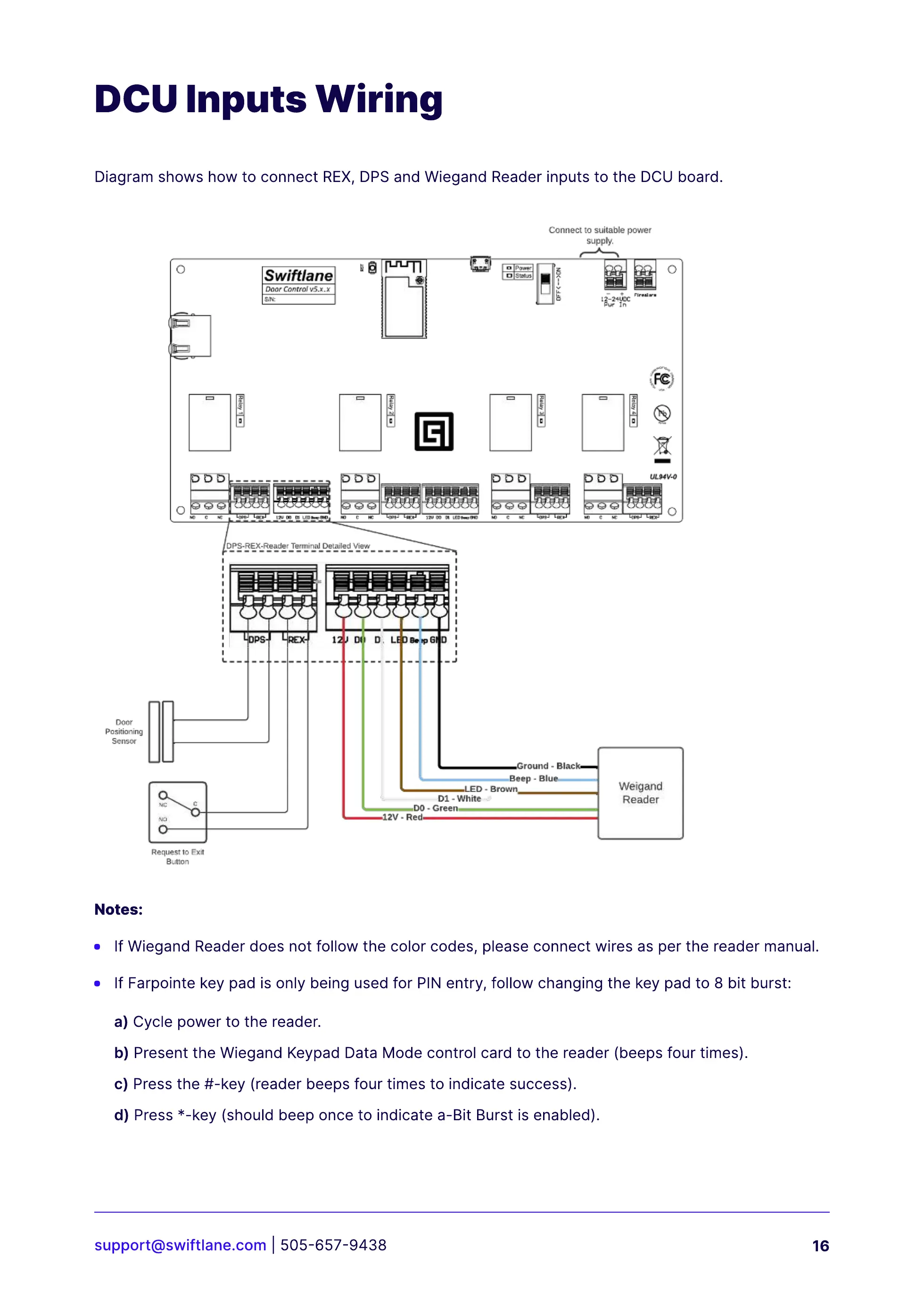
Diagram shows how to connect REX, DPS and Wiegand Reader inputs to the DCU board.
DCU Inputs Wiring
Notes:
If Wiegand Reader does not follow the color codes, please connect wires as per the reader manual.
If Farpointe key pad is only being used for PIN entry, follow changing the key pad to 8 bit burst:
a) Cycle power to the reader.
b) Present the Wiegand Keypad Data Mode control card to the reader (beeps four times).
c) Press the #-key (reader beeps four times to indicate success).
d) Press *-key (should beep once to indicate a-Bit Burst is enabled).



 To Next Page