support@swiftlane.com
| 505-657-9438
23
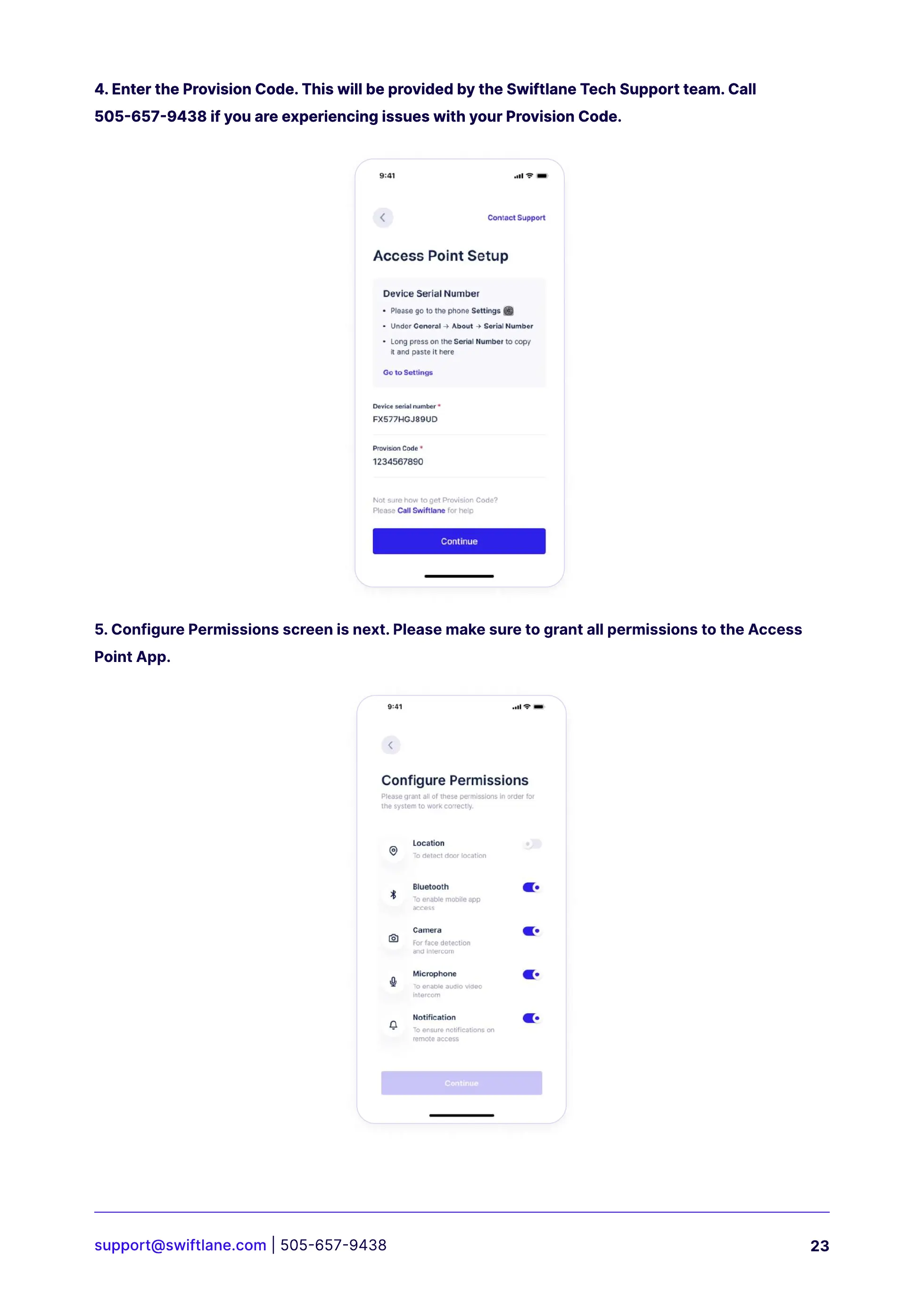
4. Enter the Provision Code. This will be provided by the Swiftlane Tech Support team. Call
505-657-9438 if you are experiencing issues with your Provision Code.
4. Enter the Provision Code. This will be provided by the Swiftlane Tech Support team. Call
505-657-9438 if you are experiencing issues with your Provision Code.
5. Configure Permissions screen is next. Please make sure to grant all permissions to the Access
Point App.



 To Next Page