EN
18
Owner’s manual
selected program will be locked for choosing.
Favorite: display list of favorite TV channels.
EPG: Press EPG button to display the menu of the electronic TV guide (Electronic Program Guide), which displays the
schedule of programs for a certain period of time for each available channel. Use navigation buttons on the remote control to
Sort:
LCN: turn on/off the function.
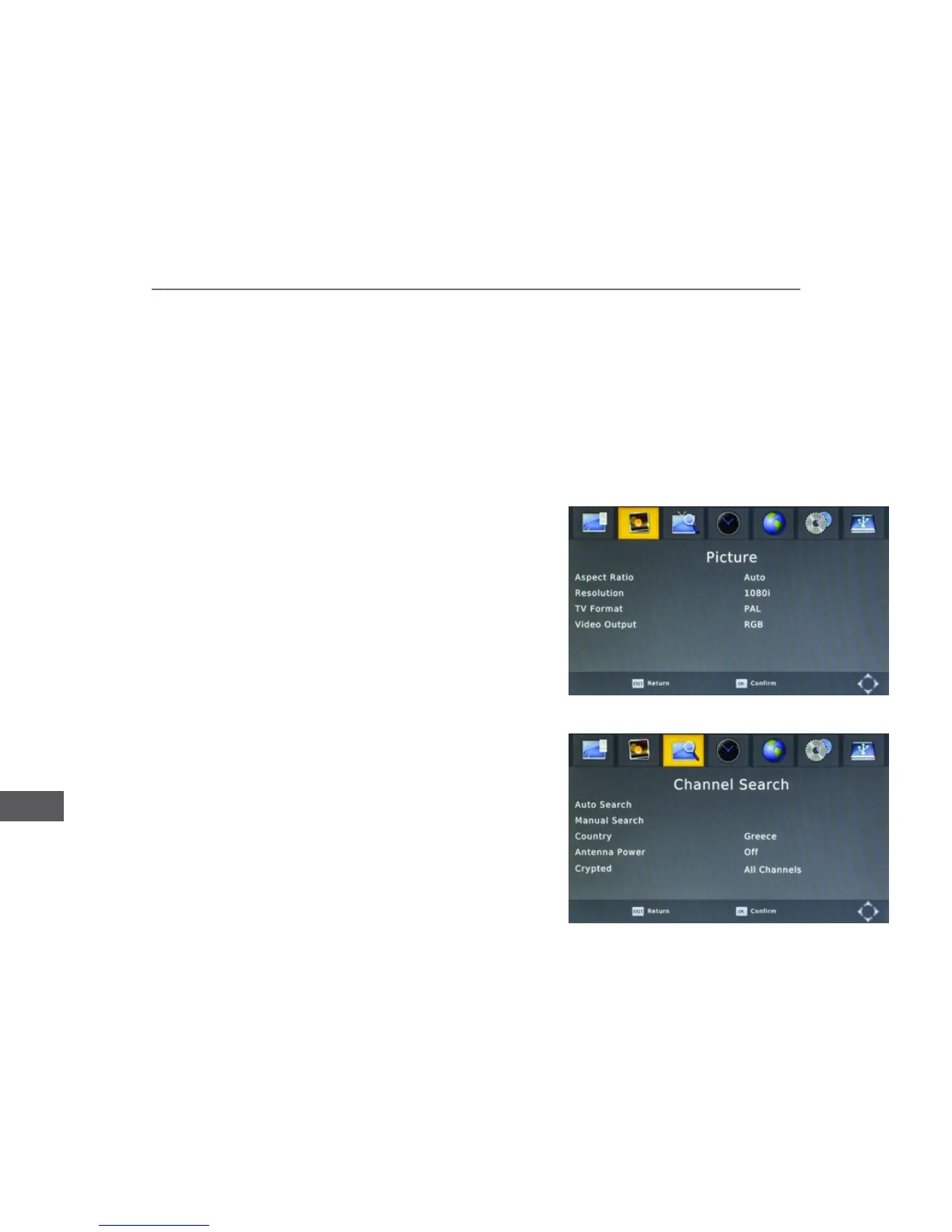
Picture
Aspect ratio: select the desired aspect ratio (4:3 LB/ 4:3 PS/ 4:3 Full/ 16:9
Wide screen/ Auto/ 16:9 Pillar Box/ 16:9 Pan&Scan).
Resolution: select the desired resolution (576i/576p/720p/1080i/ 1080p
(50 Hz)).
TV format: select color system (PAL/NTSC).
Video output: select component (RGB) or composite (CVBS) video output
mode.
Channel search
Auto Search: select this function to start automatic searching and saving
available TV channels.
Manual Search: this function enables manual searching for TV channels.
Press navigation buttons to select the desired channel frequency. Press
it will be added to the channel list.
Country: Select your country.



 To Next Page