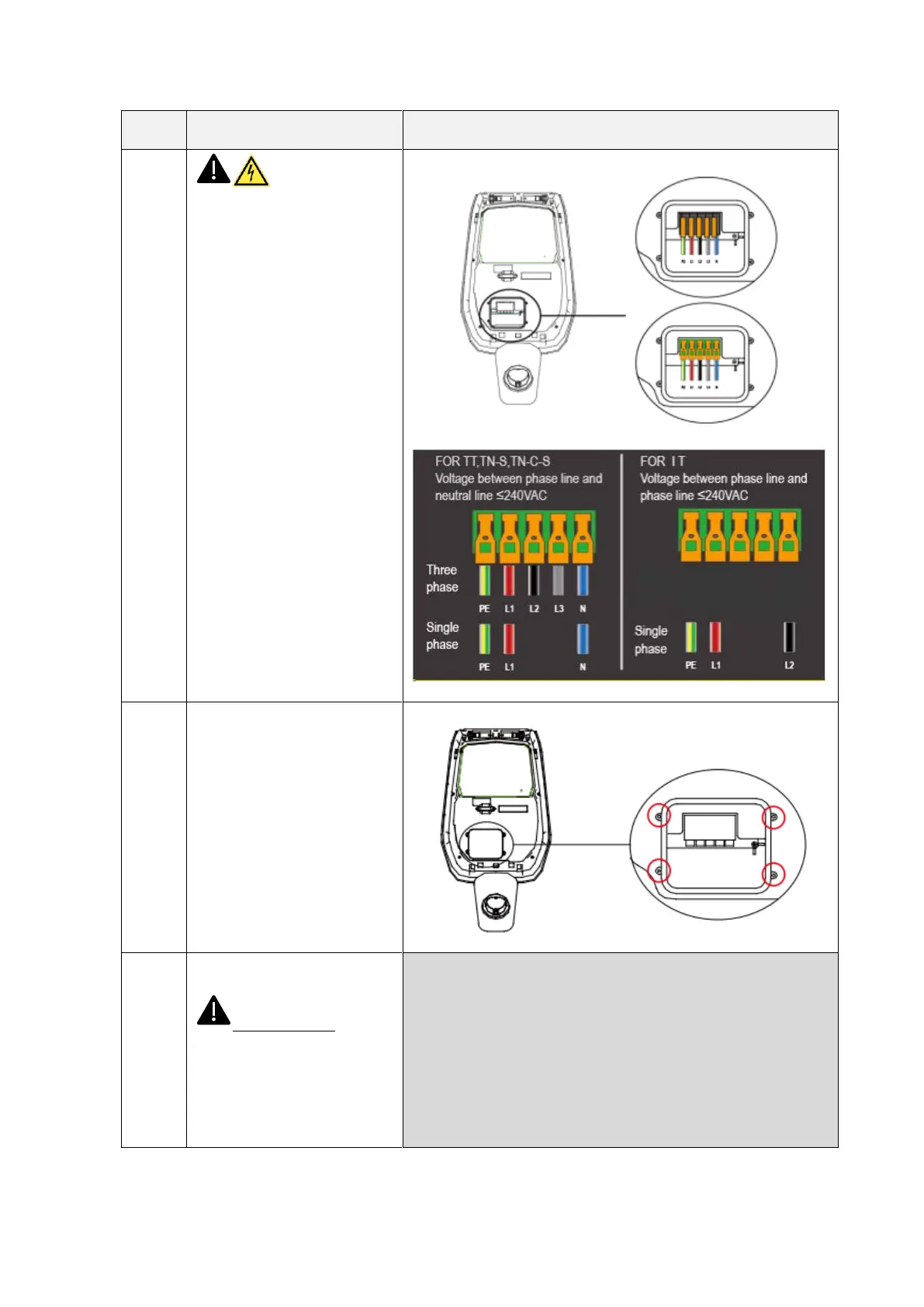
Make sure the
input cable is not powered.
Open the wire cover (circled in
the picture), insert the power
supply cables into the bottom
hole, and connect the cables
according to the signs as
specified on the wire cover
scheme.
It should be noted that there is
no device for fixing the input
cable, so you must leave
enough space for the cable to
avoid the cable from being
pulled by external forces, or you
can add a cable fixing device
which stabilize the input cable.
Close the front cover and the
installation is finished.
Important note: the front
cover must be correctly
installed and closed before
using the charger. Do not use
the device if the cover cannot
be closed for any reason.


 To Next Page