EasyManua.ls Logo

cabur PLUS EV - LED Indicators (AREA2)

cabur PLUS EV
49 pages
Print Icon
To Next Page IconTo Next Page
To Previous Page IconTo Previous Page
Loading...
22
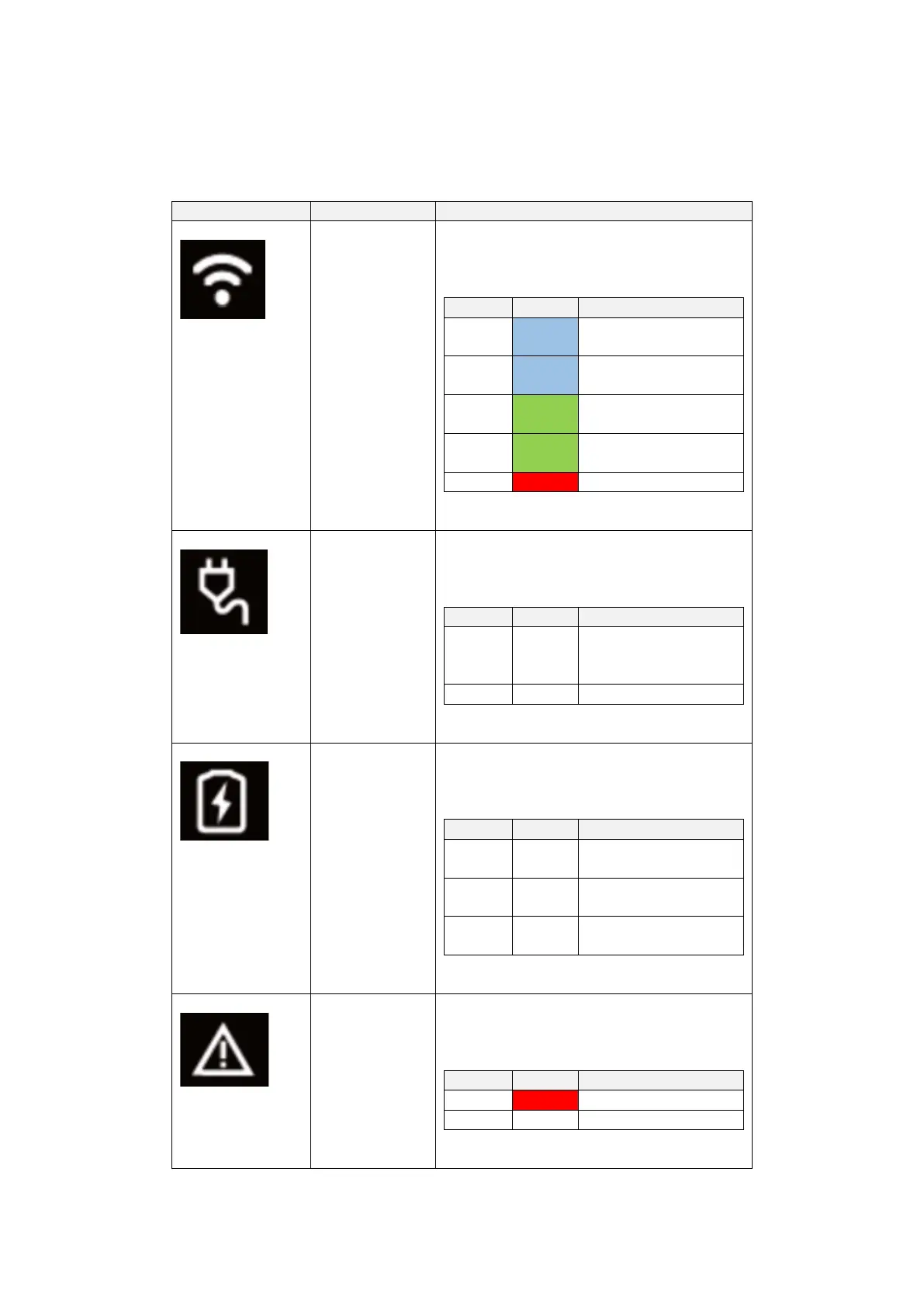
7.1.3 LED indicators (AREA2)
The LED indicators give real time information about the charger status. Four different indicators
are available with the functions explained in the following table:
LED indicator
Application
Description
WiFi network
mode and status
Depending on its colour and on its behaviour
(blinking or steady) it gives the following
different information:
Status
Colour
Information
Steady
Blue
WiFi in AP mode, no
device connected
Blinking
Blue
WiFi in AP mode,
devices are connected
Steady
Green
WiFi in client mode, not
connected
Blinking
Green
WiFi in client mode,
connected
Steady
Red
Damaged WiFi module
Plug status
Depending on its colour and on its behaviour
(blinking or steady) it gives the following
different information:
Status
Colour
Information
Steady
White
The EV is connected
and ready to start
charging
Off
No EV connected
Charging process
Depending on its colour and on its behaviour
(blinking or steady) it gives the following
different information:
Status
Colour
Information
Steady
White
The charging process is
in progress
Blinking
White
The charging process is
temporarily suspended
Off
No charging process in
progress
Fault indication
Depending on its colour and on its behaviour
(blinking or steady) it gives the following
different information:
Status
Colour
Information
Steady
Red
A fault occurred
Off
No fault