Home
cabur
Battery Charger
PLUS EV
Page 19
cabur PLUS EV - Page 19
49 pages
Manual
Save Page as PDF
To Next Page
To Next Page
To Previous Page
To Previous Page
Loading...
18
Step
No.
Description
Picture
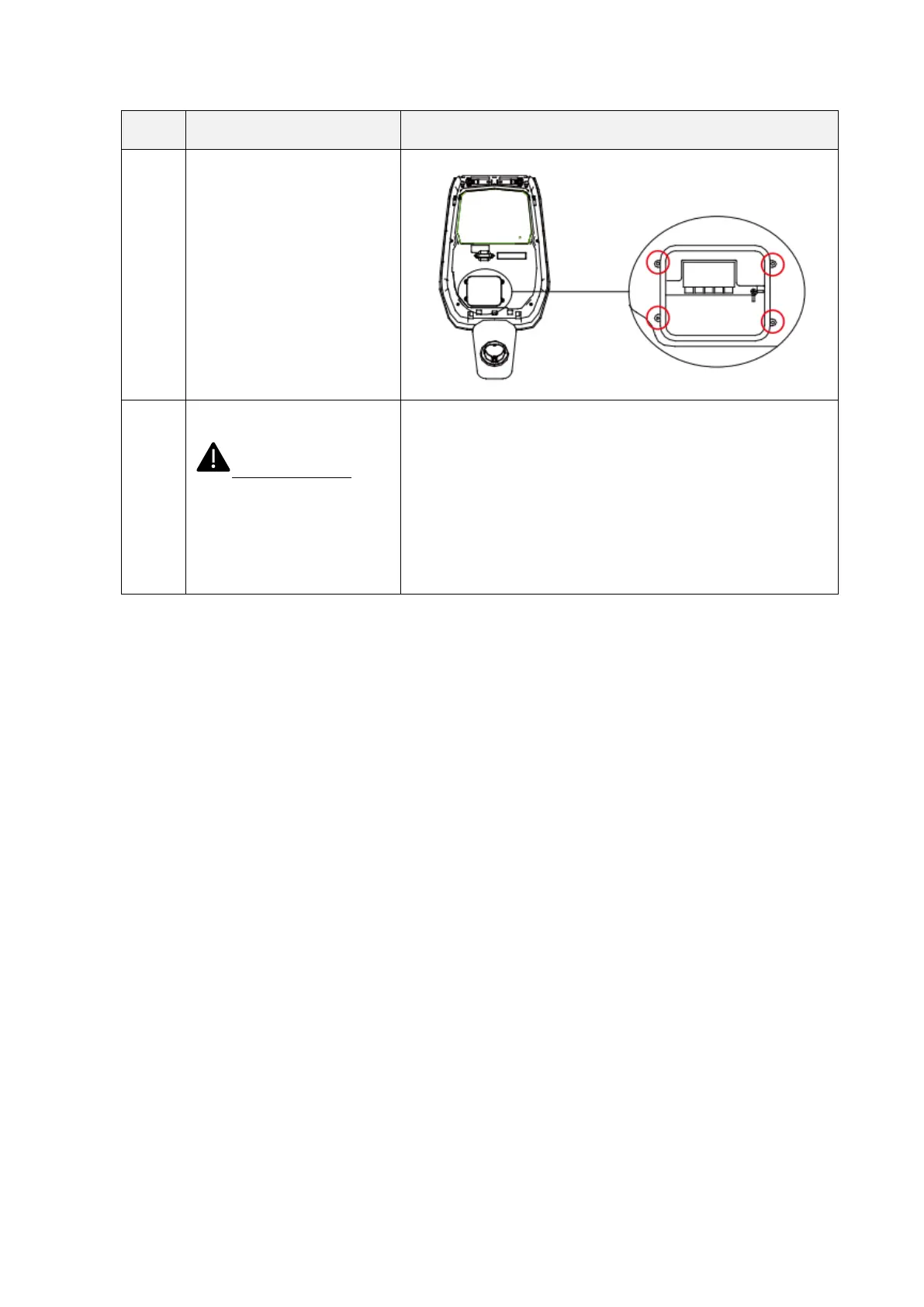
8
Close
the
wire
cover
and
screw
up the
wire
cover w
ith 4
screws
9
Close
the
front
cover
and
the
installation is
finished.
Important
no
te:
the
front
cover
must
be
correctly
installed
and
closed
before
using
the
charger.
Do
not
use
the
device
if
the
cover
cannot
be closed for any r
eason.
18
20
Table of Contents
Main Page
Table of Contents
2
Revision History
4
Introduction
5
General Information
5
About this Manual
5
About Safety
5
About Maintenance
6
Warranty and Liability
7
Limits of Use
7
Technical Data
9
Installation
11
Installation Conditions / Environmental Requirements
11
Installation Accessories
11
Installation of the Protection against Short Circuit
11
Installation of the Protection against Residual Current
12
Overvoltage Protection
12
Installation Cables
12
Supported Power Supply Systems
12
Installation Steps
13
Installation on Stand
16
Operations
20
Operating Elements
20
Display Areas
20
Digital Character Display (AREA1)
21
LED Indicators (AREA2)
23
Tap RFID Card Area (AREA3)
24
System Connectivity
25
Wifi Interface
25
Wifi AP Mode
25
Configurations through Wifi AP Mode
28
Wifi CLIENT Mode
37
Wifi CLIENT Mode Operations (OCPP Support)
38
Charging Process
40
Power Management with External Meter Interface
41


 To Next Page