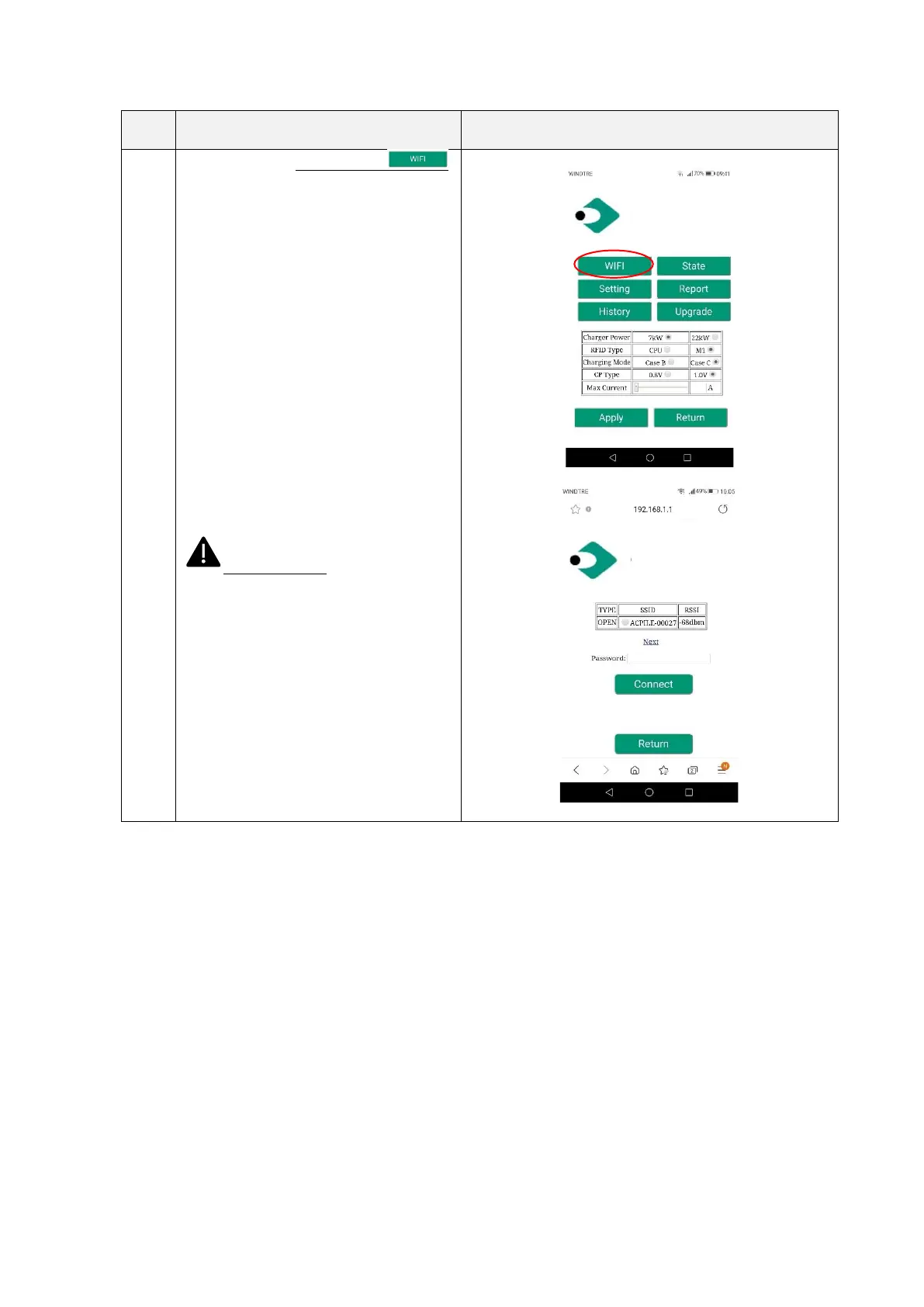
Clicking on the “WIFI” button ,
the user can access the CLIENT mode wifi
settings.
The user can configure the AP, that the
charger can connect to, when in WiFi Client
Mode.
The list of the networks is shown
automatically after entering this page.
Or the user can set it.
To connect to a particular SSID, select it,
insert the password in the proper field and
click connect.
The charger will automatically connect to
the selected SSID from now on, when set in
Client Mode.
Important note: these parameters
shall be configured by qualified personnel
only


 To Next Page