45
12 System upgrade
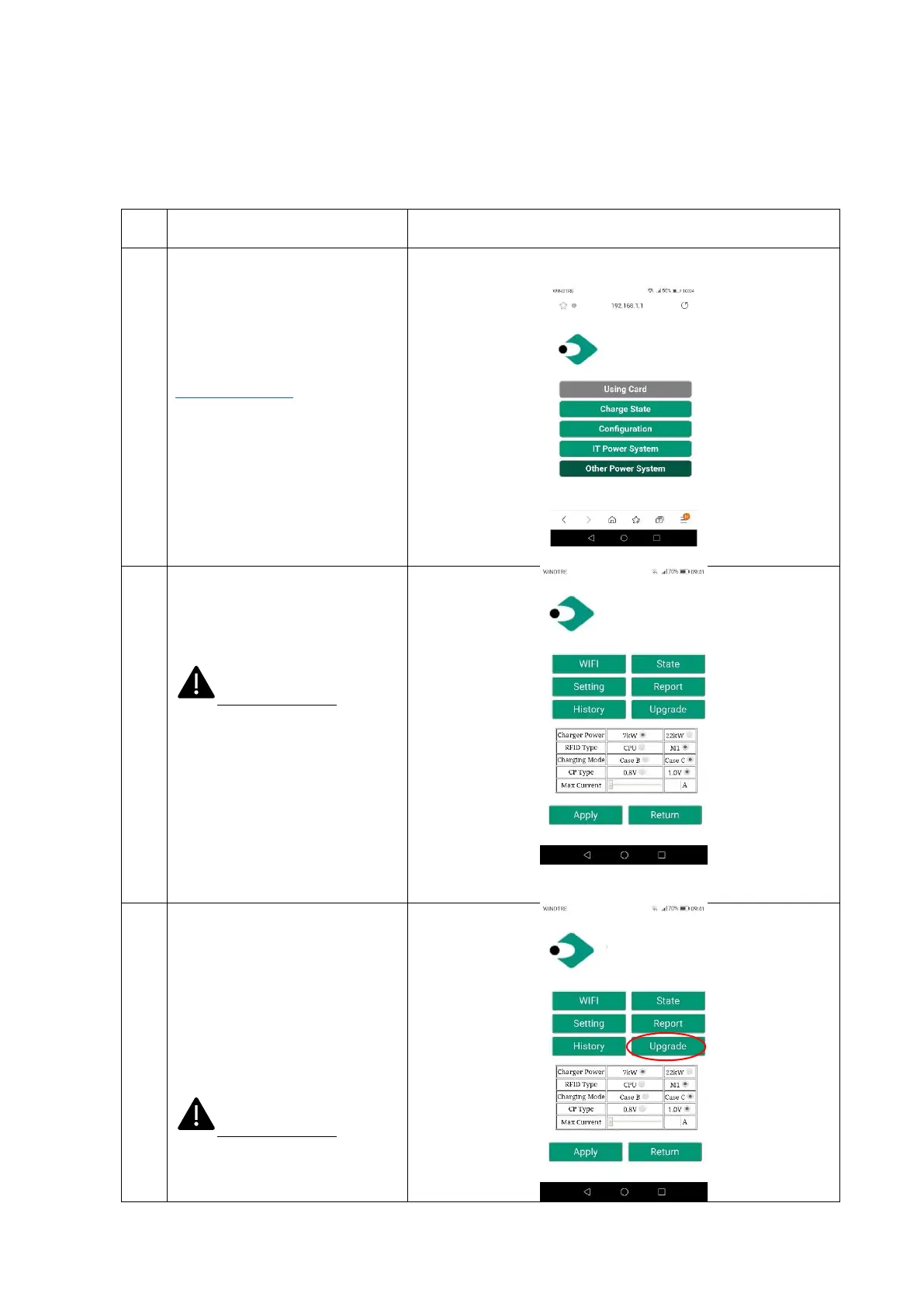
The following steps illustrate how to proceed to upgrade the system firmware
The connecting device (PC, tablet,
smartphone) is connected to the
charger WiFi AP.
Open the internet browser.
Connect to the following URL:
http://192.168.1.1
The home page of the web app is
shown.
Clicking on the “Configuration”
button a new setting page is
presented, as in the attached
picture
Important note: these
parameters shall be configured by
qualified personnel only
The upgrade process is initiated by
clicking on the “Upgrade” button
After entering the system upgrade
page, the user must follow all the
indications provided by the page
itself, to avoid failures in the
process and make it complete in a
successful way.
Important note: these
parameters shall be configured by
qualified personnel only.


 To Next Page