37
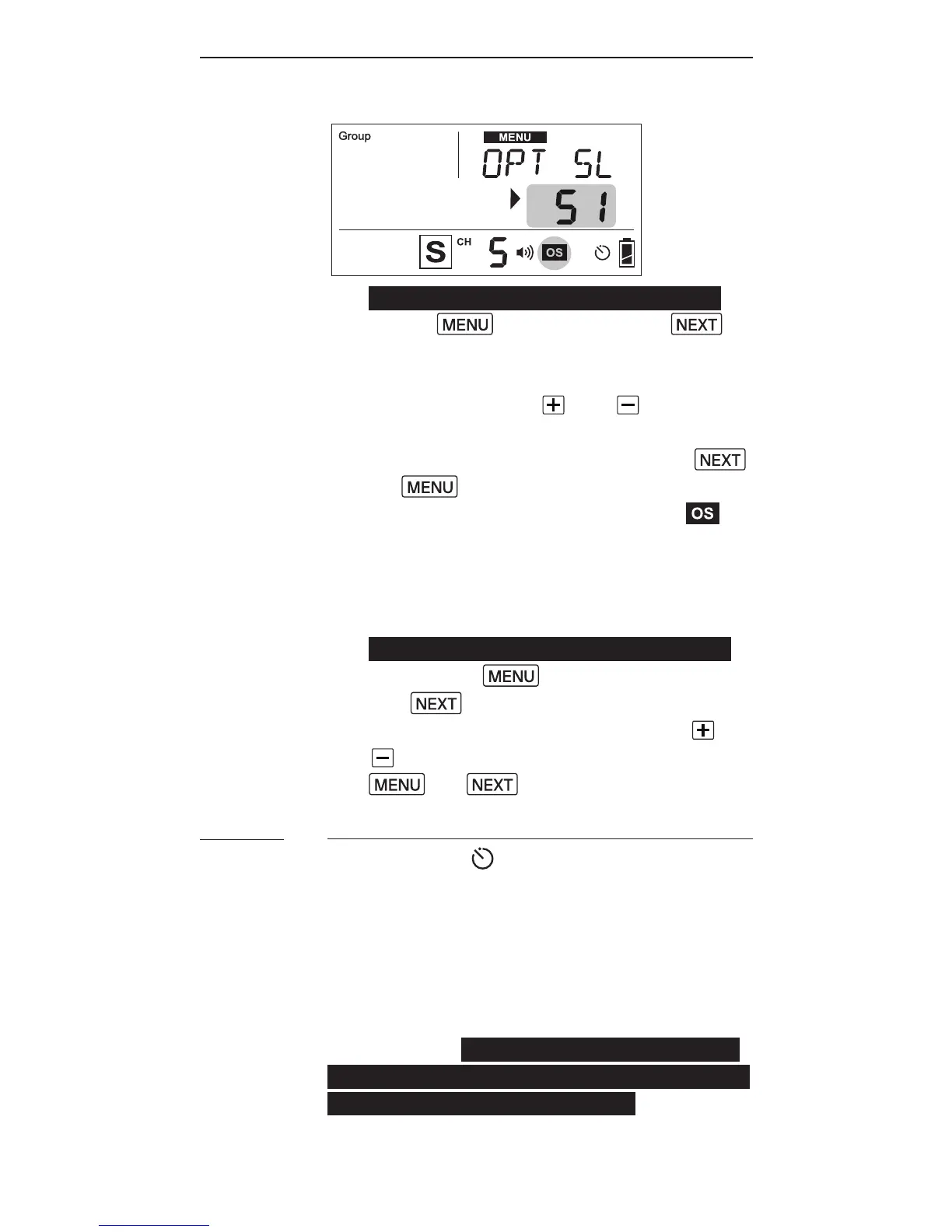
1. T o t u r n o nt h eo ptic a ltr i g g er,
press then press the
button until the text area shows
<OPTSL>(shortformforoptical
sla v e). Us et h e and buttons
toselectS1(FIRST)orS2(MAIN)
in the selection area. Press
or t oc o n r m.
2. The optical slave indicator
will show in the status bar of
the LCD screen whenever any one
of t h eo ptic a l tr i g g er m o d e sh a s
been turned on.
3. T ot u r n off t h e o ptic a ltr i g g er,
press the button and then
the buttons until the text
area shows <OPT SL>. Use the or
button to choose <OFF>. Press
or t o c o n r m.
Delay Timer
Every RF60 is equipped with a delay
ti m er th atc a n b ec o n g u r e di n
eit h er M a st e r o r Sl a v e m o d e. T h e
d el a y ti m e r d el a y s t he tr i g g er
r e s p o n s efo r t h eti m ep er io ds et. If
you wish to r e t h e a s h a bit l at er
t h a n t he r st c u r t a i ns y n ct ocr e at e
a different lighting effect (e.g. to
a c h ie v e a se co n d c u r t a i n s y n c), t h e
d el a y ti m e r h el p s y o u cr e at e th e
effect.
11.4



 To Next Page