20
9. Wireless Flash: Master
and Slave Modes
Wit h ab ui lt-i n R a d io F r e q u e nc y (R F)
m o d u le, t h eR F 60 h a st h ea bilit y t o
c o m m u n ic at e w it h ot h er R F60 u n it s
w ir ele s sl y.T o c o ntr ol a n d r et h e
R F60 w i r ele s sl y,s et u p o n e R F60 i n
M a st er m o d e a n dt h eot h er R F 60 u n its
i nSl a v e m o d e.
Setting up the RF60 Slave
1. Make sure that the RF60 units
that you want to control through
t h e M a st e r a s h a r e s et t o mode
(s e e S e ctio n7.6).
2. Set the units to the s a m e R F
channel(se eS e ctio n 7.7).
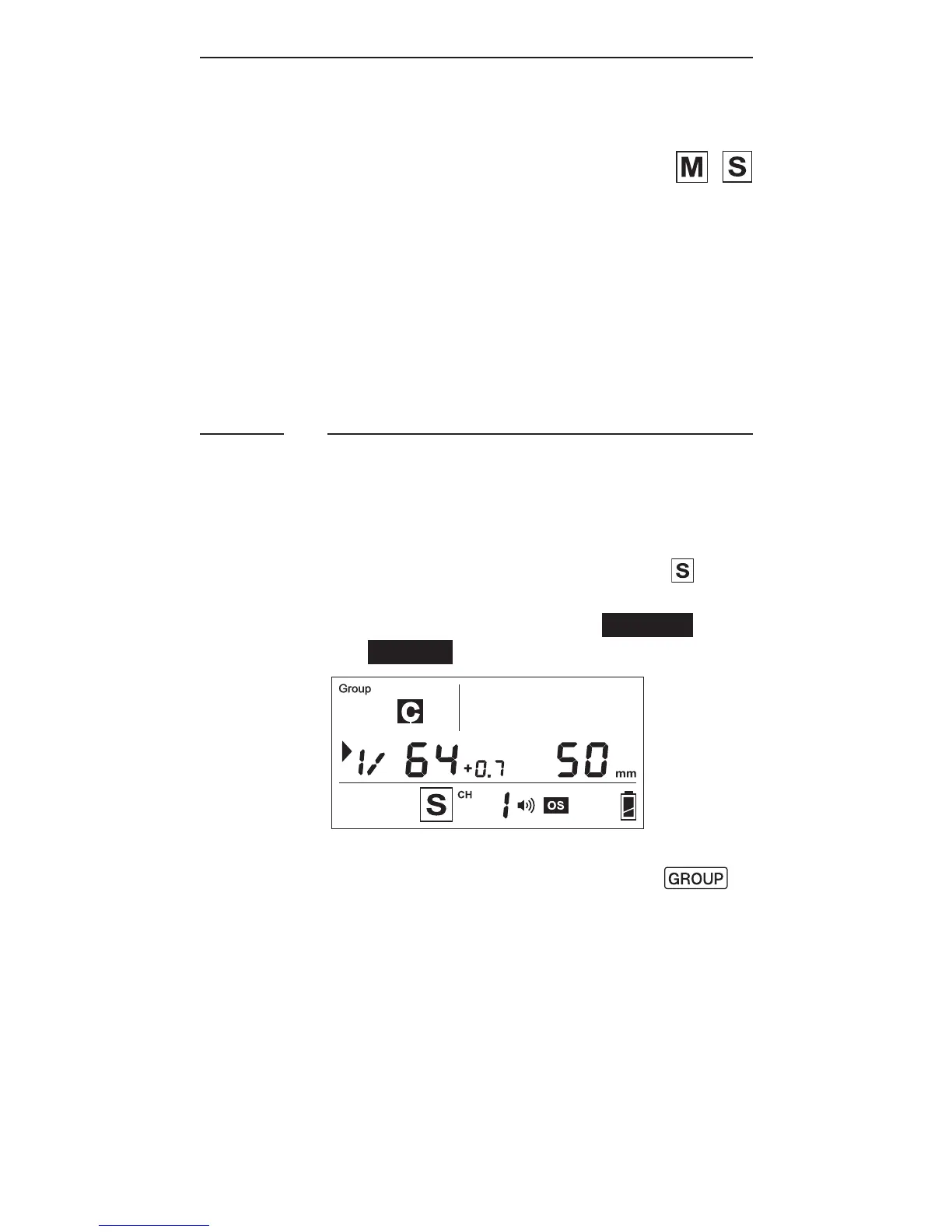
3. Assign RF60 Slave units to either
groupA,B,C,orD.Press
to select the group for each RF60.
Each press of the Group button in
Sla v e m o d e w i ll c h a n g e t h eg r o u p
in the sequence of A-B-C-D. The
selected group will be shown on
the group panel.
9.1



 To Next Page