46
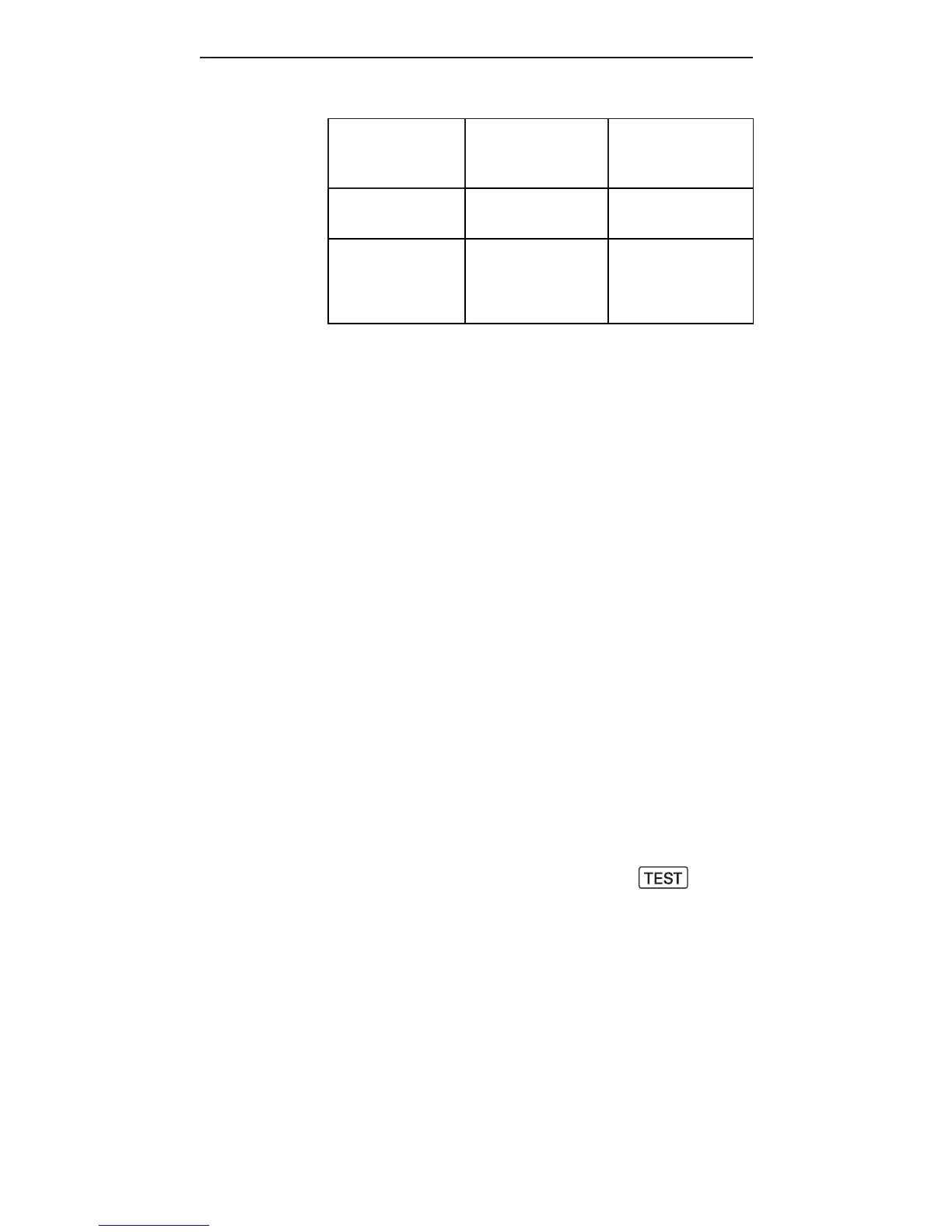
Recycle time
after a full
power flash
Number of full
power flashes
supported
With 4x AA
alkaline battery
5sec 100
With Cactus
External
Battery Pack
EP-1
2sec 200
For instructions on how to power the
RF60 with the External Battery Pack
E P-1, s e e t h eu s er m a n u a l of E P-1.
15. Forming the Capacitor
W h e ny o u r a s h i s n ew or w h e nit h a s
not been used for a certain period of
ti m e, t h e ca p a cit orm a yh av e lo st its
full potential to store electricity.
W h e nt his o cc u r s, y o uc a n “for m ” t h e
c a p a cit o r a s follo w s:
1.S w it c h o n t h e R F60 i nL o ca l m o d e
with fresh batteries.
2. A d ju stt he a s ht of u llp o we r.
3. Allow the ready light to glow
15 s e c o n d st o 20 s ec o n d s r st.
4. F i r e t h e a s h u si n gt he
button.
5.R e p eat st e ps 3-4. Af te r a
sequenceof5ashes,your
c a p a cit o r w il l b ef or m e d a n dw or k
a sn or m a l.



 To Next Page