Cadillac XT4 Owner Manual (GMNA-Localizing-Europe-15440913) - 2022 -
CRC - 5/13/21
130 LIGHTING
Lights On with Wipers
If the windscreen wipers are activated
in daylight with the engine on, and
the exterior lamp control is in AUTO,
the headlights, parking lights, and
other exterior lamps come on. The
transition time for the lamps coming
on varies based on wiper speed. When
the wipers are not operating, these
lamps turn off. Move the exterior
lamp control to
O or ; to disable
this feature.
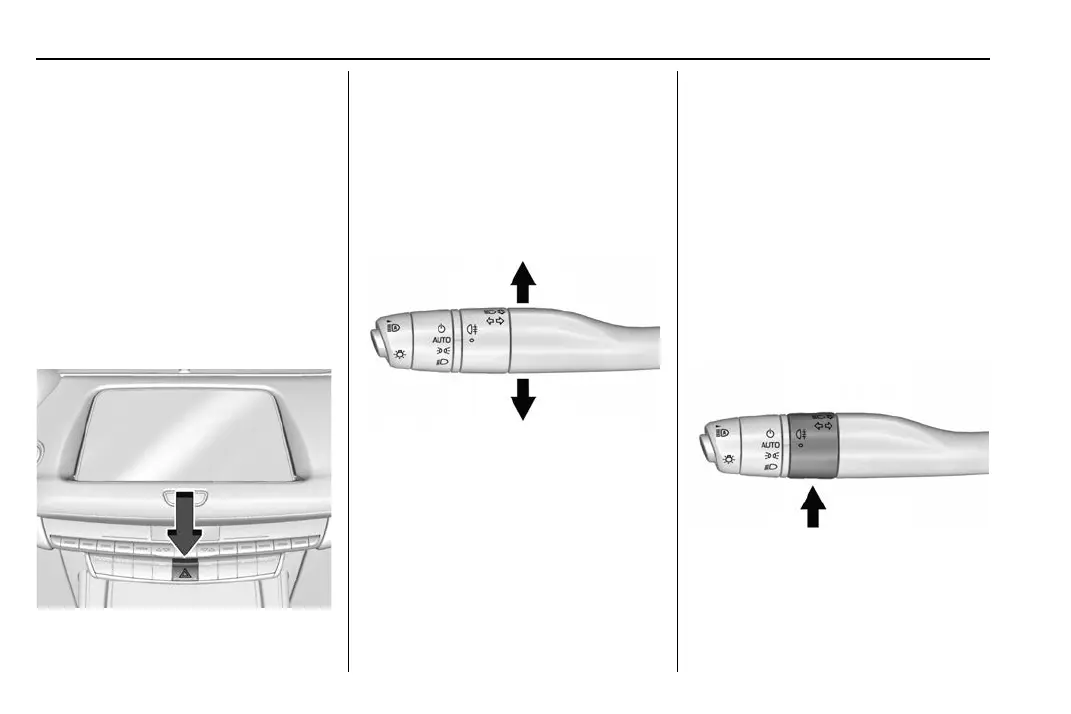
Hazard Lights
| : Press | to make the front and
rear indicator lamps flash on and off.
Press again to turn the flashers off.
The hazard warning flashers turn on
automatically if the airbags deploy.
Turn and Lane-Change
Signals
Move the lever all the way up or down
to signal a turn.
An arrow on the instrument cluster
flashes in the direction of the turn or
lane change.
Raise or lower the lever until the
arrow starts to flash to signal a lane
change. Hold it there until the lane
change is completed. If the lever is
briefly pressed and released, the
indicator flashes three times.
The indicator and lane-change signal
can be turned off manually by moving
the lever back to its original position.
If after signalling a turn or lane
change, the arrow flashes rapidly or
does not come on, a signal bulb may
be burned out.
Replace any burned out bulbs. If a
bulb is not burned out, check the fuse.
See Fuses and Circuit Breakers 0 310.
Fog Lamps
Rear Fog Lamps
The rear fog lamps make the vehicle
more visible from the rear in foggy or
misty conditions.
s : Turn the band on the lever to s
and release it, to turn the rear fog
lamps on or off. The band will return



 To Next Page