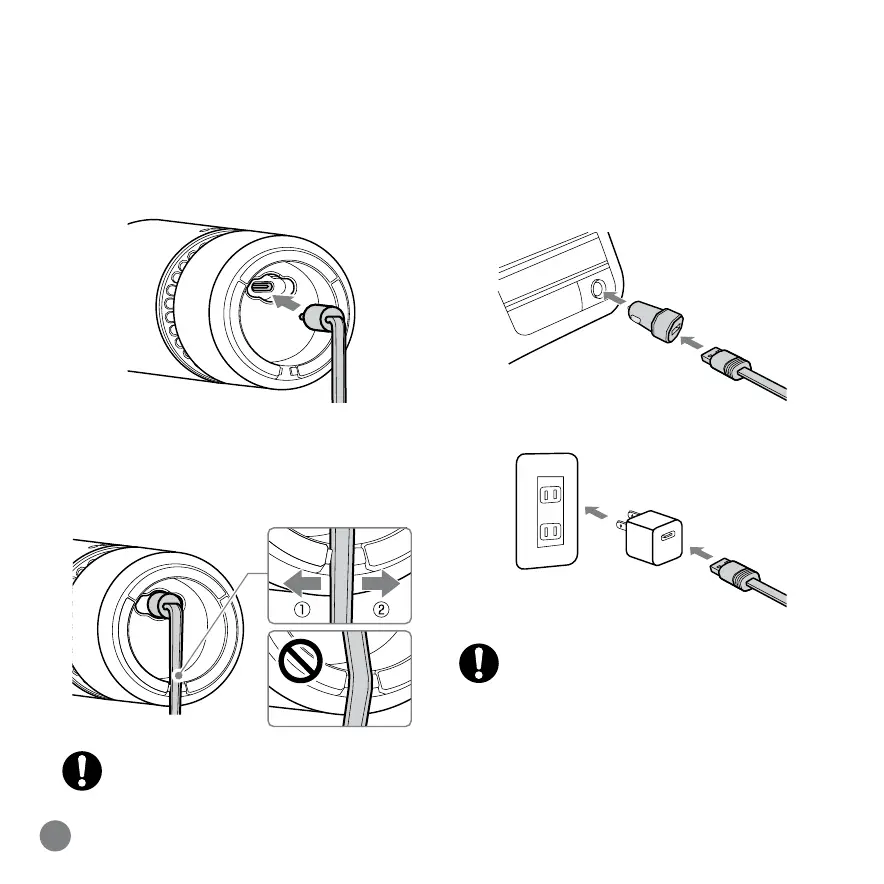
Connecting the USB Power Supply
9
EN
1. Connect the USB Type-C plug of the USB
cable to the USB connector on the bottom
of the base unit.
2. Pass each side of the USB cable through
the cable-securing protrusion to secure the
cable.
3. Connect the other end of the USB cable
to the car DC adapter or a commercially
available USB power adapter.
Passing the cable through the
protrusions on both sides at the same
time will not secure the cable.
A USB power adapter that can supply
an output current of 1A or higher is not
included.


 To Next Page