Mod. A1735-A1835-A1735B-A1835B HV Boards
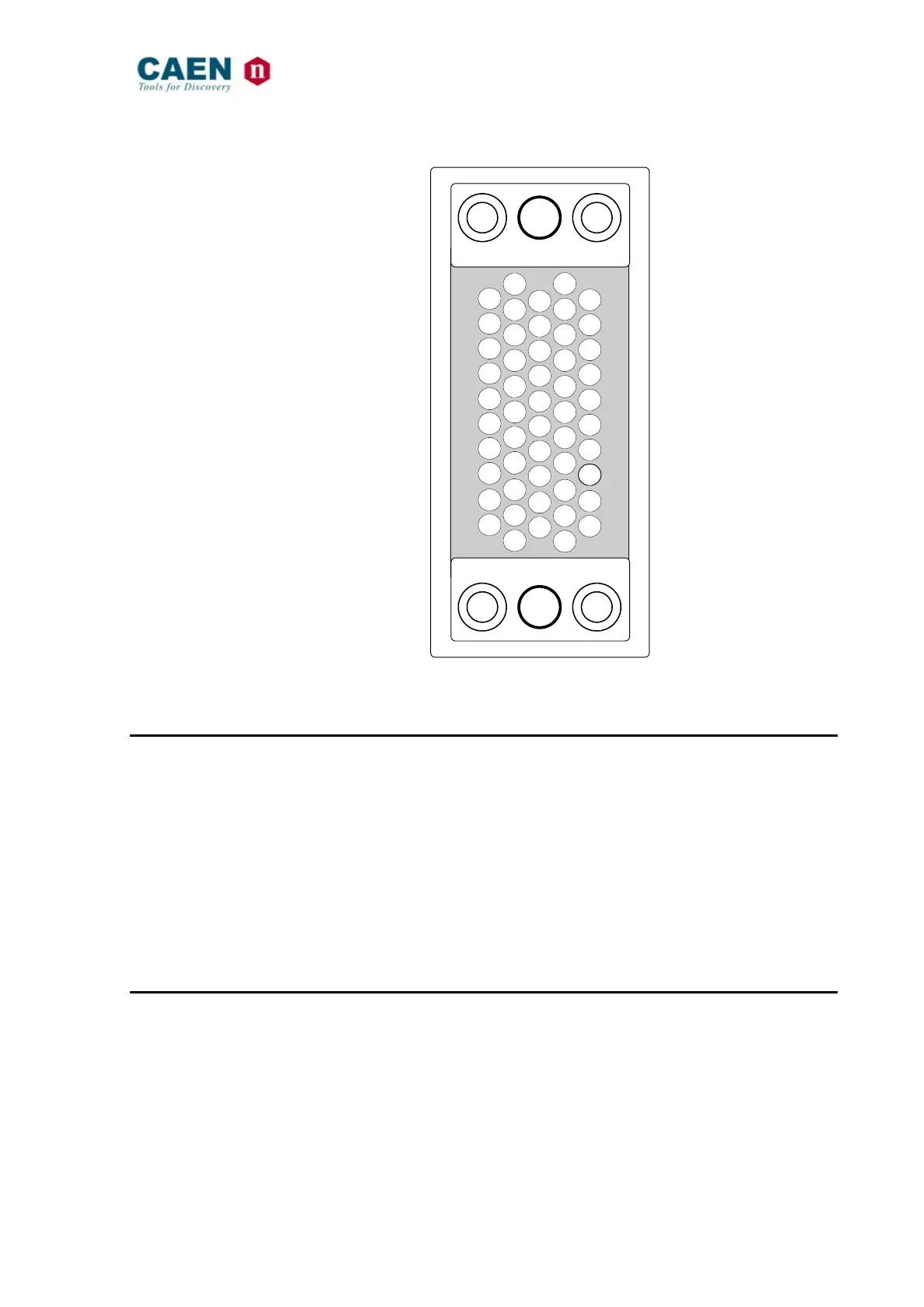
Fig. 1.2 – Mod. A 1735B – A 1835B HV Multipin Connector
1.4.3 Displays
CH ON 0..11 LEDs (A 1735 - A1835): Function: they light up as the relevant
channel is on.
Type: red LEDs for positive polarity version;
yellow LEDs for negative polarity version
HV ON LED (A 1735B - A1835B): Function: it lights up if at least one output
channel is on.
Type: red LED for positive polarity version;
yellow LED for negative polarity version
1.4.4 Other components
VMAX trimmer: Function: it allows to adjust the hardware
maximum voltage VMAX common to all the
channels. Its value can be read out via
software.
+
+
GND
NC
0
1
2
3
4
5
NC
GND
GND
NC
6
7
8
9
10
11
NC
GND
GND
GND
NC
12
13
14
15
16
17
NC
GND
GND
NC
NC
18
19
20
21
22
NC
GND
GND
GND
NC
23
24
25
26
27
NC
IINT
IEXT



 To Next Page