EasyManua.ls Logo

Cafe BELLISSIMO C7CESAS3RD3 - User Manual

Cafe BELLISSIMO C7CESAS3RD3
48 pages
Print Icon
To Next Page IconTo Next Page
Loading...
It’s time appliances had a personality. Yours.
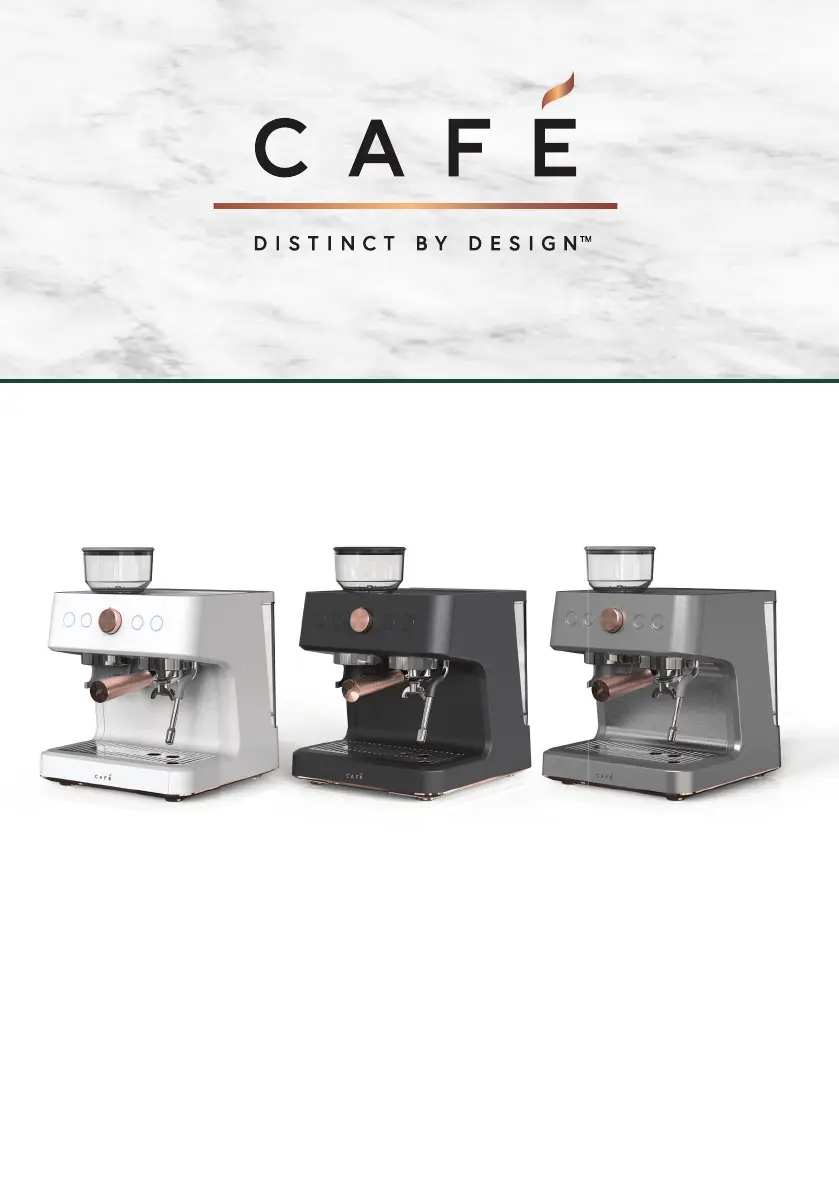
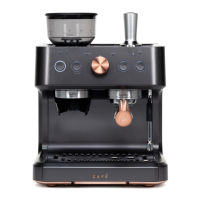
BELLISSIMO- Café Semi Automatic Espresso Machine +Frother
OWNER’S MANUAL
ENGLISH/FRANÇAIS
ESPAÑOL - Para consultar una version en español de este manual de instrucciones, visite
nuestro sitio de internet cafeappliances.com.

Questions and Answers

  • G
    gclarkSep 9, 2025
    How to make Cafe BELLISSIMO C7CESAS3RD3 Coffee Maker coffee hotter?
    • J
      Jeremy ClarkSep 9, 2025
      If your Cafe Coffee Maker isn't dispensing coffee hot enough, try running hot water in the cup before brewing to warm it up. You can also place your cup on top of the unit prior to use. If the temperature is set too low, connect the appliance to the SmartHQ app and raise the temperature to your preferred setting.
  • B
    Brian WallsSep 12, 2025
    What to do if the "Add Water" alert doesn't show up on my Cafe BELLISSIMO C7CESAS3RD3?
    • L
      Lauren FloresSep 12, 2025
      If the water tank of your Cafe Coffee Maker is empty but the "Add Water" alert isn't showing up, the water sensor might be detecting water on the outside of the water tank. Wipe the water tank and back area completely dry. It's recommended to pull out the water tank, fill it, and then replace it in the unit to avoid pouring water directly into the tank.
  • R
    Robert LopezSep 14, 2025
    Why is the control panel on my Cafe BELLISSIMO C7CESAS3RD3 not responding?
    • R
      rjacobsSep 14, 2025
      If you're experiencing no or delayed response when pressing buttons on the control panel of your Cafe Coffee Maker, the panel might be dirty or wet. Clean the panel with the provided cloth and make sure it's dry.
  • A
    Angela HallSep 16, 2025
    What to do if Cafe BELLISSIMO C7CESAS3RD3 Coffee Maker grinder is making a very loud sharp noise?
    • C
      Christian JonesSep 16, 2025
      If the grinder on your Cafe Coffee Maker is making a very loud, sharp noise, there might be foreign objects inside. Clear the grinder following the directions in the Care and Cleaning section.

Summary

Important Safety Information

Key Safety Precautions

Always follow these safety precautions when using this appliance.

Getting Started Guide

Drip Tray Preparation

Remove packaging from the drip tray before using the machine.

Water Tank Setup

Prepare and fill the water tank, ensuring correct water level.

Coffee Bean Hopper Setup

Prepare and lock the coffee bean hopper into the unit.

Ready to Use Machine

Plug in the espresso machine and press the power button.

Espresso Machine Components

Component Identification Diagram

Labels identifying key parts like water tank, bean hopper, portafilter, and steam wand.

Controls and Accessories

Control Panel Overview

Explanation of buttons, control knob, and indicators on the panel.

Included Accessories

Visual guide to accessories like cleaning brush, portafilter, and milk pitcher.

Machine Functions and Alerts

Button and Control Knob Functions

Details on operating Power, Grind, Single, Double, Steam, and Hot Water functions.

Alert Indicator Explanations

Explanations for Grinder, Add Water, WiFi, and Clean alerts.

Using Your Espresso Machine

Brewing Single and Double Espresso

Step-by-step guide for brewing single and double espresso shots.

Using Your Espresso Machine: Steam and Hot Water

Steaming Milk and Dispensing Hot Water

Instructions for using the steam wand for milk and dispensing hot water.

Espresso Machine Operations

Basic Operations and Resets

How to wake, manage sounds, factory reset, and handle overpressure.

Portafilter and Filter Usage

Information on using portafilters and different types of filters.

SmartHQ App Integration

How to connect and use the SmartHQ app for settings.

Optimizing Espresso Quality

Dialing In Espresso Settings

Instructions for adjusting grind size, dosage, and brew ratio for optimal taste.

Tips for Better Espresso Drinks

Advice on changing parameters, milk-based drinks, and tasting espresso.

Care and Cleaning Procedures

General Espresso Machine Cleaning

Instructions for cleaning the appliance exterior and components.

Descale Process Guide

Step-by-step guide for descaling the espresso machine.

Grinder Cleaning Instructions

Instructions for cleaning the coffee grinder and its parts.

Maintenance and System Care

Steam Wand and Portafilter Cleaning

Procedures for cleaning the steam wand tip and portafilter.

System Emptying and Water Hardness

Steps to empty the system and check water hardness.

Tips for Espresso and Milk Drinks

Understanding Espresso Beans and Taste

Clarification on espresso definition and bean selection for taste.

Milk Steaming Techniques Explained

Detailed guide on how to steam milk for desired foam and texture.

Troubleshooting: Power, Response, and Flow

Appliance Power and Button Response

Solutions for power issues and delayed button responses.

Coffee Temperature and Cream Issues

Guidance for coffee not hot enough and espresso shots lacking cream.

Water;Steam Flow and Tank Alerts

Troubleshooting for water/steam dispensing and tank alert discrepancies.

Troubleshooting: Grinder, Dispensing, and Portafilter

Grinder Noise and Watery Coffee

Solutions for grinder noise and watery dispensed coffee.

Steam;Hot Water and Portafilter Problems

Guidance for steam/water flow interruptions and portafilter insertion.

WiFi Connectivity and SmartHQ App

WiFi Connectivity Setup Guide

Instructions for connecting the espresso maker to WiFi.

SmartHQ App Features Overview

Overview of the SmartHQ app for remote monitoring and control.

FCC and IC Compliance Statement

Regulatory Compliance Information

Details on FCC/IC rules, RF exposure, and device IDs.

Notes Section

User Notes Area

Blank page for user notes.

Limited Warranty Information

Warranty Coverage and Exclusions

Details on what the limited warranty covers and does not cover.

Warranty Claims and Contact Details

Procedures for initiating a warranty claim and contact information.

Consumer Support and Resources

Online Resources and Registration

Information on the Cafe website, product registration, and parts.

Contacting Customer Service

How to contact customer support for assistance and inquiries.

Cafe BELLISSIMO C7CESAS3RD3 Specifications

General IconGeneral
Colormatte black, black
Built-In Grinderyes
Removable Water Tankyes
Double Shotyes
Programmableyes
Automation Levelsemi-automatic
Preheat Time80 seconds
Steam Nozzleyes
Warming Plateno
Removable Drip Trayyes
Control Typeelectronic, button, knob
Decalcification Indicatoryes
Power Consumption1450 watts
Voltage120 volts

Related product manuals