EasyManua.ls Logo

Cafe BELLISSIMO C7CESAS4RW3 - User Manual

Cafe BELLISSIMO C7CESAS4RW3
48 pages
Print Icon
To Next Page IconTo Next Page
Loading...
It’s time appliances had a personality. Yours.
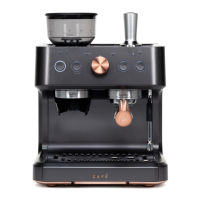
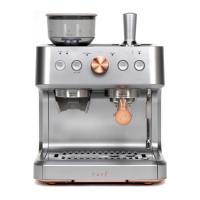
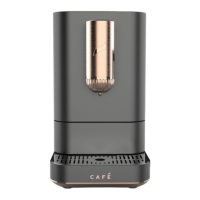
BELLISSIMO- Café Semi Automatic Espresso Machine +Frother
OWNER’S MANUAL
ENGLISH/FRANÇAIS
ESPAÑOL - Para consultar una version en español de este manual de instrucciones, visite
nuestro sitio de internet cafeappliances.com.

Questions and Answers

  • K
    Kayla HaleSep 10, 2025
    How to fix a Cafe BELLISSIMO C7CESAS4RW3 that does not turn on?
    • L
      Lori StricklandSep 12, 2025
      If your Cafe Coffee Maker isn't turning on, make sure the cable and plug are securely connected to a power source, and then press the 'on' button. Also, check the GSI plug to ensure it's properly connected.
  • C
    Carrie ClarkSep 12, 2025
    What to do if the "Add Water" alert doesn't show up on my Cafe BELLISSIMO C7CESAS4RW3?
    • C
      Charles FloresSep 12, 2025
      If the water tank of your Cafe Coffee Maker is empty but the "Add Water" alert isn't showing up, the water sensor might be detecting water on the outside of the water tank. Wipe the water tank and back area completely dry. It's recommended to pull out the water tank, fill it, and then replace it in the unit to avoid pouring water directly into the tank.
  • L
    Lisa RamirezSep 14, 2025
    Why is the control panel on my Cafe BELLISSIMO C7CESAS4RW3 Coffee Maker not responding?
    • D
      Daniel SinghSep 14, 2025
      If you're experiencing no or delayed response when pressing buttons on the control panel of your Cafe Coffee Maker, the panel might be dirty or wet. Clean the panel with the provided cloth and make sure it's dry.
  • M
    Mark HaynesSep 16, 2025
    What to do if Cafe Coffee Maker grinder is making a very loud sharp noise?
    • K
      Kenneth ClarkSep 16, 2025
      If the grinder on your Cafe Coffee Maker is making a very loud, sharp noise, there might be foreign objects inside. Clear the grinder following the directions in the Care and Cleaning section.

Summary

Safety Information

Key Safety Safeguards

Follow safety precautions when using this appliance, covering electrical supply, setup, unplugging, and general use.

Getting Started Guide

Controls and Accessories

Control Panel Details

Overview of the espresso machine's control panel, including buttons and the control knob.

Machine Functions

Using the Espresso Machine

Brewing Espresso Shots

Step-by-step guide on how to brew single and double espresso shots using the machine.

Advanced Machine Usage

Milk Steaming Guide

Instructions on how to use the steam function to heat and froth milk for beverages.

Machine Operations

Espresso Quality Optimization

Dialing In Espresso Guide

Detailed guide on adjusting grind size, dosage, and tamp for optimal espresso taste.

Care and Cleaning

Espresso Machine Cleaning

Instructions for cleaning the exterior, drip tray, and water tank of the espresso machine.

Machine Descaling

Step-by-step guide for descaling the espresso machine using cleaning solution or vinegar.

Grinder Maintenance

Instructions for cleaning the coffee grinder, including the hopper and outer burr.

Further Cleaning and Maintenance

Espresso Making Tips

Steaming Milk for Drinks

Detailed steps on steaming milk to create microfoam and achieve desired temperature.

Troubleshooting Guide

Advanced Troubleshooting

WiFi and SmartHQ Setup

WiFi Connection Steps

Instructions on how to connect the espresso machine to WiFi using the Single and Double buttons.

SmartHQ App Capabilities

Overview of the SmartHQ app's capabilities for remote monitoring and control.

Cafe BELLISSIMO C7CESAS4RW3 Specifications

General IconGeneral
Colormatte white, white
Built-In Grinderyes
Removable Water Tankyes
Double Shotyes
Programmableyes
Automation Levelsemi-automatic
Preheat Time80 seconds
Steam Nozzleyes
Warming Plateno
Removable Drip Trayyes
Control Typeelectronic, button, knob
Decalcification Indicatoryes
Power Consumption1450 watts
Voltage120 volts
Weight and Dimensions IconWeight and Dimensions
Depth12 7/10 inches
Height16 1/10 inches
Width13 7/10 inches
Net Weight14 pounds

Related product manuals