Call Us Toll-Free Today!
1.833.203.2473
WWW.CAIREMEDICAL.COM
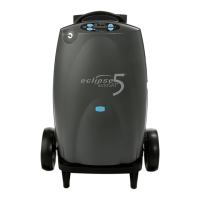
QUICK START GUIDE ECLIPSE 5
®
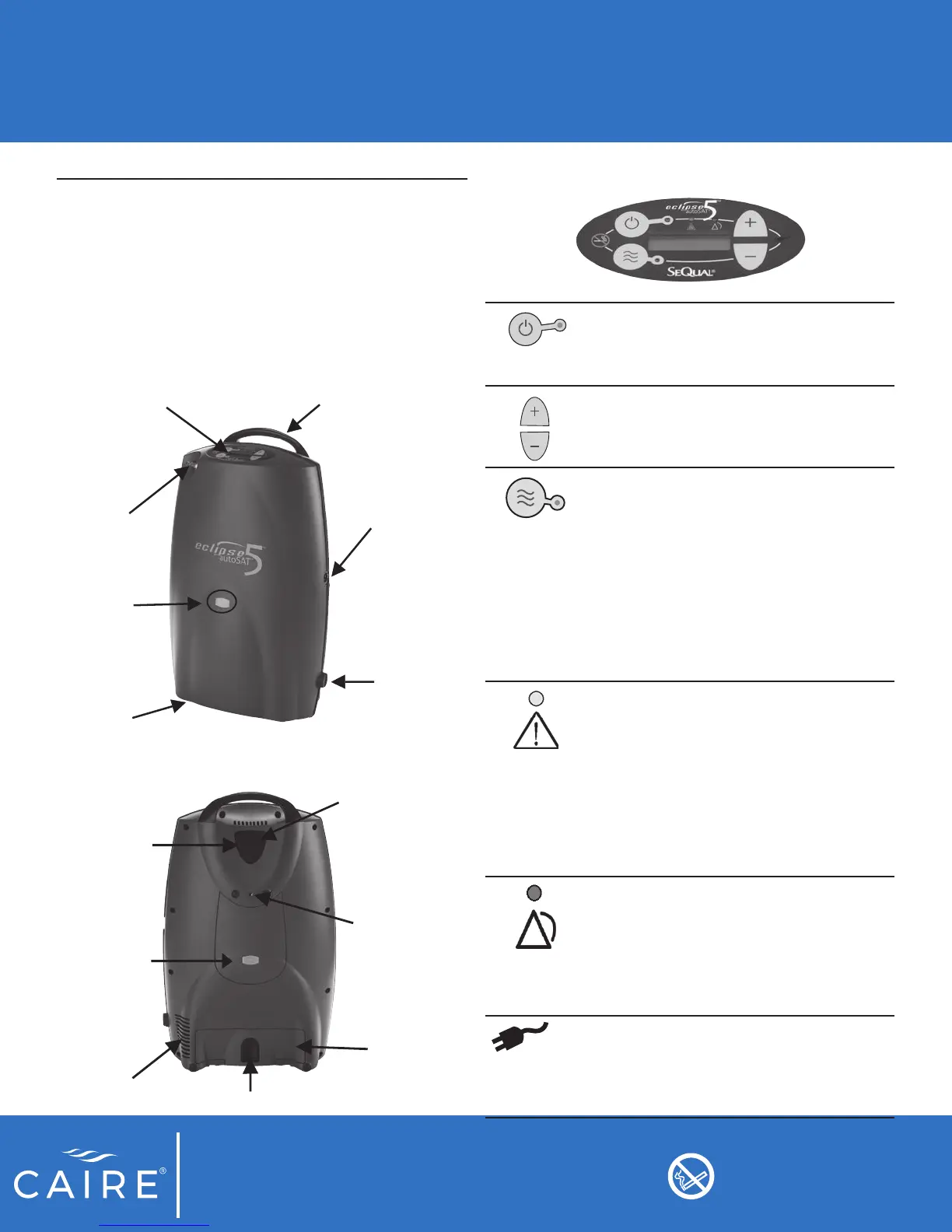
FRONT
Control Panel
Handle
External Power
Receptacle
Power Cord
Retainer
Oxygen
Outlet Port
FAA
Approval
Icon
BACK
Power Cartridge Latch
Exhaust Vent
Power
Cartridge
(Battery)
FAA Approval
Icon
Cart
Attachment
Location
Air Inlet
Filter
Service Port
(Not for Patient Use)
Rating Label &
Serial Number
Location
2
Getting to Know Your Eclipse 5
Review all Warnings, Cautions and additional device
information in the rest of this manual.
Become familiar with the key features of the Eclipse 5 and
the User Control Panel.
The Eclipse 5 User Control Panel displays important
operating information.
ON/OFF Button (Green) Indicator: This
button powers the device ON or OFF. The
Green Indicator is illuminated when the
device is ON and functioning properly.
Increase or Decrease Flow Setting
Buttons: Use these buttons to set the ow
to your prescribed setting.
Delivery Mode Button and Indicator: The
button toggles between Continuous Flow
and Pulse Dose Mode. The Pulse Dose
Mode activates autoSAT Technology
and allows a signicant increase in the
operating time while powered by the
battery. When the Pulse Dose Mode is
activated, the green Pulse Dose Mode
Indicator illuminates and a pulse of
oxygen is delivered with each inspiratory
eort.
ALERT (Yellow) Indicator—Low and
Medium Priority Alerts: When illuminated,
this indicates a low priority awareness
condition or Caution. Continue to use your
system and refer to the Troubleshooting
Table for the proper response, or contact
your Home Care Provider. A ashing
yellow indicates a medium priority alert. A
prompt response is necessary. (Typically
low oxygen or low battery.)
ALARM (Red) Indicator —High Priority
Alarms: Indicates a high priority alarm
condition. An immediate response is
necessary. Refer to the Troubleshooting
Table and contact your home care
provider. (Typically loss of power, low
oxygen, or malfunction.)
External Power Indicator: When the
Eclipse 5 is properly plugged in and is
using the AC or DC Power Supply, this
indicator will appear on the User Control
Panel.
Do not smoke near unit
or while operating unit.


 To Next Page