Need help?
Do you have a question about the Caliber RDD 575BT and is the answer not in the manual?
Lists tools and supplies needed for installation and important pre-installation steps.
Steps to remove the old unit and mark speaker wire polarity for correct connection.
Details the wiring for connectors A and B, and general notes for audio system setup.
Covers chassis ground, wire connections, and speaker wiring precautions for optimal performance.
Details power, output, fuses, dimensions, and weight of the unit.
Covers DVD/VCD/CD compatibility and TFT display resolution and brightness.
Details FM and AM tuner ranges, sensitivity, and stereo separation.
How to turn the unit on/off and control the TFT screen display and mode.
How to adjust volume level and fine-tune sound settings like BASS and TREBLE.
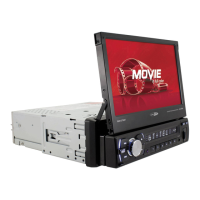
How to adjust the motorized tilt screen and navigate the main user interface.
How to choose radio bands (FM/AM) and scan for stations manually or automatically.
How to save favorite stations, mute audio, and select reception type.
How to select reception sensitivity and understand RDS functions.
Inserting/ejecting discs and navigating tracks using playback controls.
Using onscreen menus and controls for playback, audio selection, and OSD info.
Features like angle adjustment, repeat function, and DVD menu access.
Steps to pair a phone via Bluetooth, input password, and make calls.
How to play music (A2DP) and manage call records via Bluetooth.
How to view received, missed, and dialed calls from the Bluetooth menu.
Settings for wallpaper, logo, key beep, radio region, aspect ratio, and time.
Configuring GPS program files and selecting OSD, audio, and subtitle languages.
How to use GPS navigation and connect AV/Aux devices for audio/video input.
Connecting backup cameras, monitors, and audio components like amplifiers.
Explanation of buttons and functions for operating the unit via remote control.
Instructions on how to clean the unit and handle discs to prevent damage.
Guide on fuse replacement, including important warnings about amperage.
 General
| Brand | Caliber |
|---|---|
| Model | RDD 575BT |
| Type | Car Receiver |
| DIN size | 1 DIN |
| Bluetooth | Yes |
| USB Port | Yes |
| SD Card Slot | Yes |
| Max Power Output | 4 x 50W |
| FM Radio | Yes |
| AM Radio | Yes |
| Aux Input | Yes |
| Pre-out | Yes |
| Display | LCD |
| Radio Tuner | Digital |
| Remote Control | Yes |
| Equalizer | Built-in |

 To Next Page