EasyManua.ls Logo

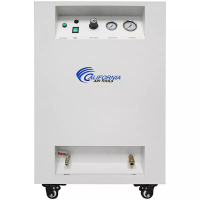
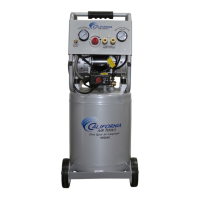
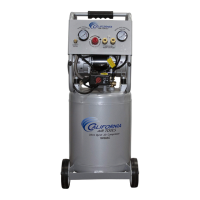
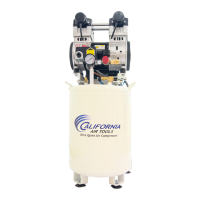
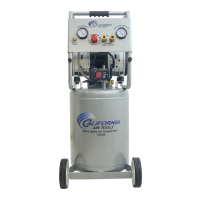
California Air Tools 10020CAD - User Manual

California Air Tools 10020CAD
17 pages
Print Icon
To Next Page IconTo Next Page
Loading...
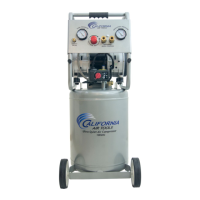
ULTRA QUIET & OIL FREE
AIR COMPRESSOR
OwnER'S MAnUAL
CALIFORnIA AIR TOOLS
10020CAD
2.0 HP
6.40 CHAM @ 40 PSI
5.30 CHAM @ 90 PSI
10.0 gALLOn STEEL TAnk
)")!!+&"!I%" A?@;91>%A<<;>@

Questions and Answers

  • A
    Amber ReyesJul 28, 2025
    What to do if my California Air Tools 10020CAD doesn't provide as much air as before?
    • P
      Peter FernandezJul 29, 2025
      If your California Air Tools Air Compressor doesn't seem to provide as much air as it used to, or cuts off too quickly, it could be due to a full tank of water from condensation. To resolve this, open the drain valve and release the water from the tank.
  • L
    Laura RoblesAug 4, 2025
    Why my California Air Tools 10020CAD Air Compressor stopped and does not start?
    • W
      wforbesAug 4, 2025
      If your California Air Tools Air Compressor stops and won't restart, it could be due to the thermal protector activating because the motor is overheating. Ensure the main voltage matches the compressor's specifications. Avoid using extension cords that are too thin or long, as they can cause voltage drops and overheating. Also, excessive continuous use (over 1 hour) can overheat the motor. Allow the motor to cool down before restarting.
  • P
    Patricia HarrisAug 10, 2025
    Why California Air Tools 10020CAD motor does not start or starts slowly?
    • E
      ethanhallAug 10, 2025
      If your California Air Tools Air Compressor motor does not start or starts slowly, it may be due to a low voltage supply. Verify that the main voltage corresponds to the air compressor specifications. Extension cords that are too thin or long can cause a voltage drop. Use heavy-duty extension cords and ensure the compressor is plugged into a fully functional power outlet.
  • I
    igriffinAug 16, 2025
    How to fix pressure drop in California Air Tools 10020CAD tank?
    • X
      Xavier BrownAug 16, 2025
      If you notice a pressure drop in the tank of your California Air Tools Air Compressor, it's likely due to air leaks at the connections. To identify the leaks, let the compressor build pressure, ideally to the maximum. Then, brush soapy water onto the air connections and watch for air bubbles. Tighten any connections where you see bubbles. If the problem persists, seek further assistance from the seller.
  • R
    Roger HowellAug 22, 2025
    What to do if California Air Tools Air Compressor unloader valve leaks when idle?
    • C
      Charles MckenzieAug 22, 2025
      If the unloader valve on your California Air Tools Air Compressor leaks when the compressor is idle, it indicates that the unloader valve seal is defective. To fix this, release all the pressure from the air tank. Then, remove the unloader valve plug and clean the valve seal. If needed, replace the seal before reinstalling all the components.

Summary

Important Safety Instructions

Safety Signal Words

Explains the meaning of DANGER, WARNING, CAUTION, and NOTICE.

Electrical Safety Precautions

Covers risks of shock, proper grounding, and avoiding wet conditions.

Mechanical Hazard Warnings

Warns about risks from moving parts and cutting hazards.

Respiratory Safety

Advises on using the compressor in ventilated areas and wearing masks for dust.

Flying Object Hazards

Warns about eye and body protection from propelled items.

Thermal & Fire Hazards

Alerts to hot surfaces and potential fire risks from sparks.

Explosion & Pressure Safety

Advises on using correct hoses, checking for leaks, and managing tank pressure.

Tank Bursting Hazards

Warns about improper care leading to tank explosion and rust issues.

Flammable Material & Spark Safety

Advises caution with sparks near flammable liquids and ventilation.

Extension Cord Usage

Provides guidelines for safe and effective use of electrical extension cords.

Garage & Arcing Part Safety

Addresses safety for compressors with arcing parts in garages.

Locations of Important Labels

Label A - Electrical Warning

Warns about not adjusting factory settings and removing covers.

Label B - Hot Surfaces Warning

Advises not to touch hot surfaces and to allow cooling before servicing.

Label D - Oil-Free Compressor Specs

Shows model, serial number, and electrical specifications for the oil-free compressor.

Label E - Motor Thermal Protection

Explains the automatic restart of the motor and the need to disconnect power before servicing.

Label F - Extension Cord Warning

Prohibits the use of extension cords for air hoses.

Label G - Tank Draining Warning

Instructs to drain the tank daily to prevent rust and explosion risks.

Label H - General Warnings

Provides multiple safety warnings in English, Spanish, and French.

Air Compressor Components

Component Identification

Identifies various parts of the air compressor using a diagram and numbered list.

Pre-Operation Checklist

Package Contents

Lists all items included in the air compressor package.

Install the Wheel Kit

Step-by-step instructions for assembling the wheels onto the compressor.

Install the Air Filter

Instructions for attaching the air filters to the motor head.

Operating the Air Compressor

Introduction to Operation

Highlights the compressor's features like stable performance and oil-free airflow.

Assembly Steps

Guides on connecting hoses, checking pressure switch, and power supply.

Test Run Procedure

Details the steps for performing an initial test run of the compressor.

Daily Operation - Starting

Instructions on how to start the compressor and regulate air flow for tools.

Daily Operation - Shutting Down

Steps to safely turn off the compressor and release pressure.

Maintenance

Draining the Air Tank

Explains the importance and frequency of draining the air tank.

Cleaning or Changing the Air Filter

Provides guidance on maintaining or replacing the air filter for optimal performance.

Testing for Leaks

Methods to detect and fix air leaks in connections and hoses.

Cleaning the Compressor

Instructions on how to clean the compressor using appropriate materials.

Storage

Storage Procedures

Steps for safely storing the air compressor for prolonged periods.

Troubleshooting

Common Problems and Solutions

Lists common issues like pressure drop, motor not starting, and noisy operation with solutions.

Specifications

Electrical Circuit Diagram

Illustrates the electrical connections and components of the air compressor.

Air Passage Diagram

Shows the flow path of air through the compressor's components.

California Air Tools Inc. Limited Warranty

Warranty Coverage and Periods

Details the terms, duration, and conditions of the product warranty.

Disclaimers and Exclusions

Outlines limitations, disclaimers of other warranties, and specific exclusions.

Limitations of Remedies

Specifies the extent of liability for damages and losses.

Product Registration and Support

Warranty Exclusions

Lists conditions and situations not covered by the limited warranty.

How to Videos

Information on accessing video guides for setup, operation, and maintenance.

Service or Parts

Guidance on obtaining service or replacement parts and contact information.

Product Registration

Personal Information

Fields for customer's personal contact and address details.

Product Information

Fields for model, serial number, purchase date, and usage type.

California Air Tools 10020CAD Specifications

General IconGeneral
Model10020CAD
Max Pressure125 PSI
Air Flow Rate @ 90 PSI3.10 CFM
Airflow Capacity @ 40 PSI4.00 CFM
Pump TypeOil-Free
Number of Cylinders2
Voltage110V
Phase1
TypeUltra Quiet
Motor Power / Horsepower2.0 HP
Noise Level70 dB

Related product manuals