ENGLISH 13
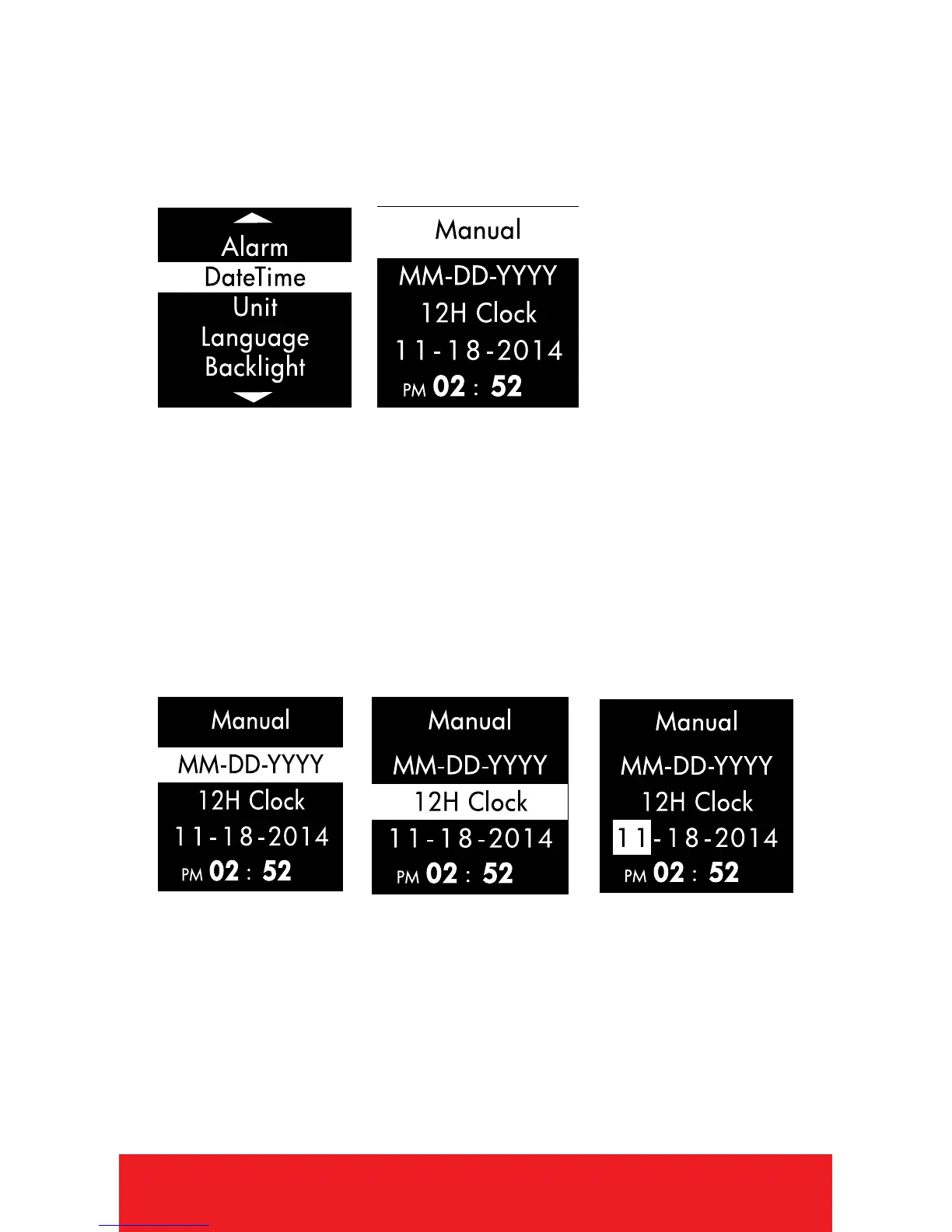
DATE/TIME
1. PRESS
[
OK
]
button to select DATE/TIME.
2. Use
[
UP/DOWN
]
buttons to select Auto
or Manual.
• Auto: The Watch will start searching for
satellite connection, once connected; the
time and date will appear according to your
location. (Note: Must be outside.)
• Manual: PRESS
[
OK
]
button to scroll up
or down the list of time/date settings, Use
[
UP/DOWN
]
buttons to change/edit setting.
3. Use
[
UP/DOWN
]
button to change the Date
Format (MM-DD-YYYY, DD-MM-YYYY,
YYYY-MM-DD).
4. PRESS
[
OK
]
button to scroll down. Use
[
UP/DOWN
]
button to select 12 hour or 24
hour clock.



 To Next Page