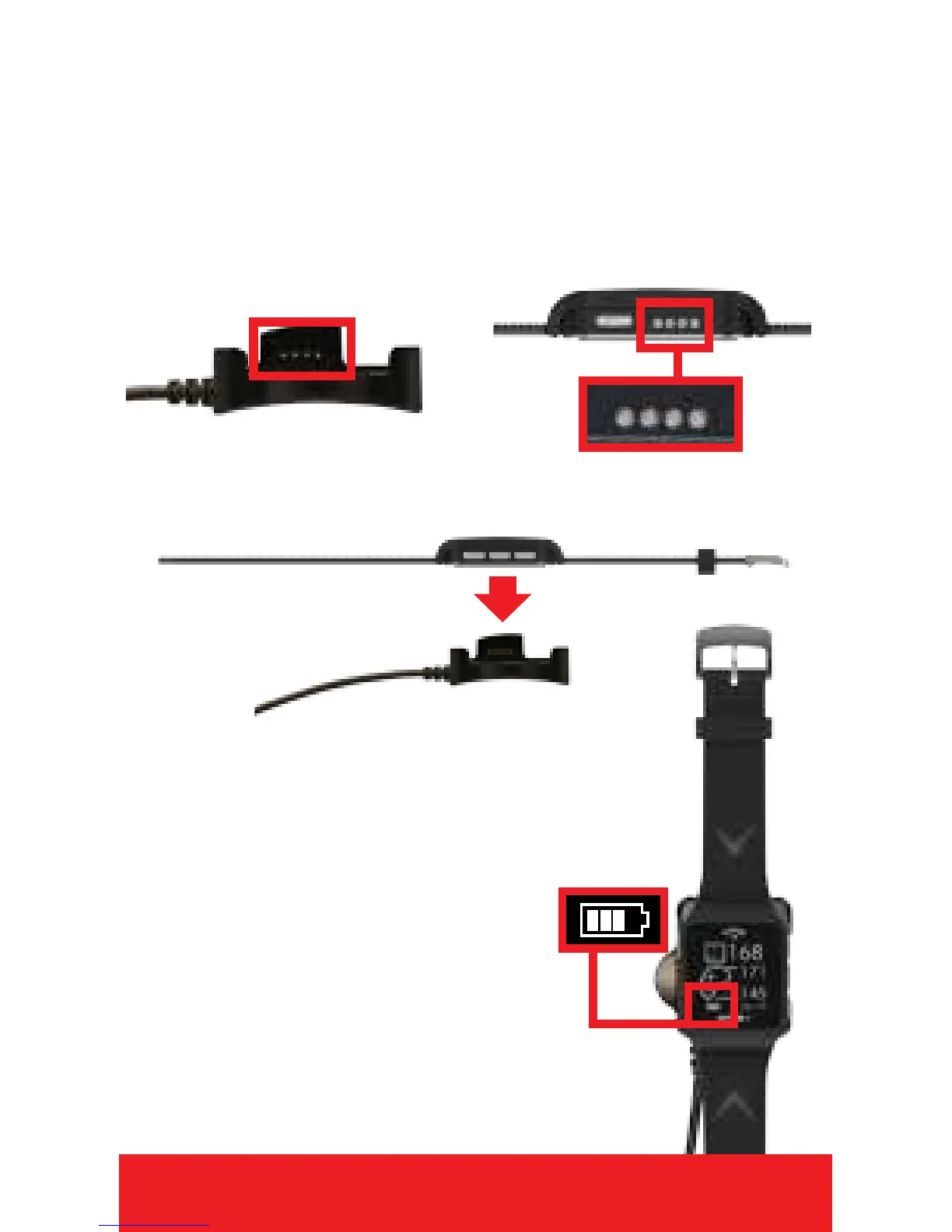
CHARGING
1. Power watch Off. Hold
[
POWER
]
until
screen goes blank.
(See watch diagram page 4)
2. Connect Charger Pins on the charger to
the Charging Ports on the watch by placing
watch in Charging Dock.
3. Plug USB cord end into USB port.
4. When connection is
made, watch will
power on and Battery
Icon bars will pulsate
to indicate charging.
Note: Battery Icon bars will
stop pulsating when charging
is complete. (2-3 hours)
ENGLISH 3
CHARGING PINS
CHARGING PORTS
CHARGING DOCK


 To Next Page