DESCRIPTION OF TERMS
• PRESS - Press & Release button quickly.
• HOLD - Press & Hold button until desired
screen appears or change happens.
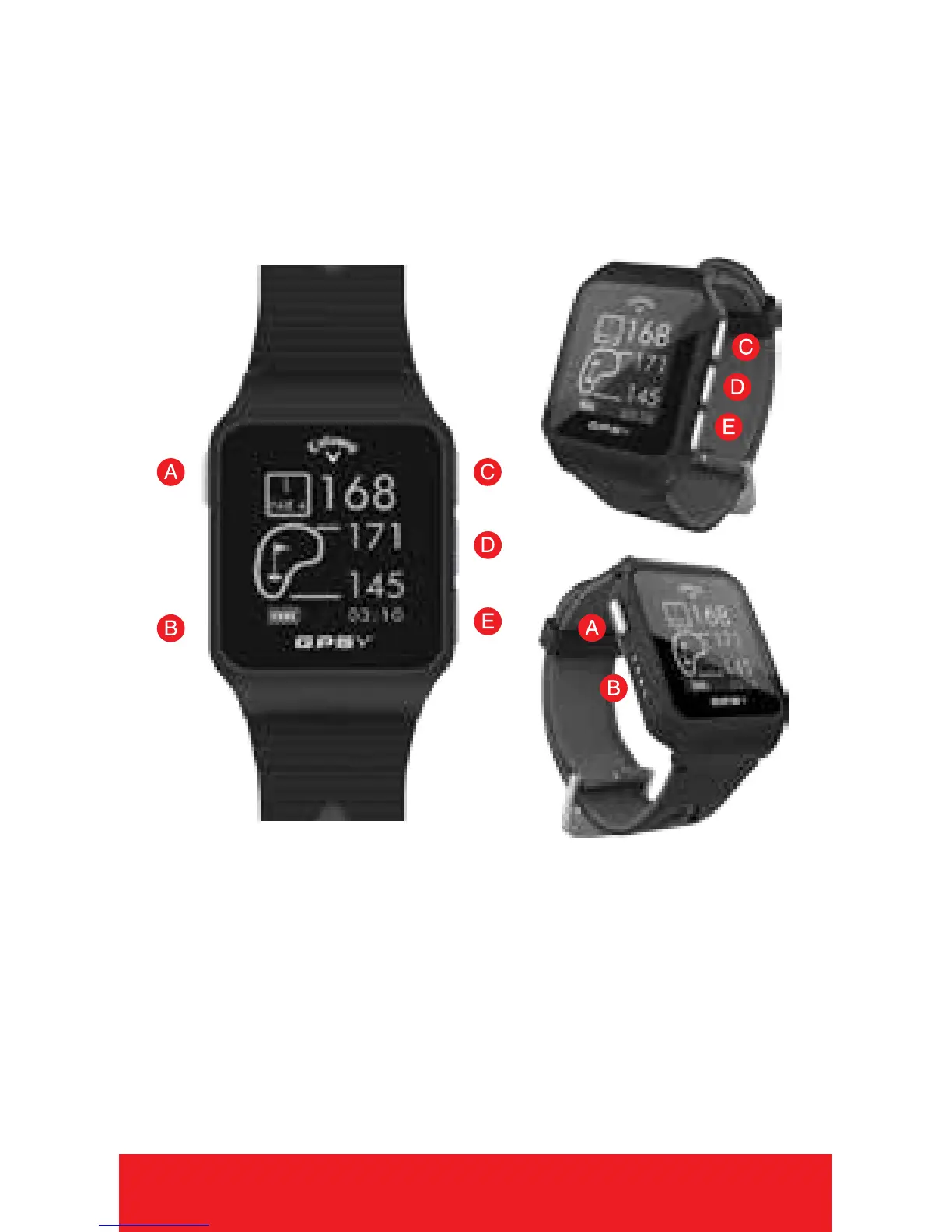
WATCH DIAGRAM
A.
[
POWER
]
- HOLD to Power On/Off, PRESS
to turn Backlight On/Off
B. Charging Ports
C.
[
UP
]
- Scroll Up
D.
[
OK
]
- PRESS to Toggle Screens, Select
Options - HOLD to access Main Menu.
E.
[
DOWN
]
- Scroll Down
4 HOW TO USE



 To Next Page