SECTION 5: WEATHER ®
making
since 1986
ater work
SECTION 5: WEATHER
The Weather section of the controller is used to set
up the ET Gage, Rain Bucket, Wind Gage, Rain
Switch, Budgets, and Moisture Sensors.
5A. ET GAGE
The ET Gage setting in the controller is used for:
• Setting ET irrigation day
• Selecting ET gage Usage*
• Logging ET Gage Pulses*
• Setting Gage fill percentage*
• Manually entering pulses**
• Skipping tonight’s entries**
* Only if (-G) option installed in controller.
** Used for troubleshooting, or servicing ET Gage.
5A.1. ET Gage setup
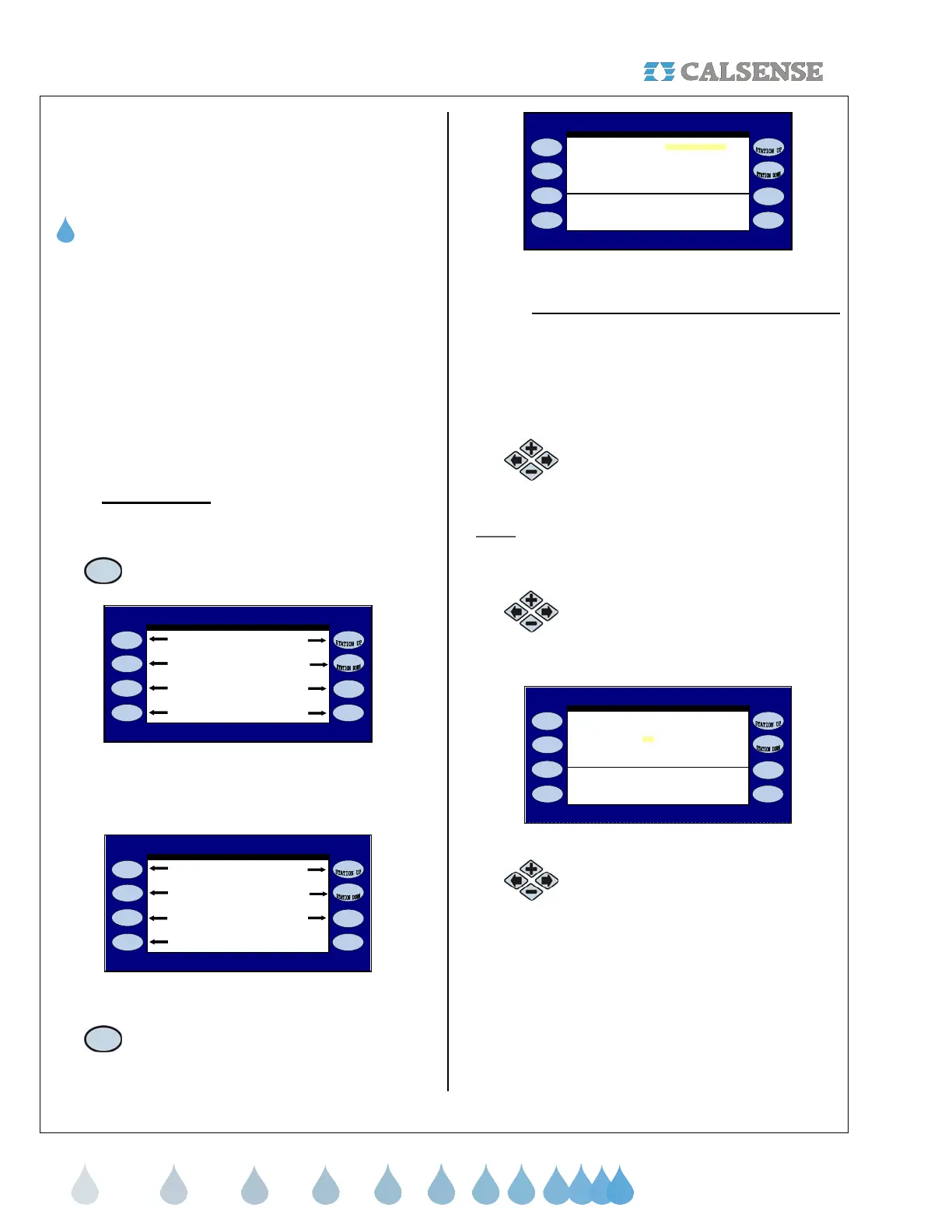
From the MAIN MENU screen (Figure 5.1):
1.
Press the WEATHER Menu key.
CALSENSE WATER MANAGEMENT SYSTEM
Programs & Stations Lights
Weather Reports
Setup Status
Flow Radio Remote
Figure 5.1
The WEATHER SETUP screen is displayed
(Figure 5.2).
WEATHER SETUP
ET Gage ET
Rain Bucket Budget
Rain Switch
Wind Gage Moisture
Figure 5.2
2.
Press the ET GAGE Menu key. The ET
GAGE screen is displayed (Figure 5.3).
Irrigation Day is from 8:00PM to 8:00PM
ET GAGE
Figure 5.3
• Irrigation Day is from 8:00PM to 8:00PM:
This setting is for the time period that you
want your ET information to be collected for
each day. Keep in mind that you want this
time to be before your first irrigation Start
Time for that day so that you are using the
most current ET information.
3.
Press the PLUS or MINUS keys to
change the setting.
Note:
Following steps are for (-G) option only. If no
ET Gage is in use skip this section.
4.
Press the blue ARROW keys to
move the cursor to the IS THERE AN
ET GAGE? (Figure 5.4).
Irrigation Day is from 8:00PM to 8:00PM
Is there an ET Gage? NO
ET GAGE
Figure 5.4
5.
Press the PLUS or MINUS keys to
change the setting.



 To Next Page