SECTION 12: (-F) OPTION ®
making
since 1986
ater work
1. Press the SCHEDULE USE OF MV
Menu key.
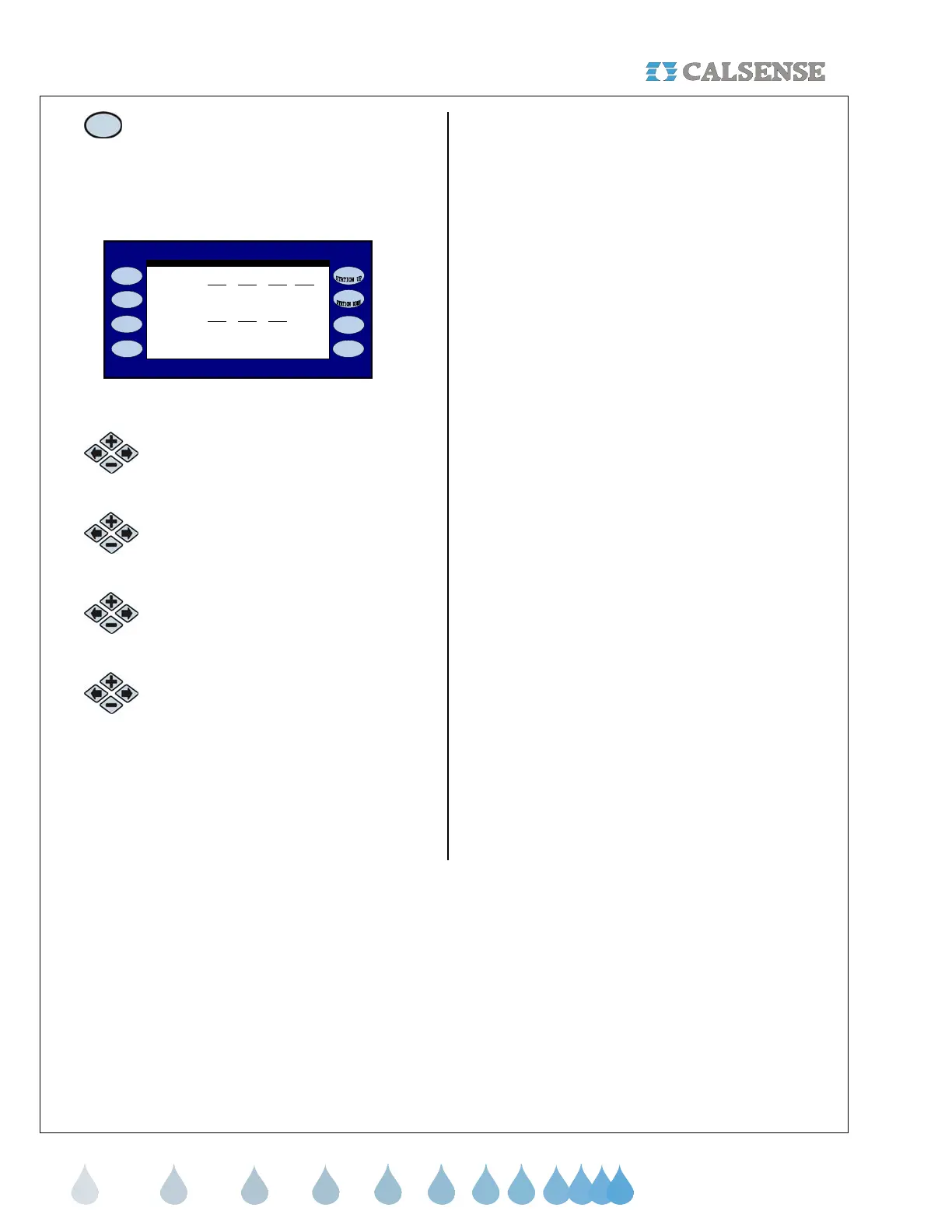
The MV USE: START TIME AND DURATION
screen is displayed (Figure 12.10).
MV USE: START TIME AND DURATION
Point of Connection 2
SUN MON TUE WED
Use at 12:00PM 12:0PM 12:00PM 12:00PM
for 0h 0m 0h 0m oh 0m 0h 0m
(press BACK when schedule is complete)
THU FRI SAT
Use at 12:00PM 12:0PM 12:00PM
for 0h 0m 0h 0m oh 0m
Figure 12.10
2.
Press the blue ARROW keys to
move the cursor to the desired USE
AT setting.
3.
Press the PLUS or MINUS keys to
change the start time.
4.
Press the blue ARROW keys to
move the cursor to the desired FOR
setting.
5.
Press the PLUS or MINUS keys to
change the amount of time in hours
and minutes.
THIS CONCLUDES THE (-F) OPTION
SECTION



 To Next Page