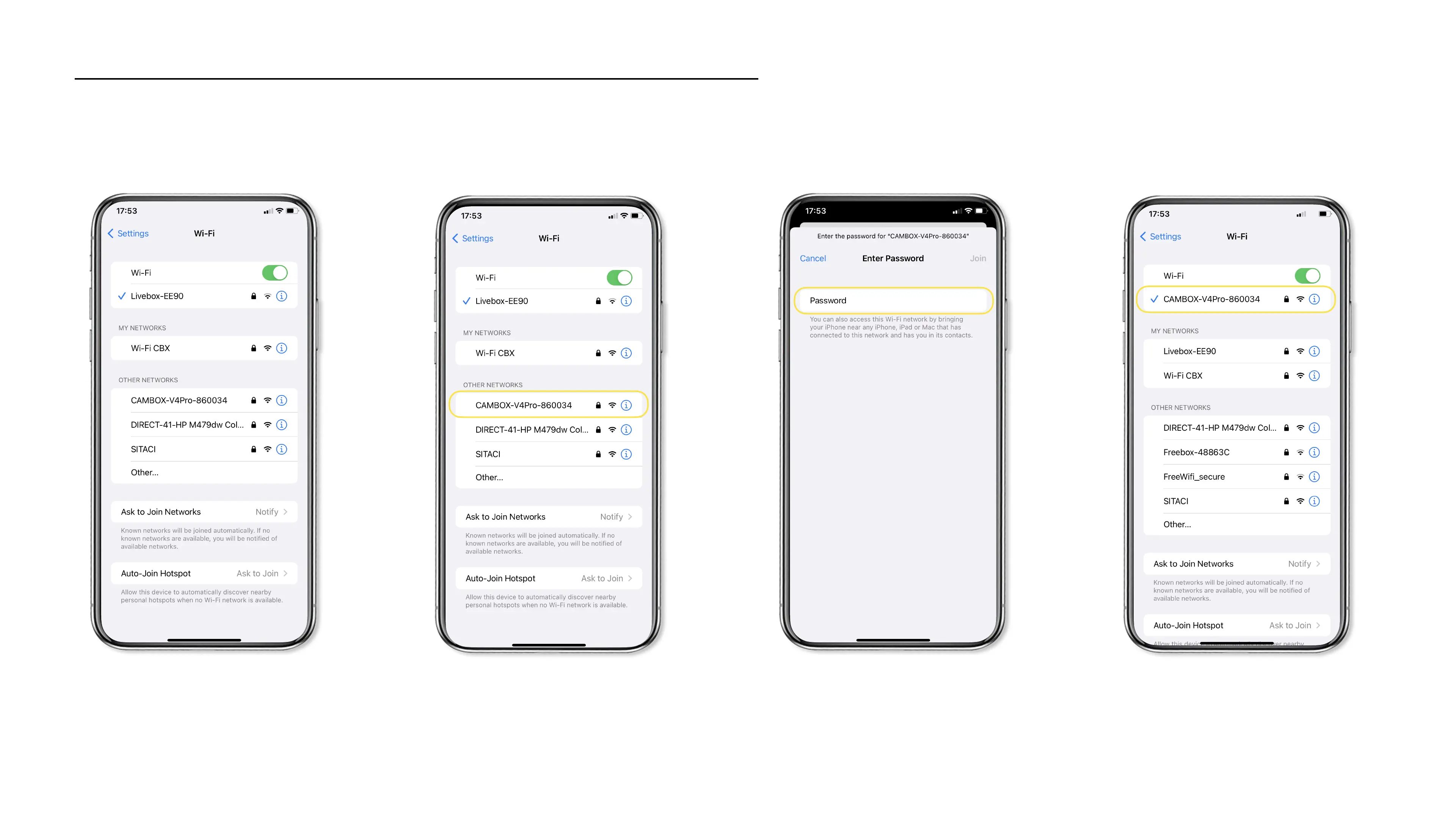
1. Open your Wifi settings 2. Select the Cambox network
On your smartphone, open your Wifi
settings
Select the «#Cambox-v4xx-xxx#»
network
3. Enter password
The default password is : 12345678
4. Connection successful
Your camera is now paired to your
smartphone !
Connect your Cambox to your smartphone
12345678
18



 To Next Page