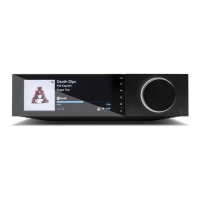
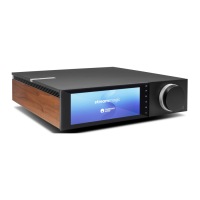
22
UPnP, Local USB media, Airplay 2, Chromecast built-in, Internet Radio, Spotify Connect, TIDAL, Qobuz, Amazon Music, RoonReady.
AUDIO FORMATS
ALAC, WAV, FLAC, AIFF, DSD (x256), WMA, MP3, AAC, HE AAC AAC+, OGG Vorbis
OUTPUTS
Speakers A+B, 3.5mm headphone, Preamp Output, Subwoofer Output, Bluetooth (integrated)
Bluetooth: 4.2 A2DP/AVRCP supporting up to aptX HD
ETHERNET
IEEE 802.3, 10 Base-T or 100 Base-T
WI-FI
Dual-Band 2.4/5GHz
MAX POWER CONSUMPTION
700W
STANDBY POWER CONSUMPTION
<0.5W
DIMENSIONS (W x H x D)
317 x 89 x 352 mm
WEIGHT
5.3Kg
Troubleshooting
Last updated: April 26, 2021 09:33. Revision #1557
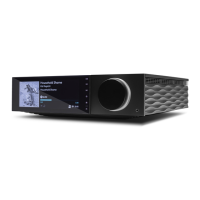
evo all one player / troubleshooting
If you experience any trouble with your Evo, visit the help section on our webpage at http://techsupport.cambridgeaudio.com
If you have trouble connecting the Evo to your network, these steps may help to resolve the problem:
• Confirm that a connected computer can access the Internet (i.e. can browse the web) using the same network.
• If you have an encrypted Wi-Fi network, check that you have entered the correct key or passphrase. Remember that text-format keys are case-
sensitive.
If your Evo can connect to the network successfully but is unable to play particular Internet Radio stations, it may be due to one of
the following causes:
• The station is not broadcasting at this time of the day (remember it may be located in a different time zone).
• The station has reached the maximum allowed number of simultaneous listeners.
• The station is not broadcasting anymore.
• The Internet connection between the server (often located in a different country) and you is too slow.
If you have problems with UPnP playback check the following:
• Ensure your chosen UPnP server software is capable of serving the file type you are trying to access. Some servers do not serve FLAC for instance.
• Evo can only play non DRM files. Files that have DRM controls cannot be played by Evo. Some servers may be able to authorise and de-crypt
Microsoft PlaysForSure before then serving the content to Evo, but this operation is not guaranteed as it is purely a function of the server.
• If attempting to play 24-bit WAV or FLAC content a wired Ethernet connection is normally required for reliable operation due to bandwidth


 To Next Page