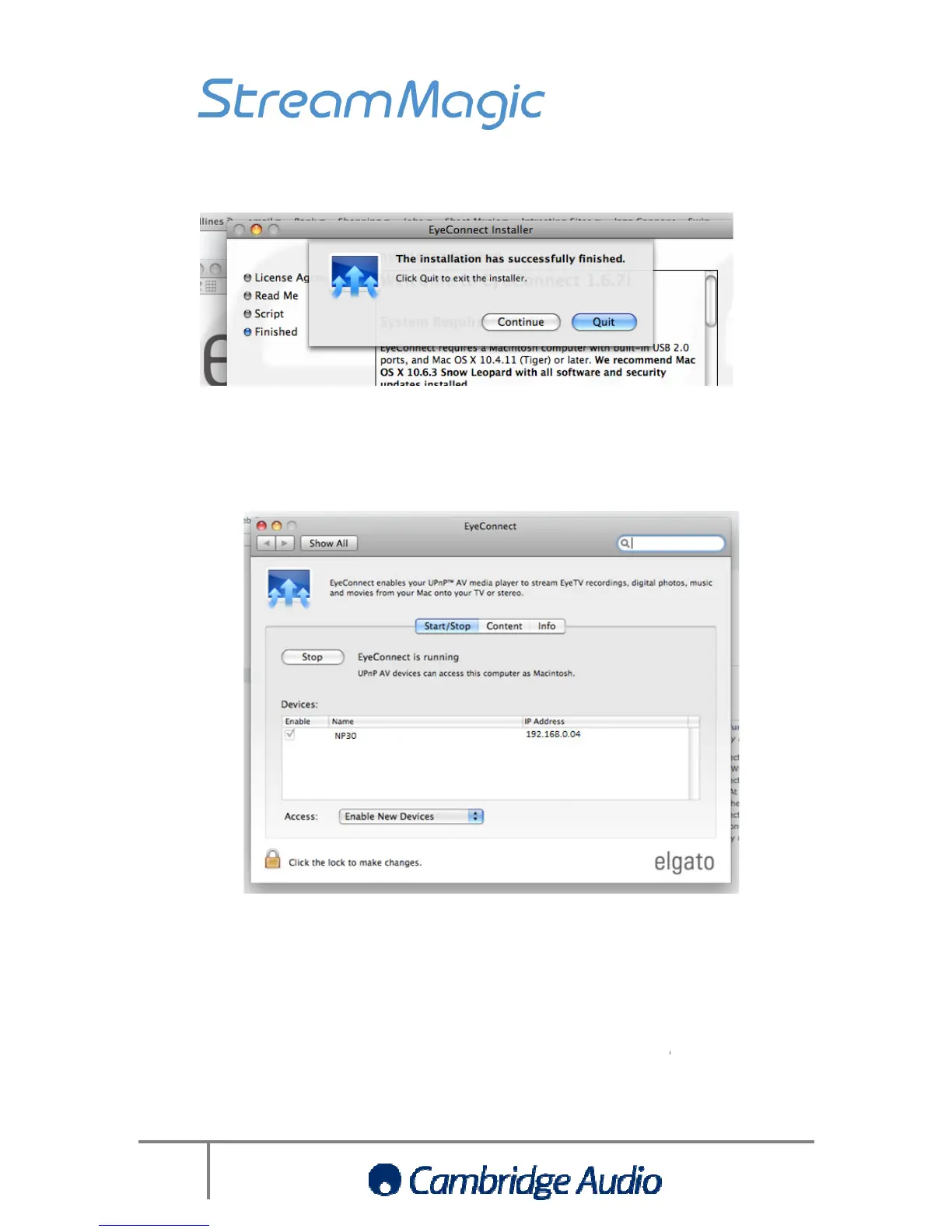
Click quit to exit the installer
EyeConnect should then launch automatically and any UPnP devices
should be enabled by default
ac should now appear in the Stream Magic product’s
Click quit to exit the installer
EyeConnect should then launch automatically and any UPnP devices
) should appear in the Devices window
should be enabled by default
within EyeConnect. At this point
ac should now appear in the Stream Magic product’s
)’. You will now be able to stream
music from your Mac to the
EyeConnect should then launch automatically and any UPnP devices
within EyeConnect. At this point
music from your Mac to the


 To Next Page