Child lock setting method
Method of cancellation: press the power button or change to another washing procedure to
exit from this function.
Note:The delay function is unsuitable for clothes that are easy to produce static electricity.
Set the delay time at first, then press the “Start / Pause” button to display the remaining
time.
If the washing procedure time is less than 1 hour, the appointment time can be ranged from
1 hour to 24 hours;
If the washing procedure is of 1-2 hours, t he appointment time can be ranged from 2 hours
to 24 hours.
Child lock
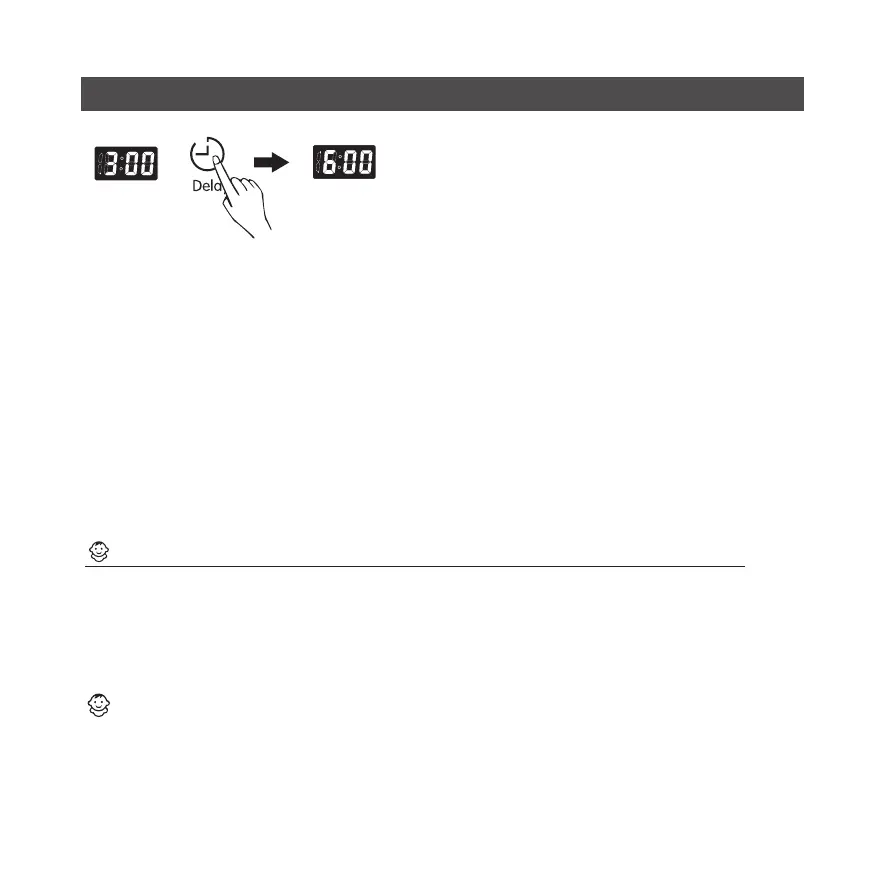
1.Press the Delay button, time displaying“3:00”;
2. Continue pressing the Delay button three times in
succession, time displaying “6:00”;
3. The washing will be finished 6 hours later.
Child lock function prevents change of the washing machine due to children's wrong
operation so that the washing procedure can be normally working.
Press the appointment button for 3 minutes to choose this function. At the same time,
indicator light will light up.
Note: press this button to prevent running of the washing machine operated by children.
When the washing machine is running, set the child lock function; then, all functions except
for the power supply cannot work.
Overview of the control panel
1 2 3 4 5 6 7 8 9 10 11 12 13 14 15 16 17 18 19 20 21 22 23 24 25 26 27 28



 To Next Page
 Loading...