10
DMX
ITALIANO
POLSKI
ESPAÑOL
FRANCAIS
DEUTSCHENGLISH
STANDALONE MODE COLOUR MACRO
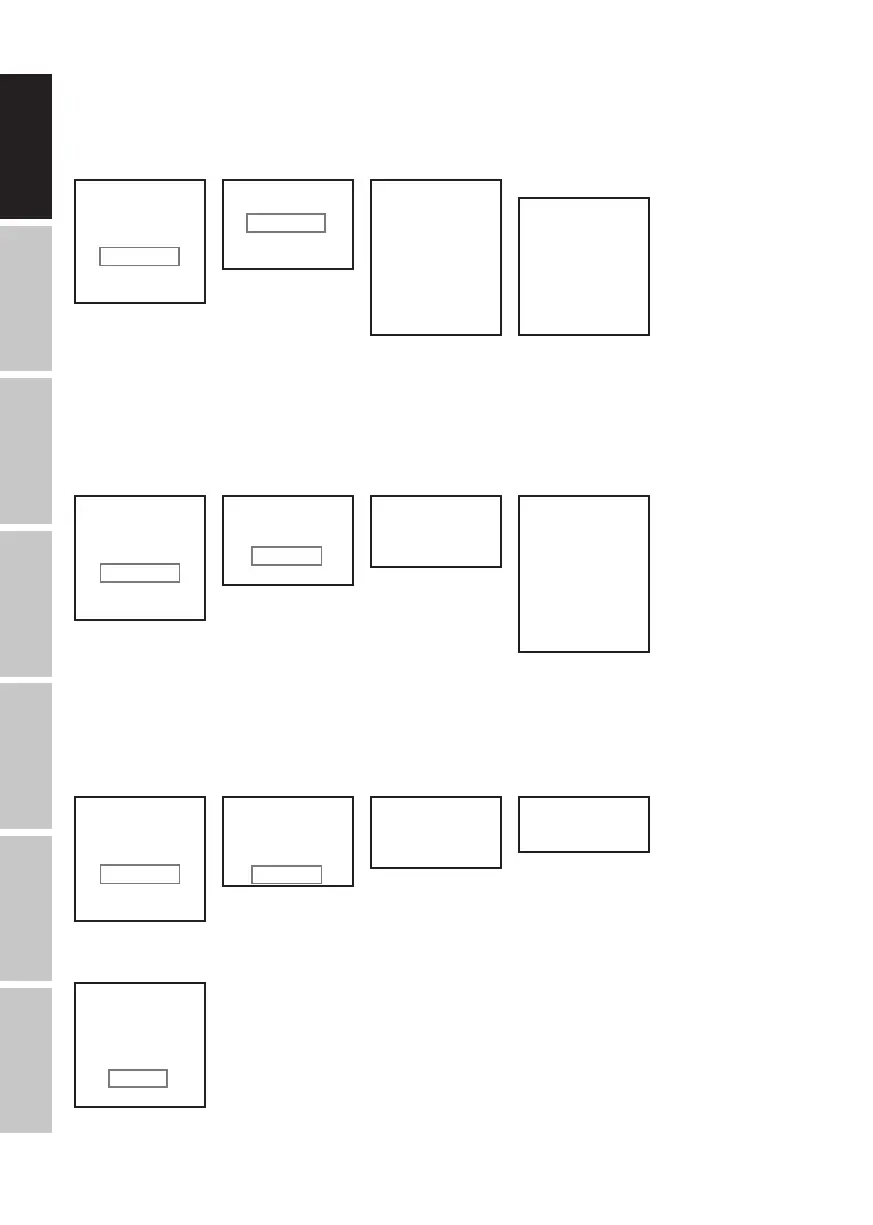
15 different colour macros are available as presets. The brightness can be separately set for each preset.
Starting from main display 1, press MENU to enter the main menu. Now use the controls UP and DOWN to select the menu item Stand
Alone and confirm with ENTER. Again use UP and DOWN to select the standalone mode Colour Macro and confirm with ENTER. Now use
UP and DOWN to select the desired colour as a preset and confirm with ENTER (Colour Off = blackout). You can now use UP and DOWN to
set the desired brightness between 000 and 100. Confirm with ENTER.
DMX Address
001
Mode
Auto
Mode
Static
Mode
Color Macro
Mode
User Color
Menu
DMX Address
DMX Mode
DMX Delay
Stand Alone
Settings
System Info
Menu
DMX Address
DMX Mode
DMX Delay
Stand Alone
Settings
System Info
DMX Mode
3 CH
4 CH
6 CH
7 CH
13CH01
13CH02
20 CH
Static
Dimmer
Strobe
Red
Green
Blue
White
Amber
UV
Color x
Dimmer
Strobe
Red
Green
Blue
White
Amber
UV
DMX Address
001 - 510
Fixture Status
Stand Alone
Static
Color Macro
User Color
Auto
Color Macro
Color O
Red
Amber
Yellow W
Yellow
Green
Turquoise
Cyan
Blue
Lavender
Mauve
Magenta
Pink
Warm White
White
Cold White
Stand Alone
Static
Color Macro
User Color
Auto
User Color
Color 1
|
Color 8
Stand Alone
Static
Color Macro
User Color
Auto
Program x
Dimmer
Speed
Auto
Program 1
|
Program 6
Stand Alone
Static
Color Macro
User Color
Auto
-------- Menu --------
DMX Address
DMX Mode
DMX Delay
Stand Alone
Settings
System Info
DMX Delay ------
Group 0
by DMX? No/Yes
Delay 0.0s
------
DMX Delay ------
Group 0
by DMX? No
Delay 0.0s
------
DMX Delay ------
Group 0
by DMX? No
Delay 0.0s - 2.0s
------
By DMX? -------
--------
Warning! Delay
is controllable
by DMX now!
-------- Menu --------
DMX Address
DMX Mode
DMX Delay
Stand Alone
Settings
System Info
DMX Delay ------
Group 0
by DMX? Yes
Delay 0.0s
------
DMX Delay ------
Group 0
by DMX? Yes
------
-------- Menu --------
DMX Address
DMX Mode
DMX Delay
Stand Alone
Settings
System Info
-------- Menu --------
DMX Address
DMX Mode
DMX Delay
Stand Alone
Settings
System Info
-------- Menu --------
DMX Address
DMX Mode
DMX Delay
Stand Alone
Settings
System Info
-------- Menu --------
DMX Address
DMX Mode
DMX Delay
Stand Alone
Settings
System Info
-------- Menu --------
DMX Address
DMX Mode
DMX Delay
Stand Alone
Settings
System Info
STANDALONE MODE USER COLOUR
The standalone mode User Colour allows you to store eight individual colour presets for overall brightness, strobe and a colour blend of R, G,
B, W, A and UV directly in the device.
Starting from main display 1, press MENU to enter the main menu. Now use the controls UP and DOWN to select the menu item Stand
Alone and confirm with ENTER. Again use UP and DOWN to select the standalone mode User Colour and confirm with ENTER. Using UP
and DOWN, now select the desired preset (colour 1 to 8) and confirm with ENTER. Using UP and DOWN, now select the menu item that you
wish to edit and confirm with ENTER. You can use UP and DOWN to configure the desired value between 000 and 255. The strobe effect
values correspond to those in channel 2 of the DMX table 4CH and channel 3 of tables 13CH1 and 20CH. Confirm all entries with ENTER.
DMX Address
001
Mode
Auto
Mode
Static
Mode
Color Macro
Mode
User Color
Menu
DMX Address
DMX Mode
DMX Delay
Stand Alone
Settings
System Info
Menu
DMX Address
DMX Mode
DMX Delay
Stand Alone
Settings
System Info
DMX Mode
3 CH
4 CH
6 CH
7 CH
13CH01
13CH02
20 CH
Static
Dimmer
Strobe
Red
Green
Blue
White
Amber
UV
Color x
Dimmer
Strobe
Red
Green
Blue
White
Amber
UV
DMX Address
001 - 510
Fixture Status
Stand Alone
Static
Color Macro
User Color
Auto
Color Macro
Color O
Red
Amber
Yellow W
Yellow
Green
Turquoise
Cyan
Blue
Lavender
Mauve
Magenta
Pink
Warm White
White
Cold White
Stand Alone
Static
Color Macro
User Color
Auto
User Color
Color 1
|
Color 8
Stand Alone
Static
Color Macro
User Color
Auto
Program x
Dimmer
Speed
Auto
Program 1
|
Program 6
Stand Alone
Static
Color Macro
User Color
Auto
-------- Menu --------
DMX Address
DMX Mode
DMX Delay
Stand Alone
Settings
System Info
DMX Delay ------
Group 0
by DMX? No/Yes
Delay 0.0s
------
DMX Delay ------
Group 0
by DMX? No
Delay 0.0s
------
DMX Delay ------
Group 0
by DMX? No
Delay 0.0s - 2.0s
------
By DMX? -------
--------
Warning! Delay
is controllable
by DMX now!
-------- Menu --------
DMX Address
DMX Mode
DMX Delay
Stand Alone
Settings
System Info
DMX Delay ------
Group 0
by DMX? Yes
Delay 0.0s
------
DMX Delay ------
Group 0
by DMX? Yes
------
-------- Menu --------
DMX Address
DMX Mode
DMX Delay
Stand Alone
Settings
System Info
-------- Menu --------
DMX Address
DMX Mode
DMX Delay
Stand Alone
Settings
System Info
-------- Menu --------
DMX Address
DMX Mode
DMX Delay
Stand Alone
Settings
System Info
-------- Menu --------
DMX Address
DMX Mode
DMX Delay
Stand Alone
Settings
System Info
-------- Menu --------
DMX Address
DMX Mode
DMX Delay
Stand Alone
Settings
System Info
STANDALONE MODE AUTO
The 6 available auto-programs each comprise non-editable colour-change sequences. Brightness and speed are separately adjustable in
each program.
Starting from main display 1, press MENU to enter the main menu. Now use the controls UP and DOWN to select the menu item Stand
Alone and confirm with ENTER. Again use UP and DOWN to select the standalone mode Auto and confirm with ENTER. Now use the UP
and DOWN to select the desired program (program 1 to 6) and confirm with ENTER. Now use UP and DOWN to select Dimmer or Speed,
confirm with ENTER and set the brightness or speed value from 000 to 100 as desired. Confirm all entries with ENTER.
DMX Address
001
Mode
Auto
Mode
Static
Mode
Color Macro
Mode
User Color
Menu
DMX Address
DMX Mode
DMX Delay
Stand Alone
Settings
System Info
Menu
DMX Address
DMX Mode
DMX Delay
Stand Alone
Settings
System Info
DMX Mode
3 CH
4 CH
6 CH
7 CH
13CH01
13CH02
20 CH
Static
Dimmer
Strobe
Red
Green
Blue
White
Amber
UV
Color x
Dimmer
Strobe
Red
Green
Blue
White
Amber
UV
DMX Address
001 - 510
Fixture Status
Stand Alone
Static
Color Macro
User Color
Auto
Color Macro
Color O
Red
Amber
Yellow W
Yellow
Green
Turquoise
Cyan
Blue
Lavender
Mauve
Magenta
Pink
Warm White
White
Cold White
Stand Alone
Static
Color Macro
User Color
Auto
User Color
Color 1
|
Color 8
Stand Alone
Static
Color Macro
User Color
Auto
Program x
Dimmer
Speed
Auto
Program 1
|
Program 6
Stand Alone
Static
Color Macro
User Color
Auto
-------- Menu --------
DMX Address
DMX Mode
DMX Delay
Stand Alone
Settings
System Info
DMX Delay ------
Group 0
by DMX? No/Yes
Delay 0.0s
------
DMX Delay ------
Group 0
by DMX? No
Delay 0.0s
------
DMX Delay ------
Group 0
by DMX? No
Delay 0.0s - 2.0s
------
By DMX? -------
--------
Warning! Delay
is controllable
by DMX now!
-------- Menu --------
DMX Address
DMX Mode
DMX Delay
Stand Alone
Settings
System Info
DMX Delay ------
Group 0
by DMX? Yes
Delay 0.0s
------
DMX Delay ------
Group 0
by DMX? Yes
------
-------- Menu --------
DMX Address
DMX Mode
DMX Delay
Stand Alone
Settings
System Info
-------- Menu --------
DMX Address
DMX Mode
DMX Delay
Stand Alone
Settings
System Info
-------- Menu --------
DMX Address
DMX Mode
DMX Delay
Stand Alone
Settings
System Info
-------- Menu --------
DMX Address
DMX Mode
DMX Delay
Stand Alone
Settings
System Info
-------- Menu --------
DMX Address
DMX Mode
DMX Delay
Stand Alone
Settings
System Info
SYSTEM SETTINGS (settings)
Starting from main display 1, press MENU to enter the main menu. Use UP and DOWN to select the menu item Settings and confirm with ENTER.
DMX Address
001
Mode
Auto
Mode
Static
Mode
Color Macro
Mode
User Color
Menu
DMX Address
DMX Mode
DMX Delay
Stand Alone
Settings
System Info
Menu
DMX Address
DMX Mode
DMX Delay
Stand Alone
Settings
System Info
DMX Mode
3 CH
4 CH
6 CH
7 CH
13CH01
13CH02
20 CH
Static
Dimmer
Strobe
Red
Green
Blue
White
Amber
UV
Color x
Dimmer
Strobe
Red
Green
Blue
White
Amber
UV
DMX Address
001 - 510
Fixture Status
Stand Alone
Static
Color Macro
User Color
Auto
Color Macro
Color O
Red
Amber
Yellow W
Yellow
Green
Turquoise
Cyan
Blue
Lavender
Mauve
Magenta
Pink
Warm White
White
Cold White
Stand Alone
Static
Color Macro
User Color
Auto
User Color
Color 1
|
Color 8
Stand Alone
Static
Color Macro
User Color
Auto
Program x
Dimmer
Speed
Auto
Program 1
|
Program 6
Stand Alone
Static
Color Macro
User Color
Auto
-------- Menu --------
DMX Address
DMX Mode
DMX Delay
Stand Alone
Settings
System Info
DMX Delay ------
Group 0
by DMX? No/Yes
Delay 0.0s
------
DMX Delay ------
Group 0
by DMX? No
Delay 0.0s
------
DMX Delay ------
Group 0
by DMX? No
Delay 0.0s - 2.0s
------
By DMX? -------
--------
Warning! Delay
is controllable
by DMX now!
-------- Menu --------
DMX Address
DMX Mode
DMX Delay
Stand Alone
Settings
System Info
DMX Delay ------
Group 0
by DMX? Yes
Delay 0.0s
------
DMX Delay ------
Group 0
by DMX? Yes
------
-------- Menu --------
DMX Address
DMX Mode
DMX Delay
Stand Alone
Settings
System Info
-------- Menu --------
DMX Address
DMX Mode
DMX Delay
Stand Alone
Settings
System Info
-------- Menu --------
DMX Address
DMX Mode
DMX Delay
Stand Alone
Settings
System Info
-------- Menu --------
DMX Address
DMX Mode
DMX Delay
Stand Alone
Settings
System Info
-------- Menu --------
DMX Address
DMX Mode
DMX Delay
Stand Alone
Settings
System Info


 To Next Page
 Loading...