Camtraptions PIR Motion Sensor v3 Manual Page 14
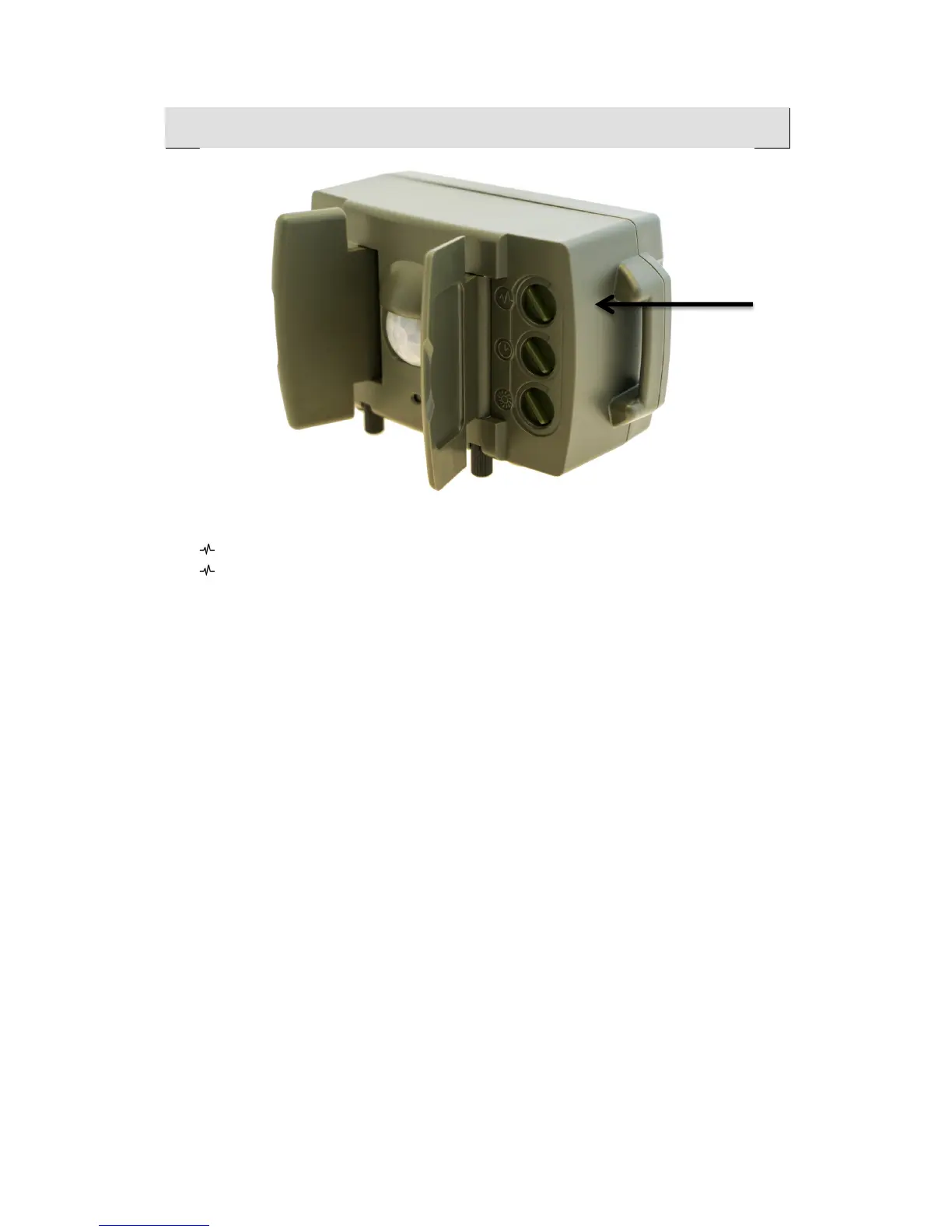
Sensitivity!Dial!
Turn the dial clockwise to increase sensitivity.
Turn the dial anticlockwise to decrease sensitivity.
Higher sensitivity results in faster response time and increased range. You will
also need to increase the sensitivity when photographing small creatures or in
hot conditions when the temperature differential between the subject and the
background is lower.
Minimizing!False!Triggers!
You can reduce the sensitivity by turning the dial anticlockwise if you are
getting an unacceptable level of false triggers.
However, before reducing the sensitivity, you should try to manage the scene
to avoid potential sources of unwanted motion. For example, position the
sensor so that it has a minimal amount of vegetation in the foreground that
could move in the wind.
In general, you should try to position the sensor so that the subject will be
much closer than anything that could cause false detections.


 To Next Page