Camtraptions PIR Motion Sensor v3 Manual Page 5
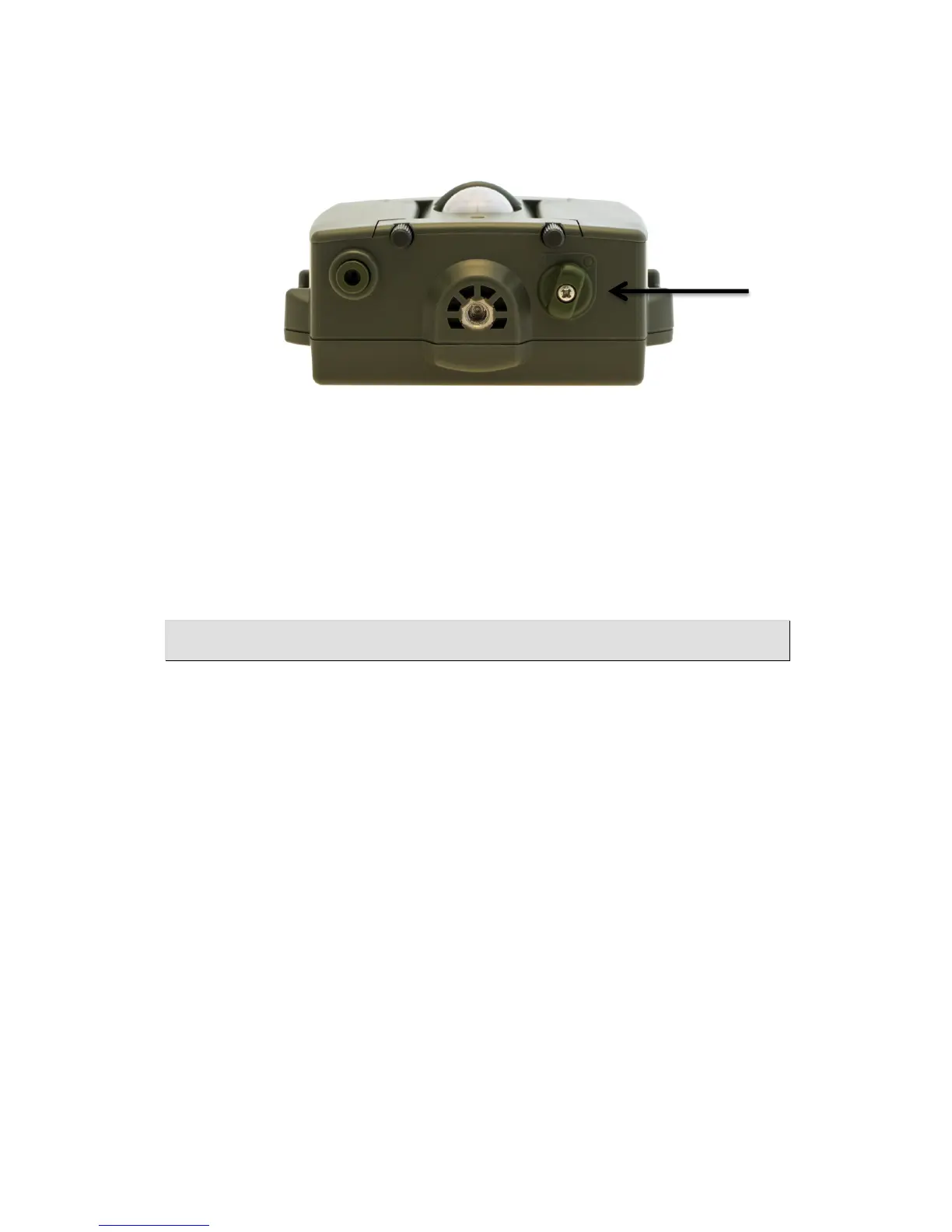
On-off!Switch!
The On-off switch is situated on the bottom of the device. Turn the switch to “|”
to turn the sensor on. Turn the switch to “O” to turn the sensor off.
On power-up, the LED on the front of the device will flash to indicate the
supply voltage and then there will be an 8 second delay while the sensor
calibrates. Thereafter, the LED will flash to indicate the Operating Mode and
Channel before commencing normal operation. See Page 9 for further details.
Operating!Modes!&!Channel!Selection!
The PIR v3 has three operating modes:
1. Stills mode: All programs focused on still shooting
2. Video mode: All programs focused on video shooting
3. Legacy mode: Replicates programs of PIR v2
The PIR v3 can be configured to work in one of seven different wireless
channels. These channels are compatible with Camtraptions Wireless
Triggers.
Setting!the!Operating!Mode!&!Channel!
It is intended that the operating mode and channel are set when the PIR is
set-up for the first time. Thereafter, it should not be necessary to adjust these
settings again unless it is necessary to swap between still and video mode. If
multiple PIRs are being used in a small area then set them to different
channels so they don’t interfere.
The operating mode and wireless channel of the transmitter are set via the
internal jumpers. To access the jumpers, open up the batter enclosure and


 To Next Page