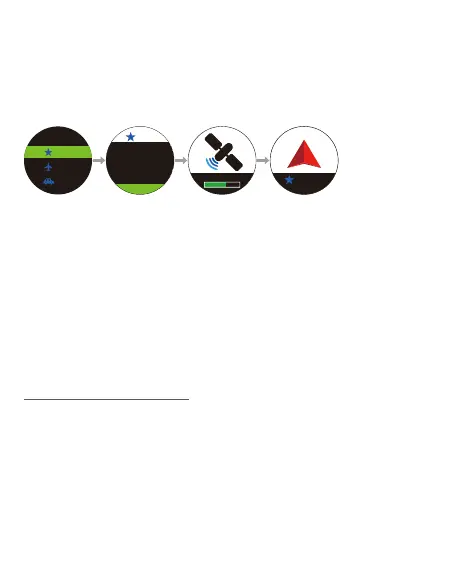
4. Press ④ to enter the above destination.
5. Press ③/⑤ to select [Go/Edit/Delete], and then press ④ to
confirm.
6. If you select [Go], watch will start GPS positioning. Once it is done,
follow the direction to go to your destination. To finish navigation,
press ②.
※ Please move 20-30 meters at the beginning, and then GPS will
show the right direction of your destination.
2. Press ④ to enter [New POI], use ③/⑤ to select location type,
number, and Latitude and Longitude. Press ④ to save and switch
column.
3. After you have completed this, press ④ to save. A destination will
be created.
1. Press ④ to enter menu, select [TOOLS] → [Back Track].
2. Use ③/⑤ to scroll to a selected sport type and a sport’s record,
and press ④ to enter.
3. Satellites will be located automatically. Once it is done, follow the
direction to return to the starting point along the same path. To
finish, press ②.
11-2 Back Track
-15312 km
12:34
New POI
001
001
001
Latitade
24°48’32.3’N
Longitude
121°02’25.1’E
001
Go
Searching
13.



 To Next Page