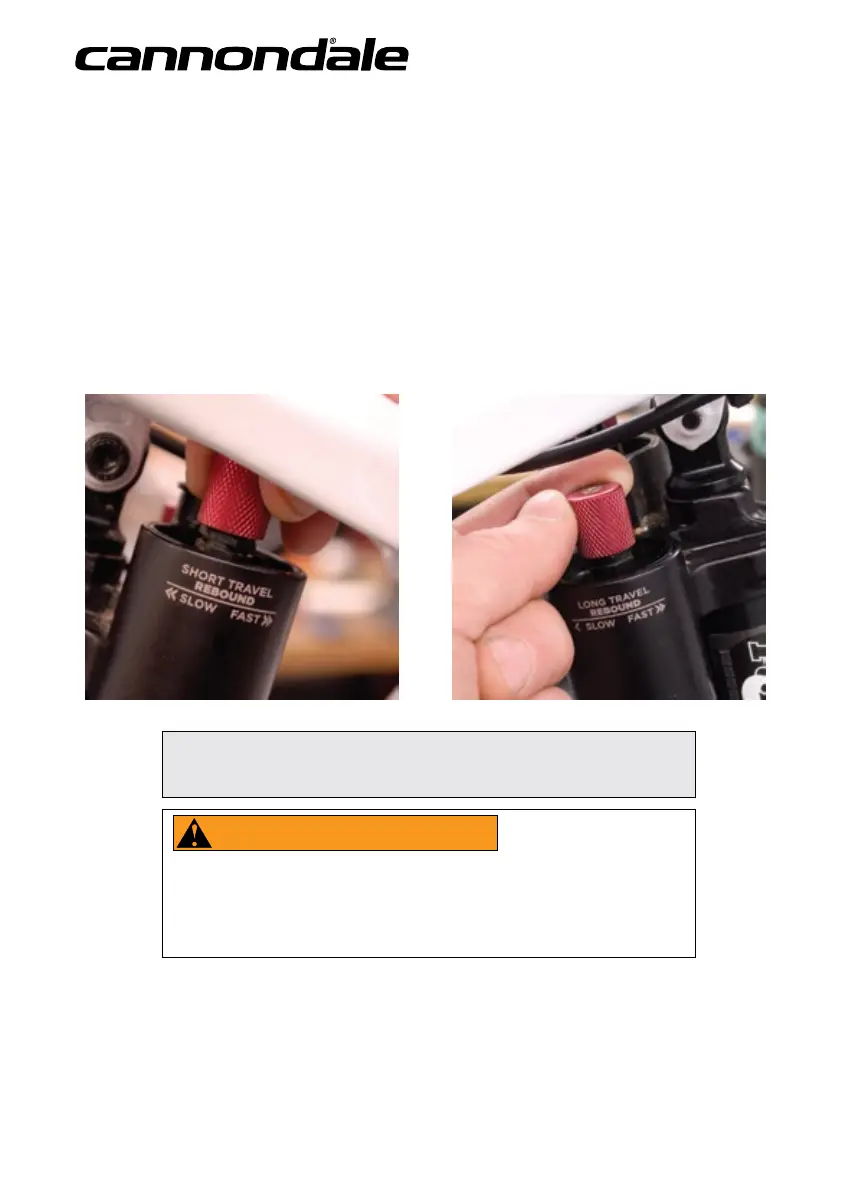
Setting Rebound
Rebound controls the rate at which your rear wheel returns after it has been compressed. The proper rebound setting is of
personal preference, and varies with rider weight, riding style and conditions. A basic rule of thumb is to set rebound to be as
quick as possible, without kicking back and pushing you o the saddle.
To set rebound :
1. The rebound circuits work independently. Make sure the remote travel lever is set to the travel mode you’re setting.
See Setting Travel..
2. Turn the selected rebound knob clockwise until it stops. Turn it couter-clockwise; counting each click. A good starting
point to begin adjustments is 7 clicks out from closed. Each rebound dial has about 13 clicks of adjustment range.
ELEVATE 90 mm FLOW 150 mm
NOTICE
Do not force rebound dial past stop point.
WARNING
KEEP HANDS AND FINGERS AWAY FROM MOVING LINKAGE. Make adjustments when you
are o the saddle, not riding or sitting on bike. Attempting to adjust rebound while sitting
or riding in motion on your bicycle can lead to a serious hand/nger injury or a loss of rider
control, which can result in serious injury or death.


 To Next Page