5.7 Example scripts 179
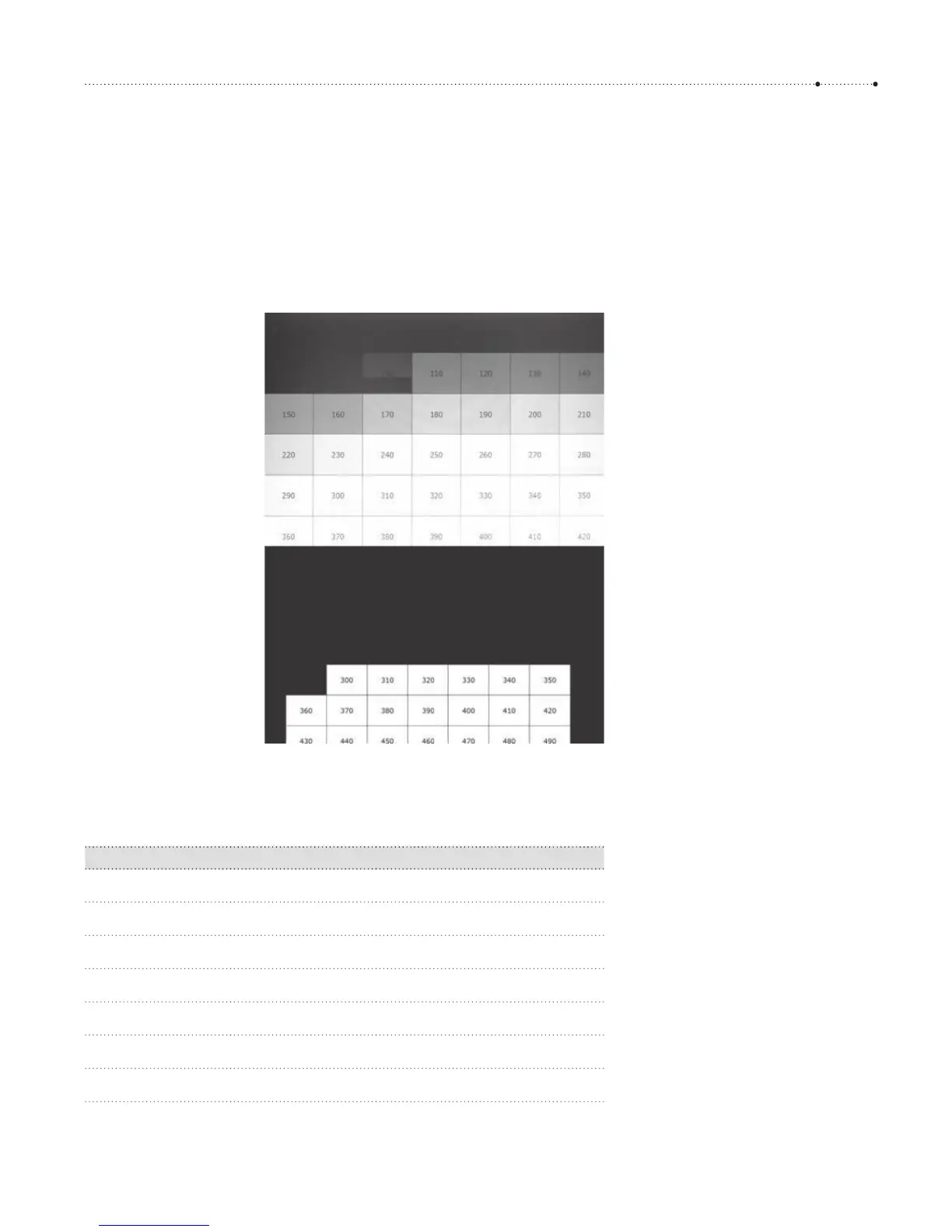
Now start a motion detection script on your camera and point the cam-
era to the screen (a tripod is recommended). If you use the script developed
in this section, choose the lightning scene program. If properly configured,
the script will react every time the table cells become visible again. By the
time the shutter is released, a few table cells will already be painted black.
The first table cell that is visible in the recorded image tells you the reaction
time.
Here are the delays between motion and shutter release measured with an
SD1100 IS and the scene programs implemented above. For comparison,
we have added the reaction time when the camera is manually triggered.
Program Delay Remark
Lightning 100 msec
Fast 150 msec
Fine 1050 msec Includes focusing
Macro 120 msec
Hat 1000 msec Includes focusing
Manual 1 400 msec Shutter half-pressed
Manual 2 1200 msec Includes focusing
Figure 5-6
Top: Speed test with a Canon Digital
Elph 1100 SD: the shutter starts to
open after 100 ms. Bottom: The human
user has no chance, even when using
the computer’s screen print facility.
300 ms was my best score. When
shooting manual with the camera, we
would have to add the camera’s delay
time on top of that (see below).








 To Next Page