5.8 Script development 195
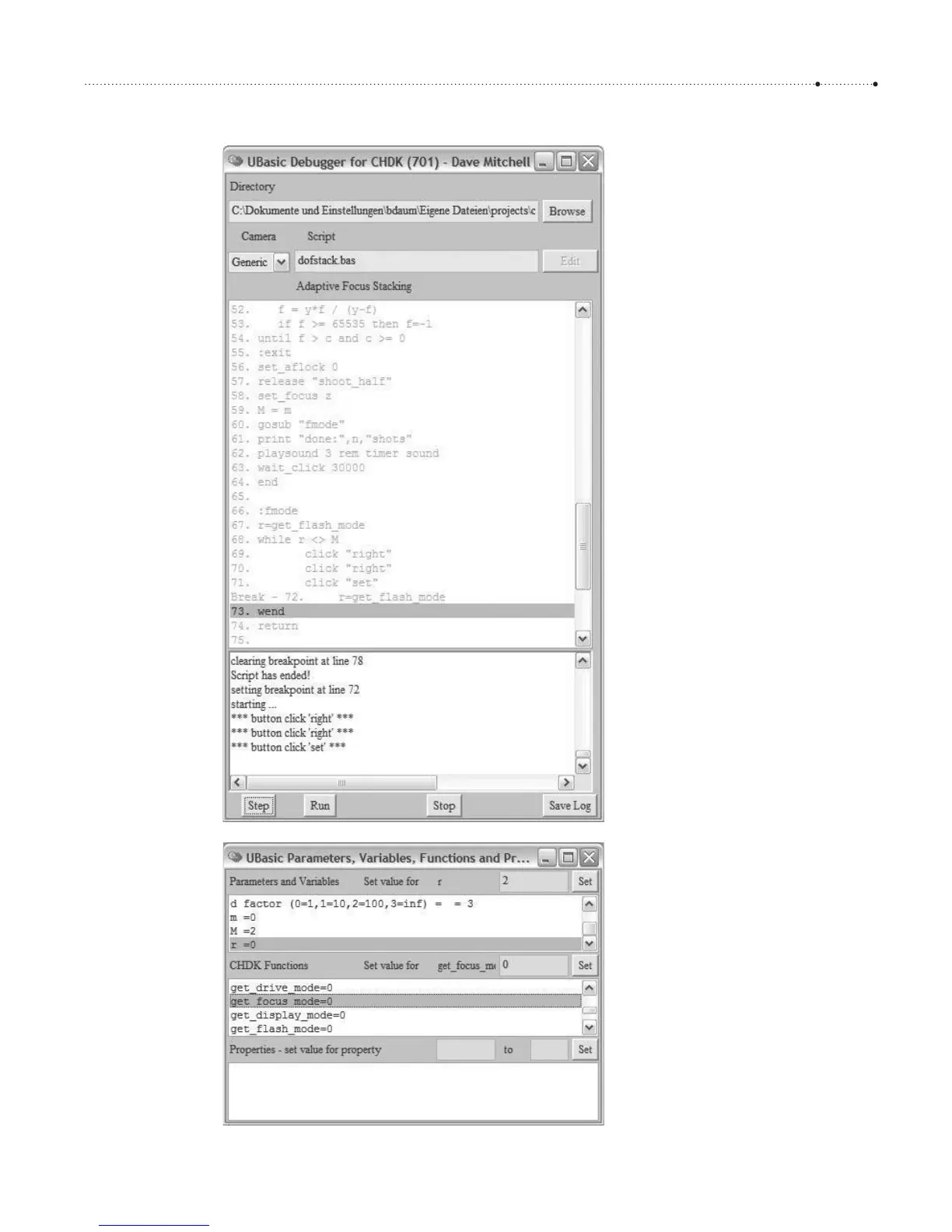
Figure 5-7
The UBDB debugger in action. Here,
we step through the script from
section 5.7.2. With a double click,
we set a breakpoint on line 72. Clicking
the
Step button, we advance one more
line.
Figure 5-8
To allow the script to continue, we
must now change the value of variable
r to 2 so that the script can leave the
while loop. This can be done in the
upper section of the Parameters
window by double clicking the variable
r, then entering 2 into the input field
(top right) and clicking
Set.
Alternatively, we can change the result
value of the command get_focus_mode
to 2 and run through the loop one
more time. This can be done in the
middle section of the window by
double clicking the CHDK function
get_focus_mod, then entering 2 into
the input field (center right) and
clicking
Set.








 To Next Page