206 CHAPTER 7 The Stereo Data Maker (SDM)
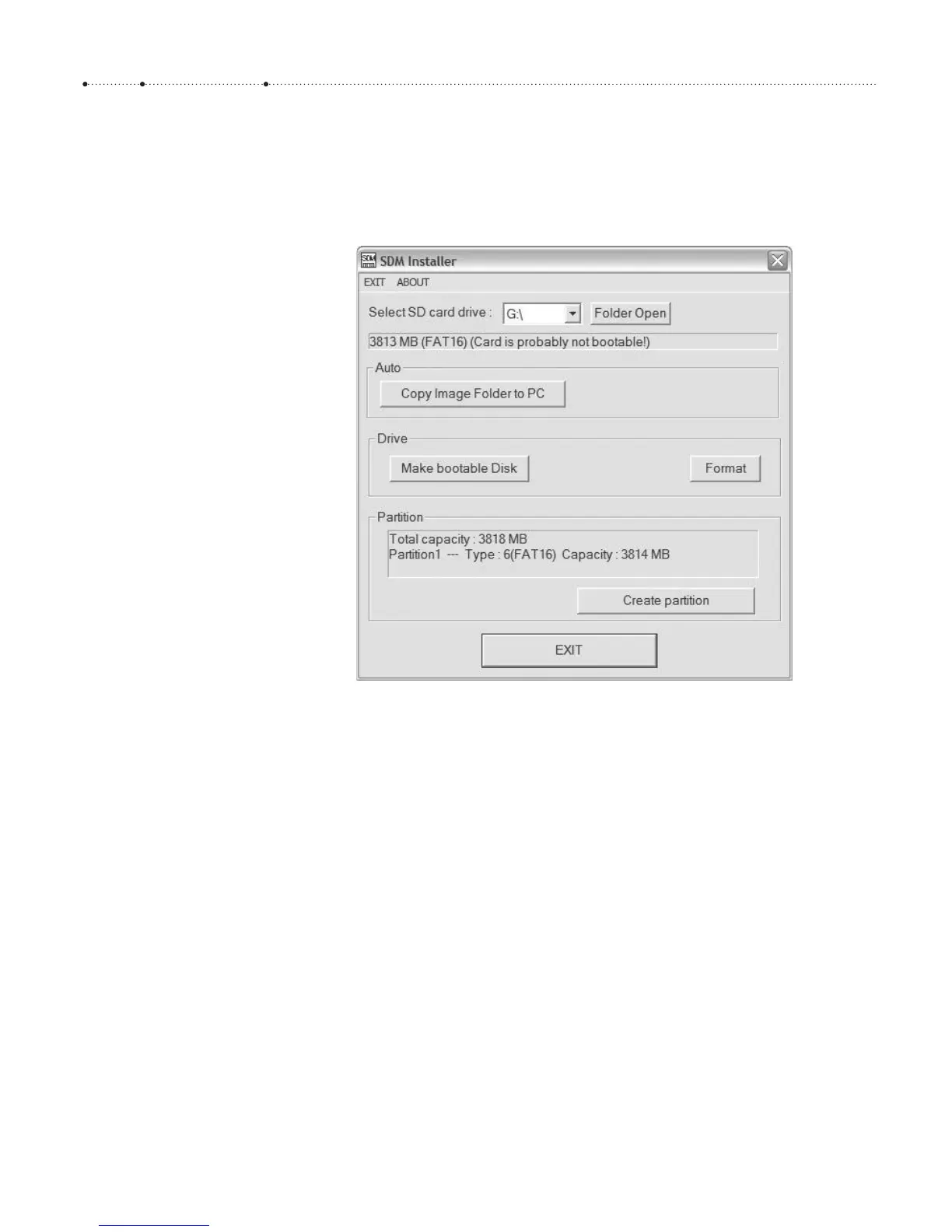
reformatted during the following process. Then start sdminste.exe and
format the card with FAT, not FAT32 (assuming that your card has no more
than 4 GB capacity). After formatting the card successfully, click the button
Make bootable Disk.
Now you can transfer the folders CHDK/ and DCIM/ from the SDM deploy-
ment onto the card. These folders contain the language files (English,
Spanish, French, Hungarian, and German), several predefined grids (section
4.2.6), a font, and some useful scripts ( motion detection, remote control,
time lapse). If you need a larger variety of fonts, you can use the fonts de-
ployed with the “normal” CHDK (they are compatible) and place them into
the folder CHDK/FONTS/.
The SDM deployment also contains a folder with predefined SDM con-
figurations. These configurations are meant to help you set up a pair of
cameras for stereo photography:
f
If your cameras will be mounted on a Z-frame (section 7.7.4), copy file
CONFIGS/config_eng/L/CHDK.CFG into folder CHDK/ on the memory
card used for the left camera. The file CONFIGS/config_eng/R/CHDK.CFG
goes into folder CHDK/ on the memory card for the right camera.
f
If your cameras will be mounted on a U-frame (section 7.7.4), copy file
CONFIGS/config_eng/L_horizontal/CHDK.CFG into folder CHDK/ on the
memory card used for the left camera. The file CONFIGS/config_eng/R/
CHDK.CFG goes into folder CHDK/ on the memory card for the right
camera.
Figure 7-1
The SDM Installer in action








 To Next Page