EasyManua.ls Logo

Canon DS126061 - User Manual

Canon DS126061
168 pages
Print Icon
To Next Page IconTo Next Page
Loading...
E
INSTRUCTION MANUAL
E
INSTRUCTION
MANUAL

Table of Contents

Question and Answer IconNeed help?

Do you have a question about the Canon DS126061 and is the answer not in the manual?

Summary

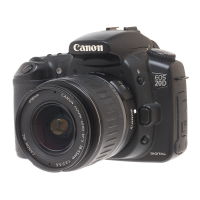
Canon EOS 20 D Instruction Manual

Nomenclature

Labels and identifies the camera's external parts and controls.

Conventions Used in this Manual

Explains symbols, icons, and text formatting used throughout the manual.

Getting Started

Recharging the Battery

Step-by-step guide for charging the camera's battery pack.

Installing and Removing the Battery

Instructions for properly inserting and removing the battery pack.

Mounting and Detaching a Lens

Procedure for attaching and removing lenses from the camera body.

Installing and Removing the CF Card

Details for inserting and ejecting the CompactFlash memory card.

Basic Operation

Covers fundamental camera controls like power switch and shutter button.

Menu Operations

Explains how to navigate and use the camera's menu system.

Fully Automatic Shooting

Using Full Auto

Guide to using the camera's fully automatic shooting mode.

Basic Zone Modes

Describes automatic shooting modes for specific subjects like Portrait and Landscape.

Self-timer Operation

Instructions on how to use the self-timer for group or self-portraits.

Image Settings

Setting the Image-recording Quality

Options for image quality, file format (JPEG/RAW), and compression.

Setting the ISO Speed

Adjusting the camera's sensitivity to light for different shooting conditions.

Setting the White Balance

Adjusting white balance for accurate color reproduction under various lighting.

Setting the Color Space

Choosing between sRGB and Adobe RGB color spaces for image output.

Selecting the Processing Parameters

Adjusting image parameters like contrast, sharpness, and color tone.

Setting the AF, Metering, and Drive Modes

Selecting the AF Mode

Details autofocus modes: One-Shot AF, AI Servo AF, AI Focus AF.

Selecting the AF Point

How to manually select or use automatic AF points for focusing.

Selecting the Metering Mode

Options for light measurement: Evaluative, Partial, Centerweighted.

Selecting the Drive Mode

Choosing between Single, Continuous, and Self-timer shooting modes.

Advanced Operations

Program AE

Using Program AE mode for flexible automatic exposure control.

Shutter-Priority AE

Setting shutter speed while the camera adjusts aperture automatically.

Aperture-Priority AE

Setting aperture while the camera adjusts shutter speed for depth of field.

Manual Exposure

Manually setting both shutter speed and aperture for full exposure control.

Setting Exposure Compensation

Adjusting exposure for lighter or darker images by +/- stops.

AE Lock

Locking exposure settings to recompose shots accurately.

Flash Photography

Using the Built-in Flash

Operating and configuring the camera's integrated flash unit.

Using EOS-Dedicated, External Speedlites

Connecting and using external Canon Speedlite flashes for advanced lighting.

Using Non-Canon Flash Units

Information on using third-party flash units with the camera.

Image Playback

Single image display

Viewing captured images one by one on the LCD screen.

Shooting Information Display

Accessing and understanding detailed shooting data for images.

Index Display

Displaying multiple thumbnail images simultaneously for quick browsing.

Magnified View

Zooming in on images to check focus and detail on the LCD.

Protecting Images

Preventing accidental deletion of important photos by marking them as protected.

Erasing Images

Procedures for deleting single or all images from the CF card.

Direct Printing from the Camera

Preparing to Print

Initial camera setup and connection procedures for direct printing.

Printing with PictBridge

Step-by-step guide for printing images directly to PictBridge-compatible printers.

Setting the Trimming

Cropping images before printing to select specific areas for output.

DPOF: Digital Print Order Format

Print Ordering

Setting print type, date imprinting, and file number imprinting for DPOF.

Selecting Individual Images for Printing

How to choose specific photos and quantities for DPOF print orders.

Customizing the Camera

Setting a Custom Function

Configuring camera features and button assignments to personal preferences.

Custom Function Settings

Detailed explanations of the available custom function options.

Reference

Troubleshooting Guide

Solutions for common camera problems, errors, and operational issues.

Major Accessories (Optional)

Listing and describing optional accessories to enhance camera functionality.

Specifications

Details the technical specifications and performance characteristics of the camera.

Summary

Canon EOS 20 D Instruction Manual

Nomenclature

Labels and identifies the camera's external parts and controls.

Conventions Used in this Manual

Explains symbols, icons, and text formatting used throughout the manual.

Getting Started

Recharging the Battery

Step-by-step guide for charging the camera's battery pack.

Installing and Removing the Battery

Instructions for properly inserting and removing the battery pack.

Mounting and Detaching a Lens

Procedure for attaching and removing lenses from the camera body.

Installing and Removing the CF Card

Details for inserting and ejecting the CompactFlash memory card.

Basic Operation

Covers fundamental camera controls like power switch and shutter button.

Menu Operations

Explains how to navigate and use the camera's menu system.

Fully Automatic Shooting

Using Full Auto

Guide to using the camera's fully automatic shooting mode.

Basic Zone Modes

Describes automatic shooting modes for specific subjects like Portrait and Landscape.

Self-timer Operation

Instructions on how to use the self-timer for group or self-portraits.

Image Settings

Setting the Image-recording Quality

Options for image quality, file format (JPEG/RAW), and compression.

Setting the ISO Speed

Adjusting the camera's sensitivity to light for different shooting conditions.

Setting the White Balance

Adjusting white balance for accurate color reproduction under various lighting.

Setting the Color Space

Choosing between sRGB and Adobe RGB color spaces for image output.

Selecting the Processing Parameters

Adjusting image parameters like contrast, sharpness, and color tone.

Setting the AF, Metering, and Drive Modes

Selecting the AF Mode

Details autofocus modes: One-Shot AF, AI Servo AF, AI Focus AF.

Selecting the AF Point

How to manually select or use automatic AF points for focusing.

Selecting the Metering Mode

Options for light measurement: Evaluative, Partial, Centerweighted.

Selecting the Drive Mode

Choosing between Single, Continuous, and Self-timer shooting modes.

Advanced Operations

Program AE

Using Program AE mode for flexible automatic exposure control.

Shutter-Priority AE

Setting shutter speed while the camera adjusts aperture automatically.

Aperture-Priority AE

Setting aperture while the camera adjusts shutter speed for depth of field.

Manual Exposure

Manually setting both shutter speed and aperture for full exposure control.

Setting Exposure Compensation

Adjusting exposure for lighter or darker images by +/- stops.

AE Lock

Locking exposure settings to recompose shots accurately.

Flash Photography

Using the Built-in Flash

Operating and configuring the camera's integrated flash unit.

Using EOS-Dedicated, External Speedlites

Connecting and using external Canon Speedlite flashes for advanced lighting.

Using Non-Canon Flash Units

Information on using third-party flash units with the camera.

Image Playback

Single image display

Viewing captured images one by one on the LCD screen.

Shooting Information Display

Accessing and understanding detailed shooting data for images.

Index Display

Displaying multiple thumbnail images simultaneously for quick browsing.

Magnified View

Zooming in on images to check focus and detail on the LCD.

Protecting Images

Preventing accidental deletion of important photos by marking them as protected.

Erasing Images

Procedures for deleting single or all images from the CF card.

Direct Printing from the Camera

Preparing to Print

Initial camera setup and connection procedures for direct printing.

Printing with PictBridge

Step-by-step guide for printing images directly to PictBridge-compatible printers.

Setting the Trimming

Cropping images before printing to select specific areas for output.

DPOF: Digital Print Order Format

Print Ordering

Setting print type, date imprinting, and file number imprinting for DPOF.

Selecting Individual Images for Printing

How to choose specific photos and quantities for DPOF print orders.

Customizing the Camera

Setting a Custom Function

Configuring camera features and button assignments to personal preferences.

Custom Function Settings

Detailed explanations of the available custom function options.

Reference

Troubleshooting Guide

Solutions for common camera problems, errors, and operational issues.

Major Accessories (Optional)

Listing and describing optional accessories to enhance camera functionality.

Specifications

Details the technical specifications and performance characteristics of the camera.

Canon DS126061 Specifications

General IconGeneral
BrandCanon
ModelDS126061
CategoryDigital Camera
Sensor TypeCMOS
Screen Size3.0 inches
Lens MountCanon EF/EF-S
Video ResolutionFull HD 1080p
Shutter Speed1/4000 to 30 sec
Storage MediaSD/SDHC/SDXC

Related product manuals