
 Need help?
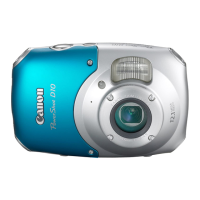
Do you have a question about the Canon PowerShot D10 and is the answer not in the manual?
Instructions to take initial test shots to verify image recording.
Explains the camera's warranty effectiveness and procedures for claims abroad.
Information on the camera's durability testing and limitations.
Guidance on shooting, including automatic settings and special conditions.
Instructions for viewing, searching, and managing recorded images.
Details on changing camera functions and settings to personalize user experience.
Specific warnings related to camera operation, flash use, and handling.
Instructions on how to attach the camera strap and hold the device correctly for shooting.
Checks and precautions to ensure proper operation before using the camera underwater.
Explanation of scene icons displayed by the camera to indicate shooting conditions.
Procedure for selecting and erasing individual images from the camera.
Details the OS, CPU, RAM, and disk space needed for software installation.
Lists the accessories that come included with the camera package.
Information on AC adapter kits and battery chargers for powering the camera.
Explanation of the shooting screen display elements and their meanings.
How to check the current time displayed on the camera.
Using the Portrait scene mode for soft effects when photographing people.
How to enable the flash to fire for every shot, with details on flash range.
Instructions on how to shoot photos consecutively at approximately 1.1 images/second.
Procedure for manually setting white balance based on the actual shooting light conditions.
Instructions on connecting the camera to a TV to display the live screen content.
Explanation of the Face AiAF mode for detecting and focusing on faces.
Using AE lock to fix exposure for multiple shots with the same exposure settings.
How to retain a single color while converting the rest of the image to black and white.
Lists playback functions that can be used similarly to still images.
Steps to set the criteria for filtering images during playback.
Options to change slideshow display time, transition effects, and repeat settings.
Method for selecting individual images for erasure.
Method for selecting individual images to protect or unprotect.
Steps to select and add individual images to the DPOF print list.
Options to set print type, date, and file number for selected images.
How to disable the auto power-off feature to keep the camera active.
How to disable the red-eye reduction lamp function.
How to set which image (last seen or last shot) is displayed first in playback.
Solutions for problems related to the camera not powering on or battery draining quickly.
Troubleshooting steps for distorted or missing images when viewing on a TV.
Solutions for common shooting problems like black screens or incorrect display.
List of functions and options related to printing images from the camera.
Guidelines for protecting the camera from impacts, static, dust, and condensation.
Technical details for the camera's rechargeable lithium-ion battery.
Technical details for the battery charger, including input, output, and charge time.
 General
| Megapixel | 12.1 MP |
|---|---|
| Sensor type | CCD |
| Image stabilizer | Yes |
| Image sensor size | 1/2.3 \ |
| Maximum image resolution | 4000 x 3000 pixels |
| Digital zoom | 4 x |
| Optical zoom | 3 x |
| Interface | USB 2.0 |
| Digital SLR | No |
| Camera shutter speed | 1 - 1/1500 s |
| Compatible operating systems | Windows XP SP2-3 / Vista (inc. SP1) Mac OS X v10.4 - 10.5 |
| Focal length (35mm film equivalent) | 35 - 105 mm |
| Focus | TTL |
| Focus adjustment | Auto |
| Closest focusing distance | 0.03 m |
| ISO sensitivity | 80, 100, 200, 400, 800, 1600, AUTO |
| Flash modes | auto, Flash off, manual, Red-eye reduction, Slow synchronization |
| Flash range (tele) | 0.3 - 2 m |
| Flash range (wide) | 0.30 - 3.2 m |
| Motion JPEG frame rate | 30 fps |
| Video formats supported | MOV |
| Maximum video resolution | 640 x 480 pixels |
| Display diagonal | 2.5 \ |
| Display resolution (numeric) | 230000 pixels |
| USB version | 2.0 |
| Scene modes | beach, Children, Night landscape, party (indoor), Portrait, Underwater, Landscape (scenery) |
| Photo effects | black&white, Neutral, Sepia, Skin tones, Vivid |
| White balance | auto, Cloudy, custom modes, daylight, Fluorescent, Tungsten |
| Image processor | DIGIC 4 |
| Playback zoom (max) | 2 x |
| Product color | Silver |
| Bundled software | ZoomBrowser EX / ImageBrowser |
| Operating temperature (T-T) | -10 - 40 °C |
| Operating relative humidity (H-H) | 10 - 90 % |
| Compatible memory cards | mmc, sd |
 Weight and Dimensions
| Depth | 48.8 mm |
|---|---|
| Width | 103.6 mm |
| Height | 66.9 mm |
| Weight | 190 g |







 To Next Page