143
With a printer compatible with direct printing, you can easily print
images specified with DPOF.
1
Prepare to print.
¡See pages 122-123 and follow
“Preparing to Print” up to step 5.
2
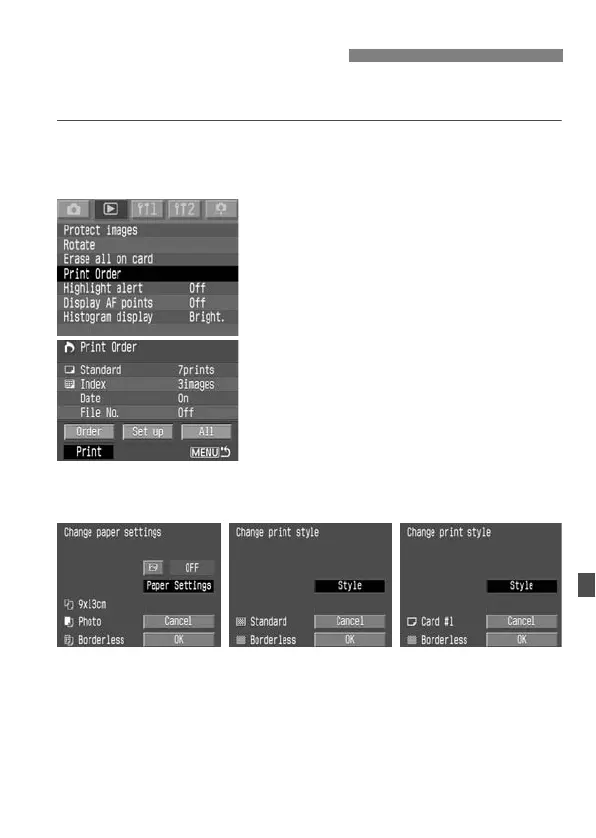
Select [Print Order].
s The Print Order screen will appear.
3
Select [Print].
¡[Print] will be displayed only if the
camera is connected to the printer and
printing is possible.
s The set up screen will appear.
4
Set the printing options.
wPictBridge
¡Set the [Paper settings] and <E>
printing effects. (p.125)
ACP Direct / SBubble Jet Direct
¡Set the [Style]. (p.129/132)
Direct Printing with DPOF
wPictBridge SBubble Jet DirectACP Direct



 To Next Page
 Loading...










