21
Battery Life
The figures above are based on Canon’s testing standards.
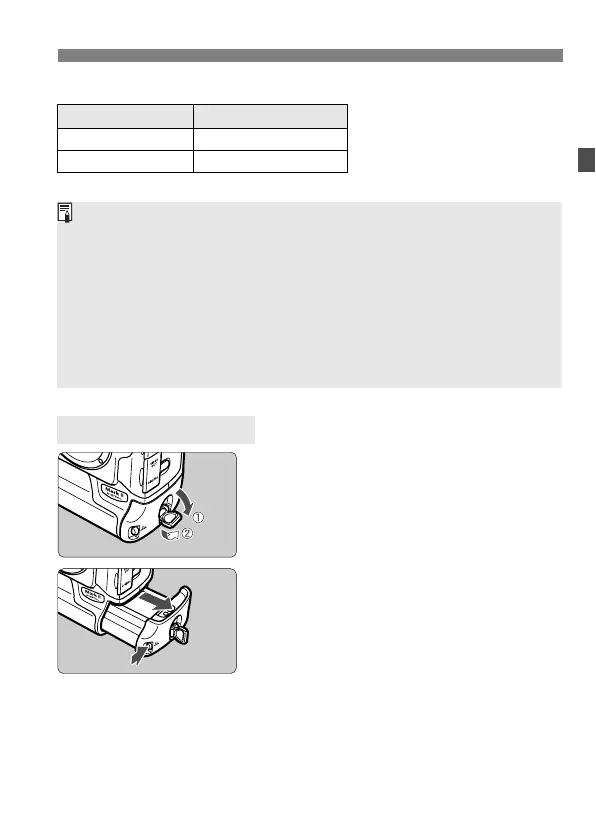
1
Flip out the battery release
handle and turn it as shown by
the arrow.
2
Press the battery release button
and take out the battery.
Temperature Shots remaining
At 20˚C / 68˚F Approx. 1200
At 0˚C / 32˚F Approx. 800
Removing the Battery
¡ The actual number of shots may be fewer than indicated above
depending on the shooting conditions.
¡ The number of possible shots will decrease with more frequent use of the
LCD monitor.
¡ The number of possible shots will also decrease if you hold down the
shutter button halfway for prolonged periods or only activate the
autofocus without taking a picture.
¡ If you keep recharging the Ni-MH battery without fully exhausting it first,
the battery’s capacity will decrease. To learn how to avoid a decrease in
the battery capacity, refer to the Ni-MH Charger NC-E2’s instructions.



 To Next Page
 Loading...










