166
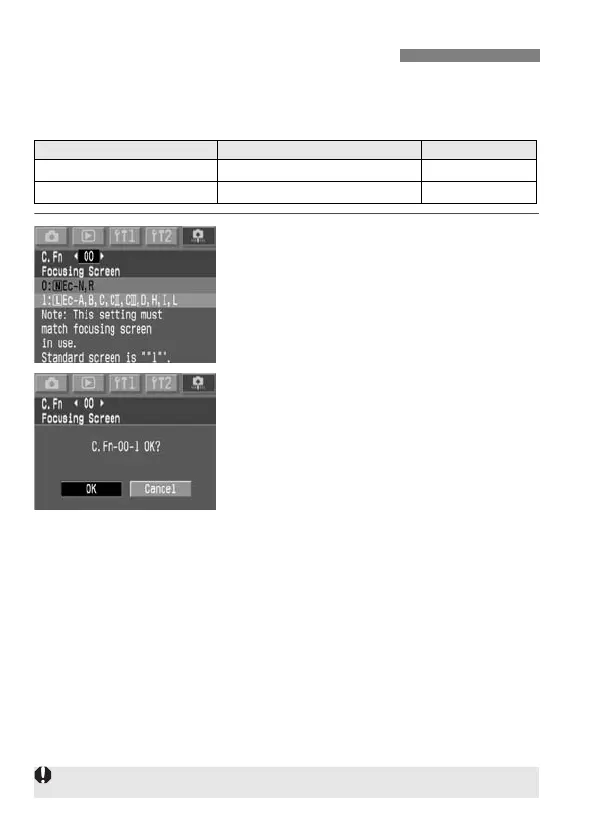
You can change the camera’s focusing screen to better suit the subject
or shooting situation. You must also set C.Fn-00 so that the standard
setting for obtaining a correct exposure matches the focusing screen.
1
Select C.Fn-00.
¡Hold down the <X> button and
turn the <5> dial to select [00]. Then
let go of the button.
¡Hold down the <X> button and
turn the <5> dial to select the desired
setting. Then let go of the button.
2
Check the message.
¡Hold down the <X> button and
turn the <5> dial to select [OK]. Then
let go of the button.
Changing the Focusing Screen
Focusing Screen Type Designation C.Fn-00 Setting
k:New Laser-matte Screen
Ec-N, Ec-R 0
l:Laser-matte Screen
Ec-series (A, B, C, CII, CIII, D, H, I, L)
1
C.Fn-00 cannot be registered in any Custom Function group.



 To Next Page
 Loading...










