Preparing the Camera
30
Attaching the Microphone Holder
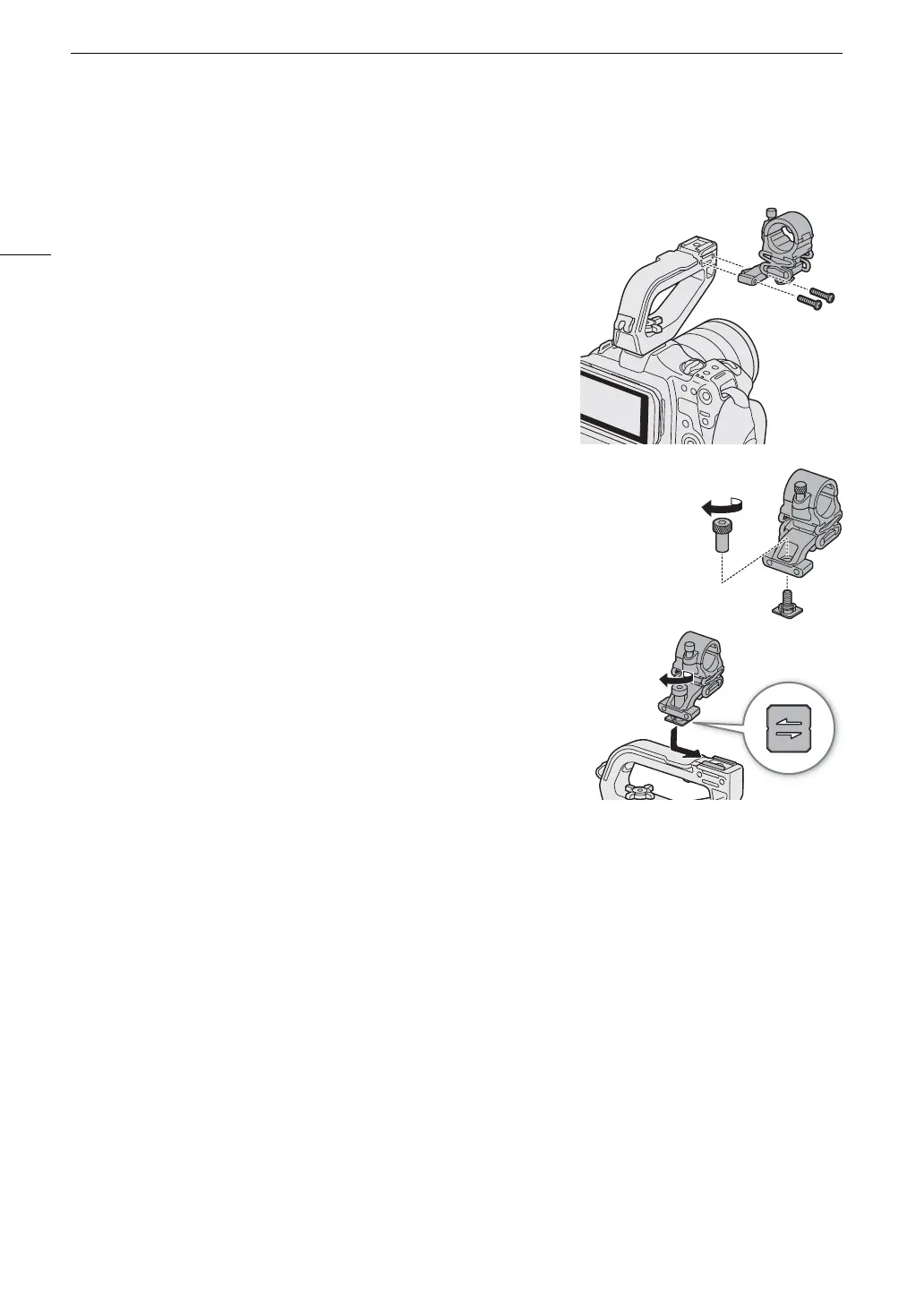
To the Right Side of the Handle Unit
1 Attach the microphone holder to the handle unit.
2 Use a commercially available Phillips head (“crosshead”) screwdriver
to secure it firmly with the 2 M4 bolts.
To an Accessory Shoe (Handle Unit or Camera)
1 Insert the part of the shoe mount bracket with the screw through the
mounting hole on the microphone holder, from below (햲). Align the
part of the shoe mount bracket with the female threading and tighten
from above (햳).
• It is recommended to leave about 4 mm of clearance.
2 Slide the shoe mount bracket into the accessory shoe and tighten the
lock screw (햴).
• Make sure to slide the microphone holder in the direction of the
arrow at the bottom of the attachment bracket.



 To Next Page