33
Preparing Recording Media
• Depending on the card, initialization may take up to a few minutes.
• If you set an assignable button to [Initialize Media] (A 105), you can press the button to open the [Initialize
Media] submenu.
Setting a Card’s Volume Label
You can set the volume label for SDXC cards used for recording (only in CAMERA mode, when recording
XF-AVC clips), in order to make it easier to identify and organize them later.
1 Select > [Æ Recording/Media Setup] > [Volume Label] > Desired option.
2 Initialize the card (A 32).
3 If necessary, set the XF-AVC clip file name’s metadata elements (A 37).
4 Record clips on the card.
• The card’s volume label changes when the first XF-AVC clip is recorded on a just initialized card.
Options
[Canon]: The card’s volume label will be “CANON” regardless of the clip file name settings.
[Canon + Metadata]:
The card’s volume label will be “CANON”, plus the camera index number and the reel number
(A 37).
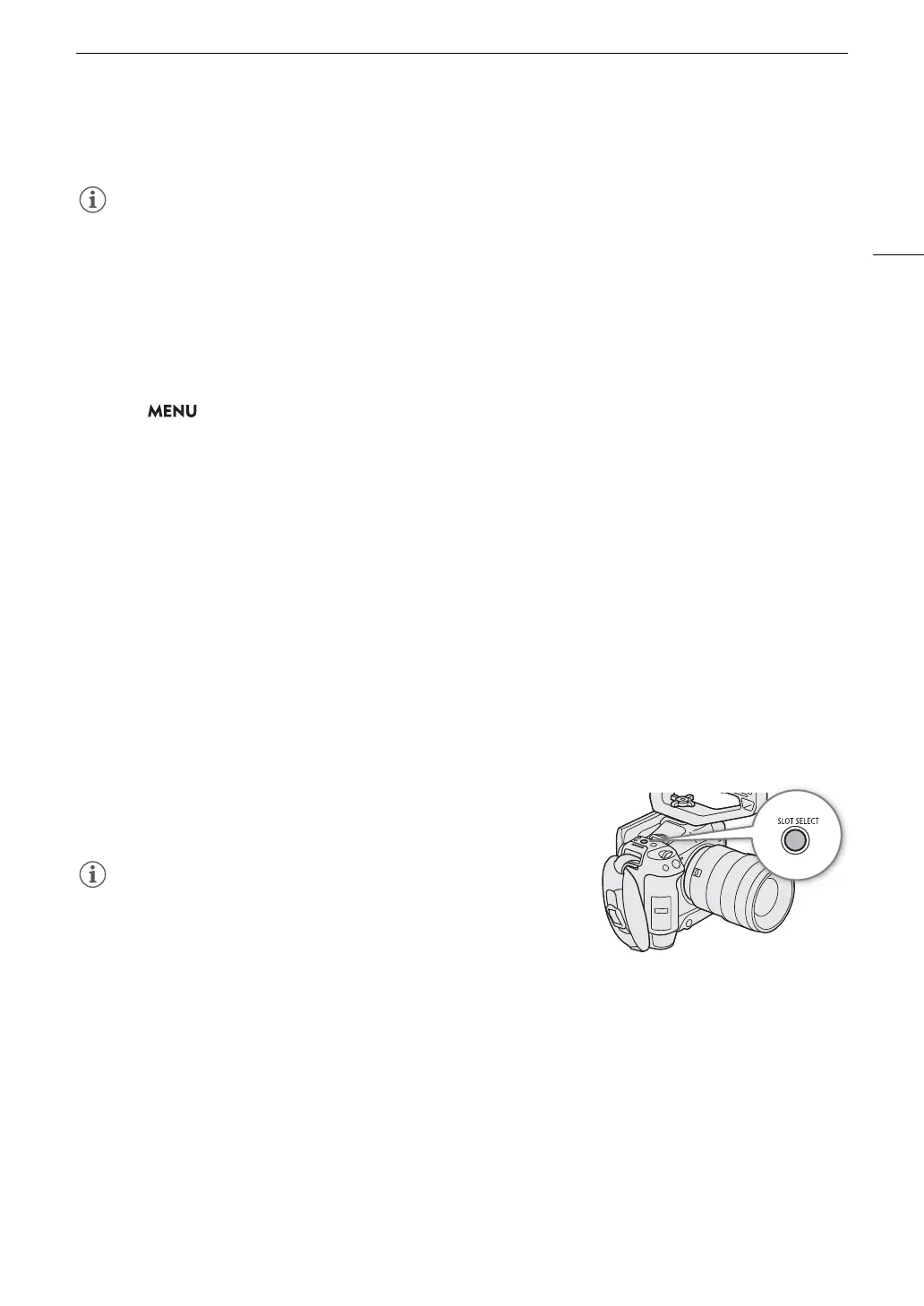
Switching Between Card Slots
If both slots contain a card, you can switch the card used for recording/playback as necessary.
Press the SLOT SELECT button.
• The access indicator of the selected SD card slot will illuminate in
green.
• You cannot use the SLOT SELECT button to switch between card
slots while recording or playing back.
• You can also perform this function remotely using Browser Remote
(A 160).
Checking the Remaining Recording Time on a Card
The display on the upper left of the screen shows the card icons and the remaining recording time* (in minutes)
on each card (A 44).
On the [Æ Recording/Media Setup] status screen (A 179), you can check the total space, used space and
approximate remaining recording time* of each card. The approximate remaining number of photos (SD card B
only) and speed class will be displayed as well.
* Remaining recording times are approximate and calculated based on the current video configuration used.



 To Next Page