8
En
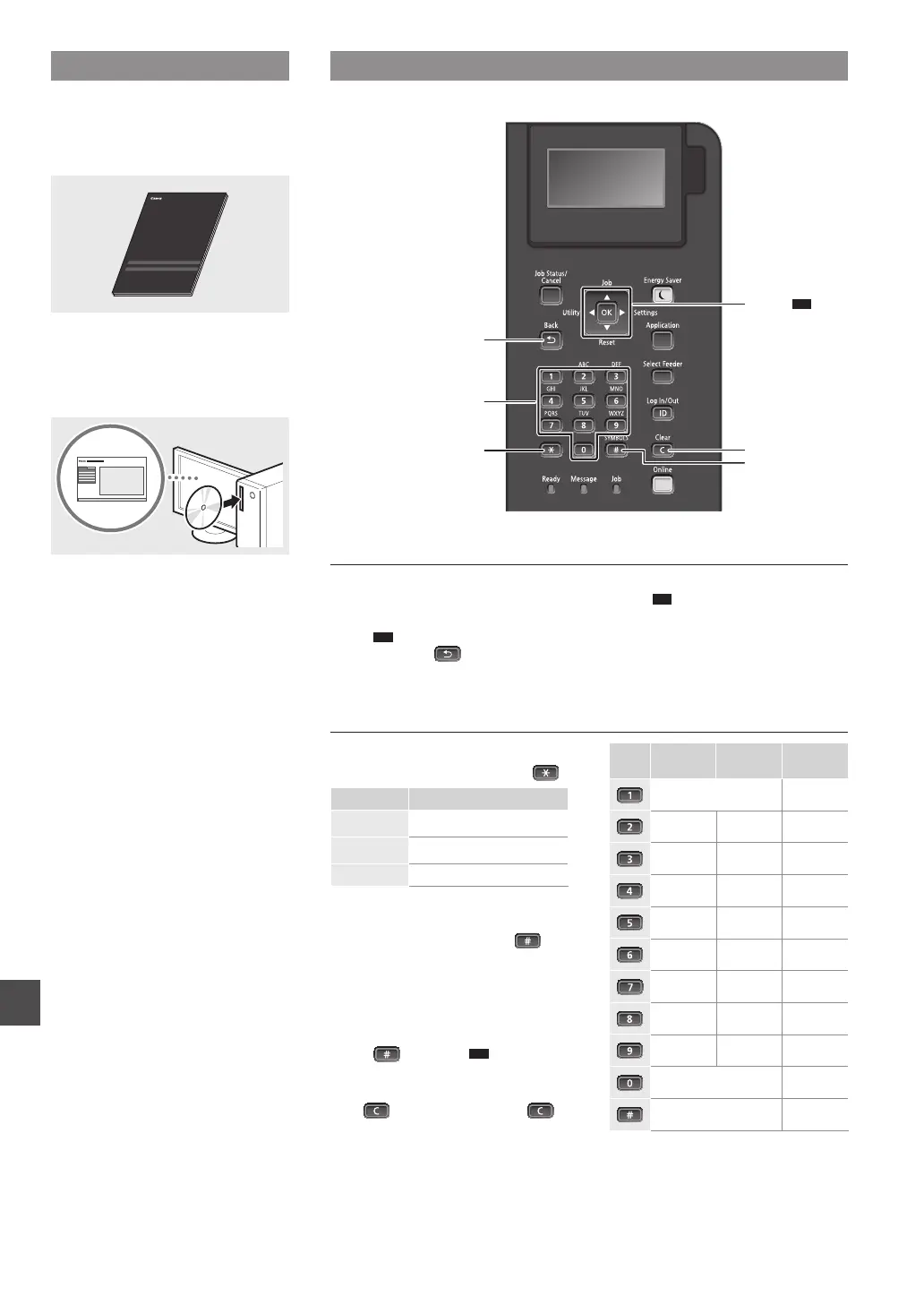
Navigating the Menu and Text Input Method
About the Supplied Manuals
Getting Started (This manual):
Read this manual rst. This manual
describes the installation of the
machine, the settings, and a caution.
Printer Driver Installation Guide
(Provided User Software DVD-ROM):
This manual describes software
installation.
Navigating the Menu
Item selection or moving the cursor
among the menu items
Select an item with [▲] or [▼].
Press
OK
or [
►
] to proceed to the next
hierarchy. Press or [
◄
] to return
to the previous hierarchy.
Setting conrmation
Press
OK
.
Text Input Method
Changing entry mode
To change the entry mode, press
.
Entry mode Available text
<A>
Uppercase alphabetic letters and
symbols
<a>
Lowercase alphabetic letters and
symbols
<12> Numbers
Entering text, symbols, and numbers
Enter with the numeric keys or
.
Moving the cursor
Press [
◄
] or [
►
], to move the cursor.
Entering a space
Press
, and press
OK
.
Deleting characters
Press
. Pressing and holding
deletes all characters.
Entry mode:
<A>
Entry mode:
<a>
Entry mode:
<12>
@ . - _ / 1
ABC abc 2
DEF def 3
GHI ghi 4
JKL jkl 5
MNO mno 6
PQRS pqrs 7
TUV tuv 8
WXYZ wxyz 9
(Not available) 0
(space) - . * # ! ” , ; : ^ ` _ = / | ’
? $ @ % & + \ ˜ ( ) [ ] { } < >
(Not available)
Back
*
#
Clear
▲▼
▲
▲
OK
Numeric keys












 To Next Page