9
En
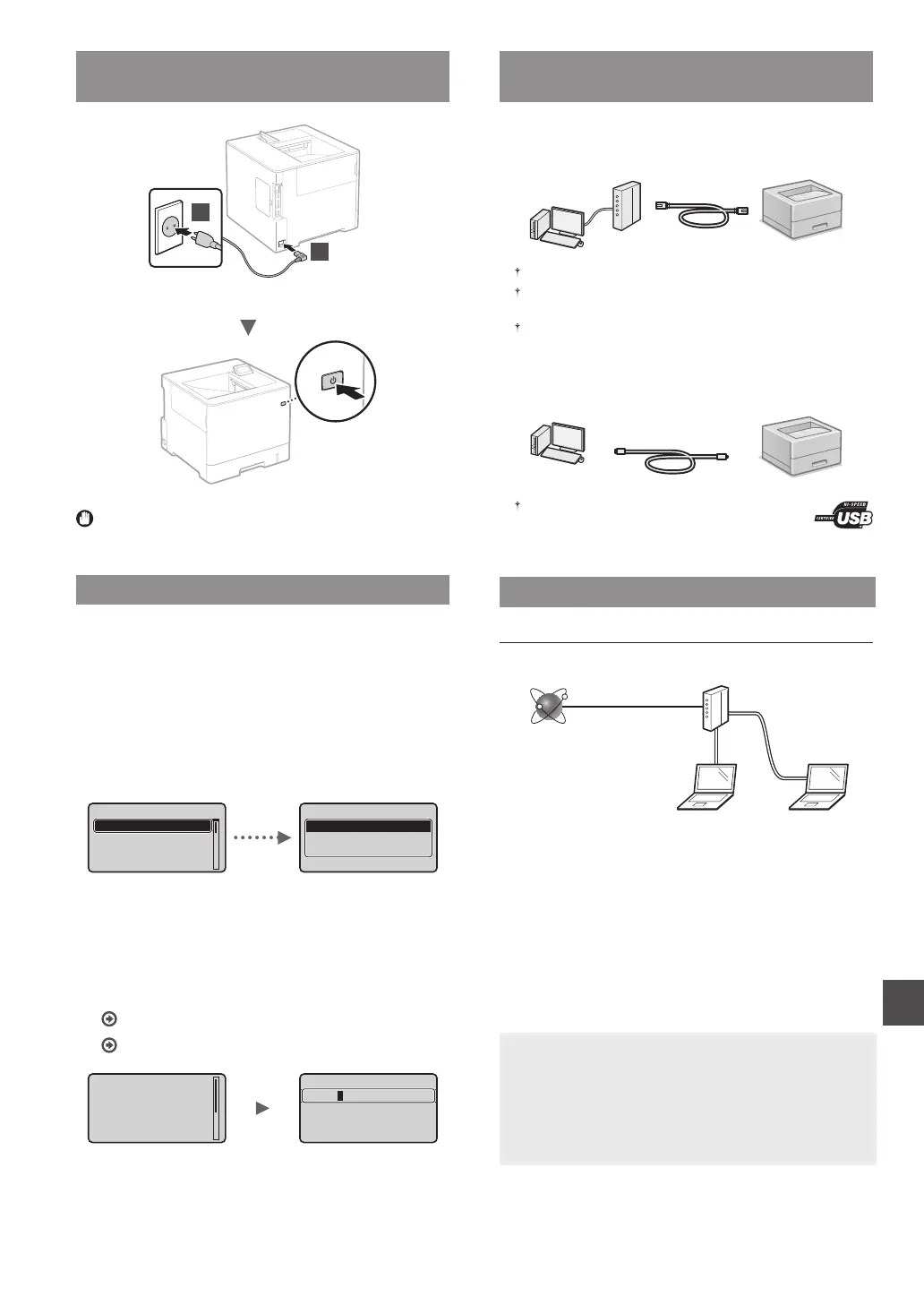
Connecting the Power Cord and Turning ON
the Power
2
1
Do not connect the USB cable at this time. Connect it when
installing software.
Specifying the Initial Settings
The rst time you turn ON the power, follow the instructions
on the screen. For details on navigating the menu and how to
input the numbers, see "Navigating the Menu and Text Input
Method" on p. 8.
●
Complete settings starting with language
and through to USB-Connected PC OS
Follow the instructions on the screen, set the language,
USB-Connected PC OS, and date and time.
Deutsch
Dansk
Čeština
English
Language
Other
Windows
Mac OS
USB-Connected PC OS
●
Setting a Remote UI PIN
You can set a PIN for access to the Remote UI. Protect the
machine from unauthorized access by only allowing users with
access privileges to use the machine.
To specify settings later, please refer to “Setting a Remote UI PIN”
in the User's Guide.
User's Guide “Setting a Remote UI PIN”
User's Guide “Setting the System Manager Password”
prevent unauthorized
using Remote UI to
recommended when
UI Access PIN is
Setting the Remote
(fix : OK key)
*******
Remote UI Access PIN
Selecting the Method to Connect the
Machine
●
Connecting via a Wired LAN
You can connect the machine to a wired router. Use the LAN
cables to connect the machine to the wired router (access point).
Connect the computer to the router by cable or wirelessly.
Make sure that there is an available port in the router to connect
the machine and the computer.
Have a LAN Cable of Category 5 or higher twisted-pair cable ready.
●
Connecting via a USB cable
You can connect the machine to the computer using a USB
cable.
Make sure that the USB cable you use has the following
mark.
Connecting via a Wired LAN
Checking before the Setup
Internet
Router
or
hub
LAN cable
Are the computer and the router (or hub) properly
connected using a LAN cable?
For more information, see the instruction manual for the
network device you are using, or contact the networking
device manufacturer.
Have the network settings on the computer been
completed?
If the computer is not properly congured, you may not use
the wired LAN connection even after completing the following
settings.
NOTE
• When you connect to a network environment that is not
security protected, your personal information could be
disclosed to third parties. Please use caution.
• If you connect through a LAN in the oce, contact your
network administrator.












 To Next Page