Printing Booklet
1560-08K
You can print two pages of a document on both sides of paper and then fold your
printed pages in half to make a booklet. The printer driver controls the print order in
such a way that the page numbers are correctly arranged.
● Booklet printing may not be available with some sizes and types of paper. The paper that is available for 2-
sided printing is also available for booklet printing. See Paper(P. 419) .
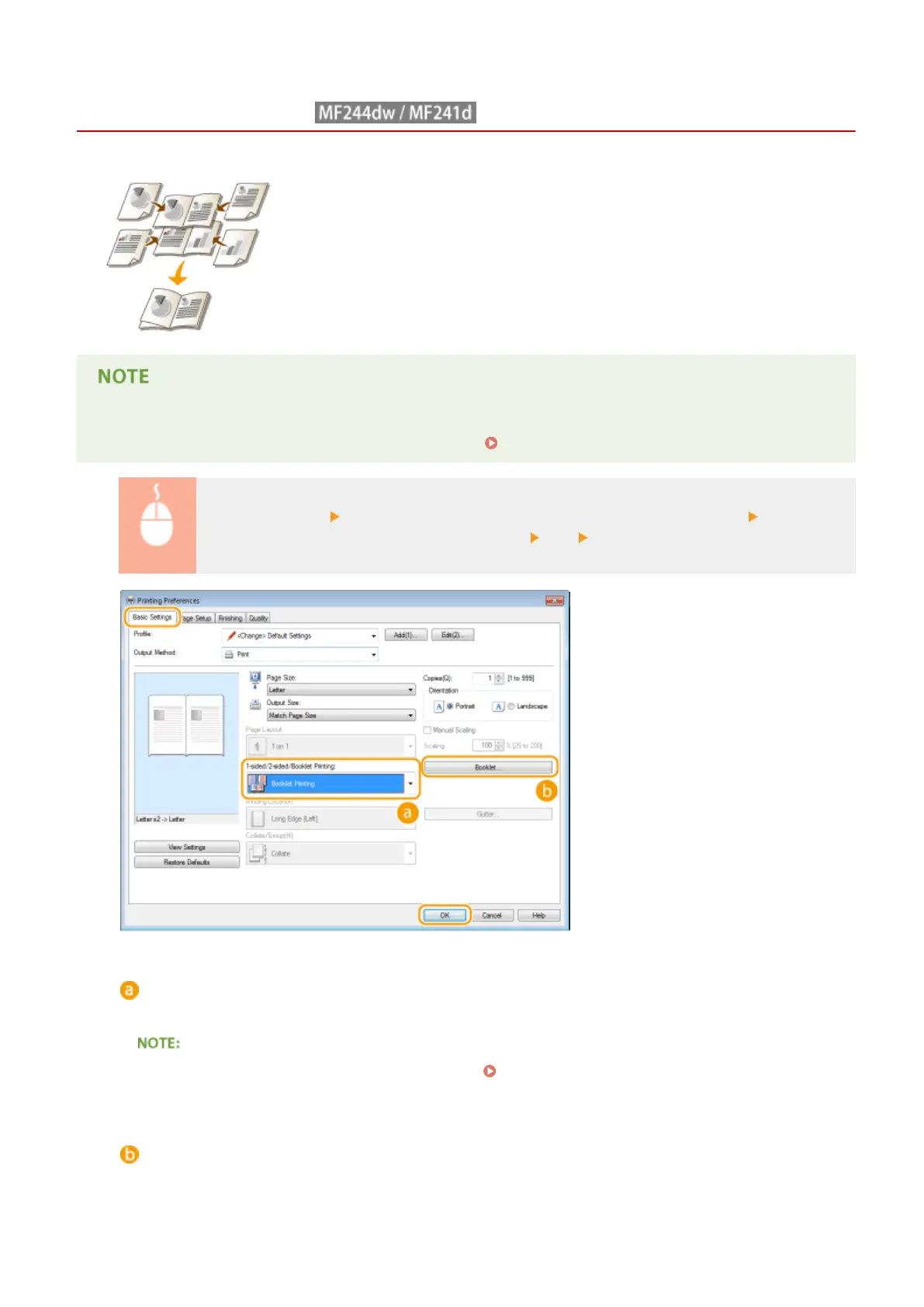
[Basic Settings] tab Select [Booklet Printing] in [1-sided/2-sided/Booklet Printing] Click
[Booklet] to specify detailed settings as necessary [OK] [OK]
[1-sided/2-sided/Booklet Printing]
Select [Booklet Printing].
● For [1-sided Printing] and [2-sided Printing], see Switching 1-Sided and 2-Sided Printing (MF244dw /
MF241d)(P. 98) .
[Booklet]
The screen below is displayed.
Using the Machine as a Printer
106











 To Next Page