3
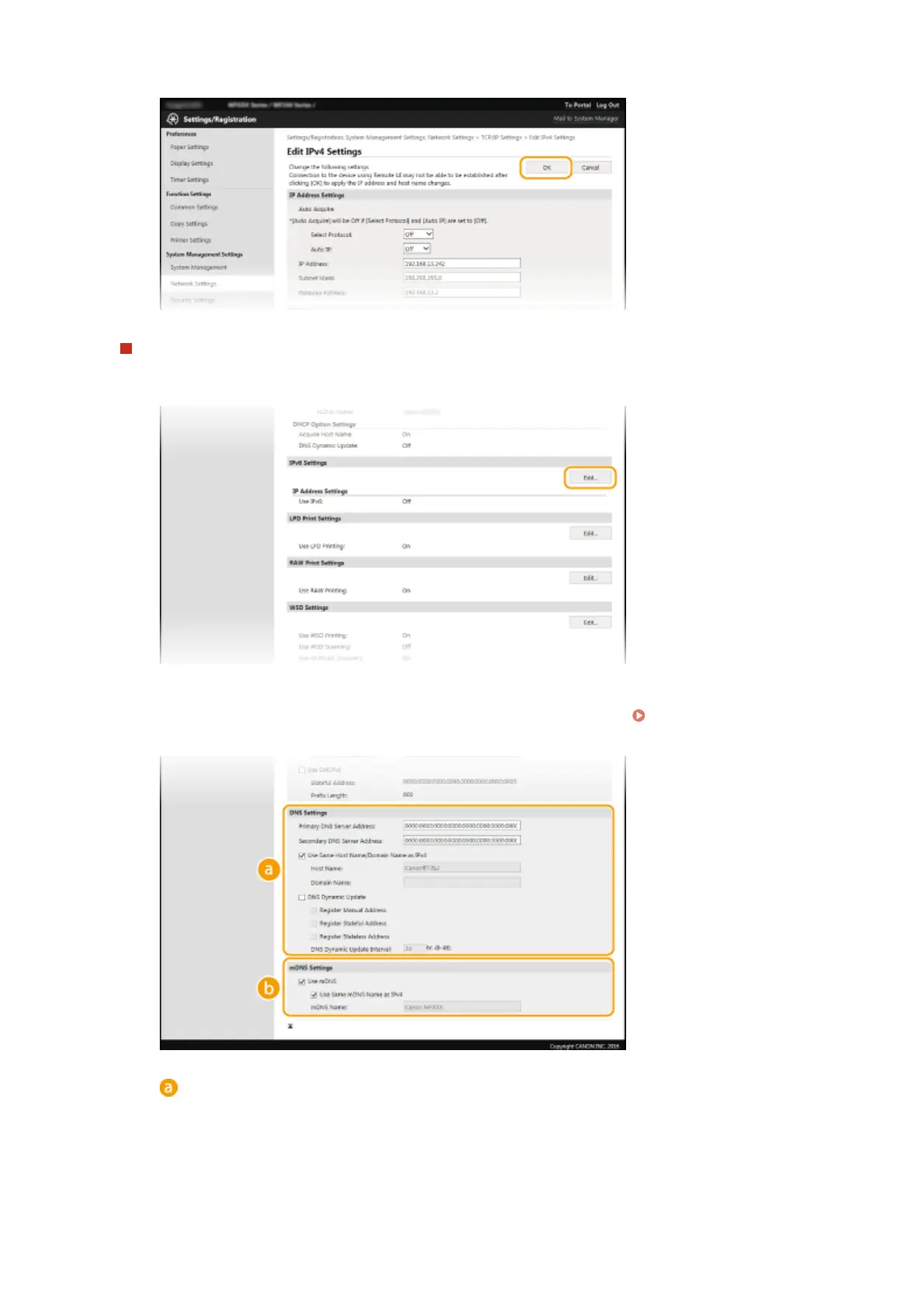
Click [OK].
Conguring IPv6 DNS
1
Click [Edit] in [IPv6 Settings].
2
Congure IPv6 DNS settings.
● The [Use IPv6] check box must be selected to congure the settings. Setting IPv6
Addresses(P. 190)
[DNS Settings]
[Primary DNS Server Address]
Enter the IP address of a DNS server. Addresses that start with "ff" (or multicast address) cannot be
entered.
[Secondary DNS Server Address]
Enter the IP address of a secondary DNS server, if any. Addresses that start with "ff" (or multicast
address) cannot be entered.
Network (MF244dw / MF232w)
213











 To Next Page