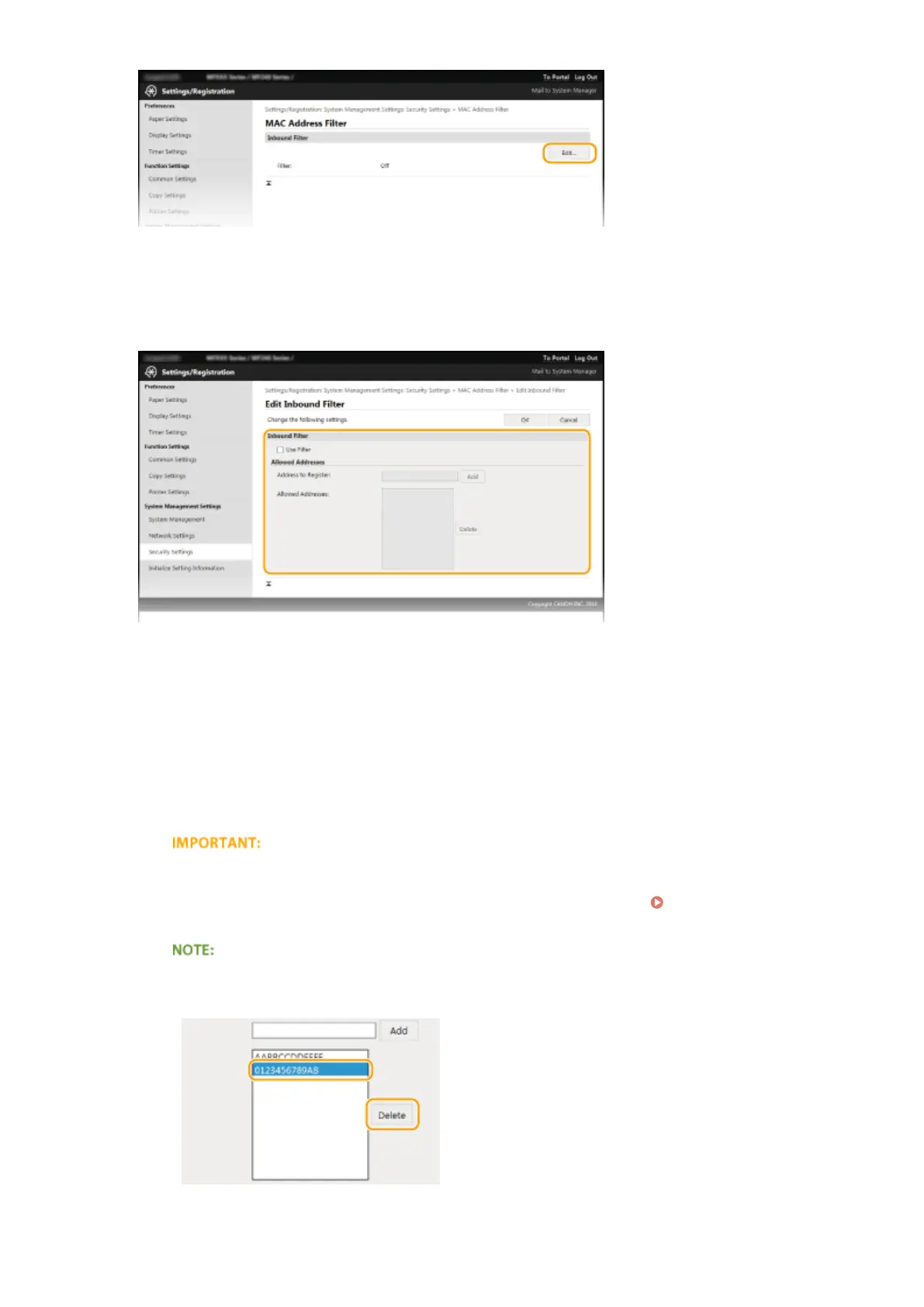
[Inbound Filter]
Select to restrict receiving data from the machine to a computer by specifying MAC addresses.
5
Specify the settings for packet ltering.
1
Select the [Use Filter] check box.
● Select the check box to restrict communication. Clear the check box to disable the restriction.
2
Specify the address.
● Enter the MAC address in the [Address to Register] text box and click [Add]. Allows communication
(received) only with devices having registered MAC addresses, and restricts communication with
devices with any other MAC addresses.
● You do not need to delimit the address with hyphens or colons.
Check for entry errors
If MAC addresses are incorrectly entered, you may become unable to access the machine from the
Remote UI, in which case you need to set <MAC Address Filter> to <Off>. MAC Address Filter (P. 332)
Deleting a MAC address from exceptions
Select a MAC address and click [Delete].
3
Click [OK].
Security
238











 To Next Page