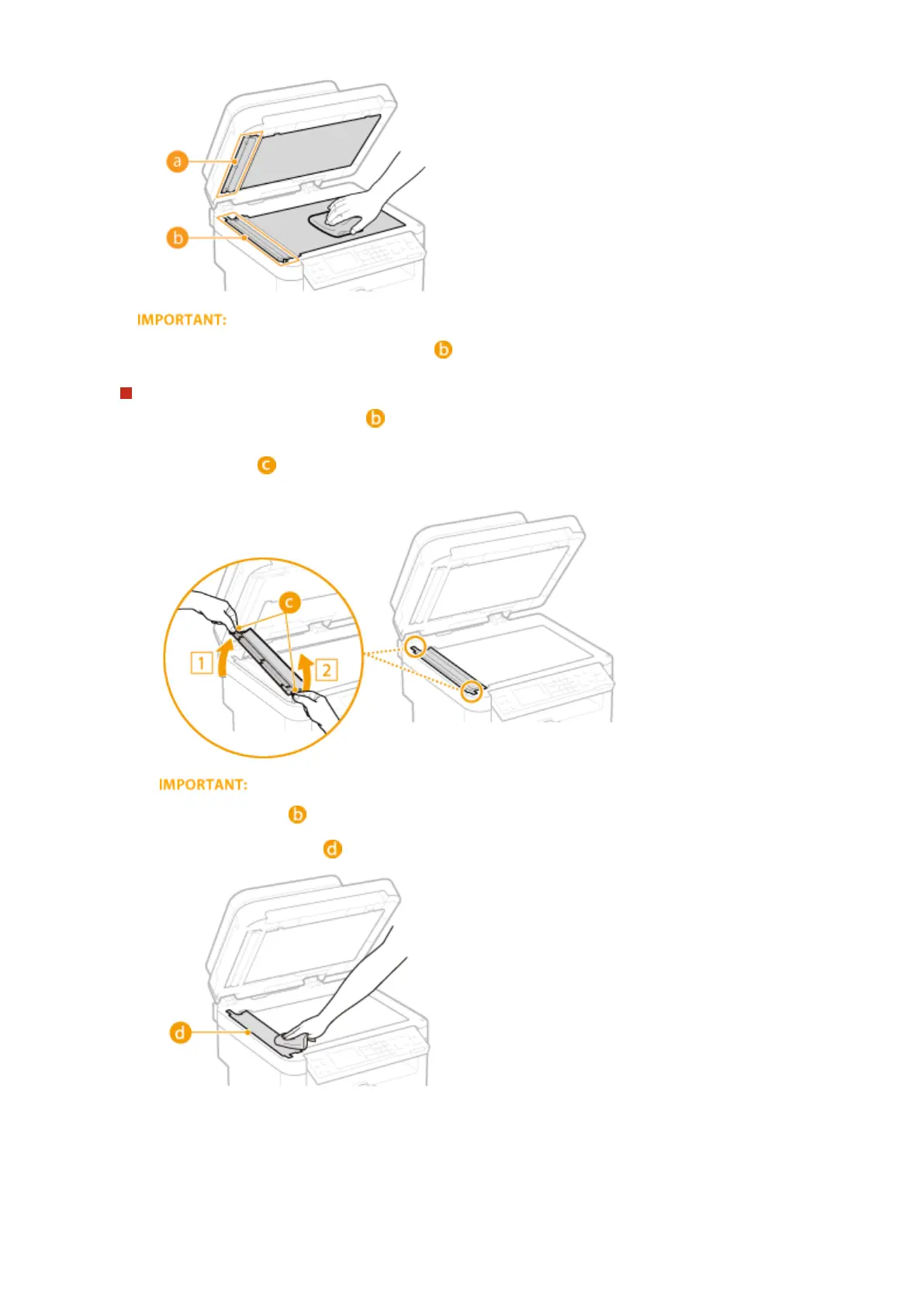
● When wiping the transparent plastic part ( ), take care not to bend the plastic.
If the problem persists (MF244dw)
Remove the transparent plastic part ( ) and wipe it.
1
Hold the tabs ( ) at both ends of the transparent plastic part, and remove the plastic part by gently
lifting the rearward end rst.
● The plastic part ( ) is rather damageable. When removing it, be careful not to bend it.
2
Wipe the scanning area ( ).
3
Wipe the back side of the transparent plastic part.
Maintenance
380











 To Next Page